
AI Product Image Generator for Ecommerce: Seller Guide
If you are searching for an AI product image generator for ecommerce, you probably need more than another gallery of perfect-looking demo images. You need to know whether the tool can help you create publishable product visuals while keeping the buyer's expectation accurate.
That distinction matters. Ecommerce product images are not just creative assets. They are evidence. They help buyers judge product quality, size, color, material, use case, fit, and trust before they click Add to Cart.
Quick Answer
The best AI product image generator for ecommerce should start from real product assets, preserve product fidelity, support repeatable brand style, create useful image types for different channels, and give teams enough review control before publishing. The right workflow helps you turn one product photo into cleaner packshots, lifestyle scenes, model images, PDP visuals, marketplace listing images, and campaign banners without losing product truth.
Why This Keyword Should Be a Core LoomaDesign Topic
This keyword sits at the center of LoomaDesign's real use case. Ecommerce teams need more than one AI image. They need a repeatable product visual workflow.
That workflow may include:
- enhancing weak source photos
- creating marketplace-ready product images
- generating lifestyle scenes for Amazon, Shopify, ads, or landing pages
- turning apparel flat lays into model photos
- replacing backgrounds without warping product details
- creating PDP sections, banners, and secondary listing images
This is broader than Amazon A+ Content AI. A+ content remains a useful cluster, but the larger buyer language is about product images, product photography, PDP visuals, and ecommerce image workflows.
Why the Standard Is Higher Than Generic AI Image Generation
Generic image generation can be judged by whether the image looks impressive. Ecommerce image generation has a harder standard: the image must still represent the actual SKU.
Amazon Ads describes AI image generation as a way to create lifestyle and brand-themed images from product details for advertising workflows. Google Merchant Center also notes that merchants can use Product Studio to increase resolution, remove backgrounds, and generate product scenes. Shopify's product photography guidance still starts from practical image fundamentals: capture the best source photos you can, then retouch areas that need improvement.
The common pattern is clear. AI is useful, but the product remains the anchor.
Buyer expectations make that even more important. Salsify's 2025 Consumer Research reports that product images and videos are extremely important to shoppers, and roughly seven in ten shoppers have returned an item because product content was inaccurate. AI is valuable when it improves speed without creating product-content risk.
The Main Buyer Problem
Most ecommerce teams searching this keyword are trying to solve one of five problems:
| Buyer problem | What they really need | Wrong first move |
|---|---|---|
| Product photos look low-quality | Source cleanup, enhancement, retouching | Generate a new scene before fixing the product |
| Store needs more lifestyle images | Scene generation with product fidelity | Use random beautiful backgrounds |
| Apparel needs on-model context | Model workflow with garment QA | Publish AI model images without fit review |
| Amazon or Shopify page feels thin | Product-page visual system | Add more images without assigning each image a job |
| Campaign needs banners fast | Reusable visual system and variants | Let every campaign use a different style |
The best page should answer these problems directly. Polished examples are not enough.
The Six Image Jobs an Ecommerce AI Workflow Should Cover
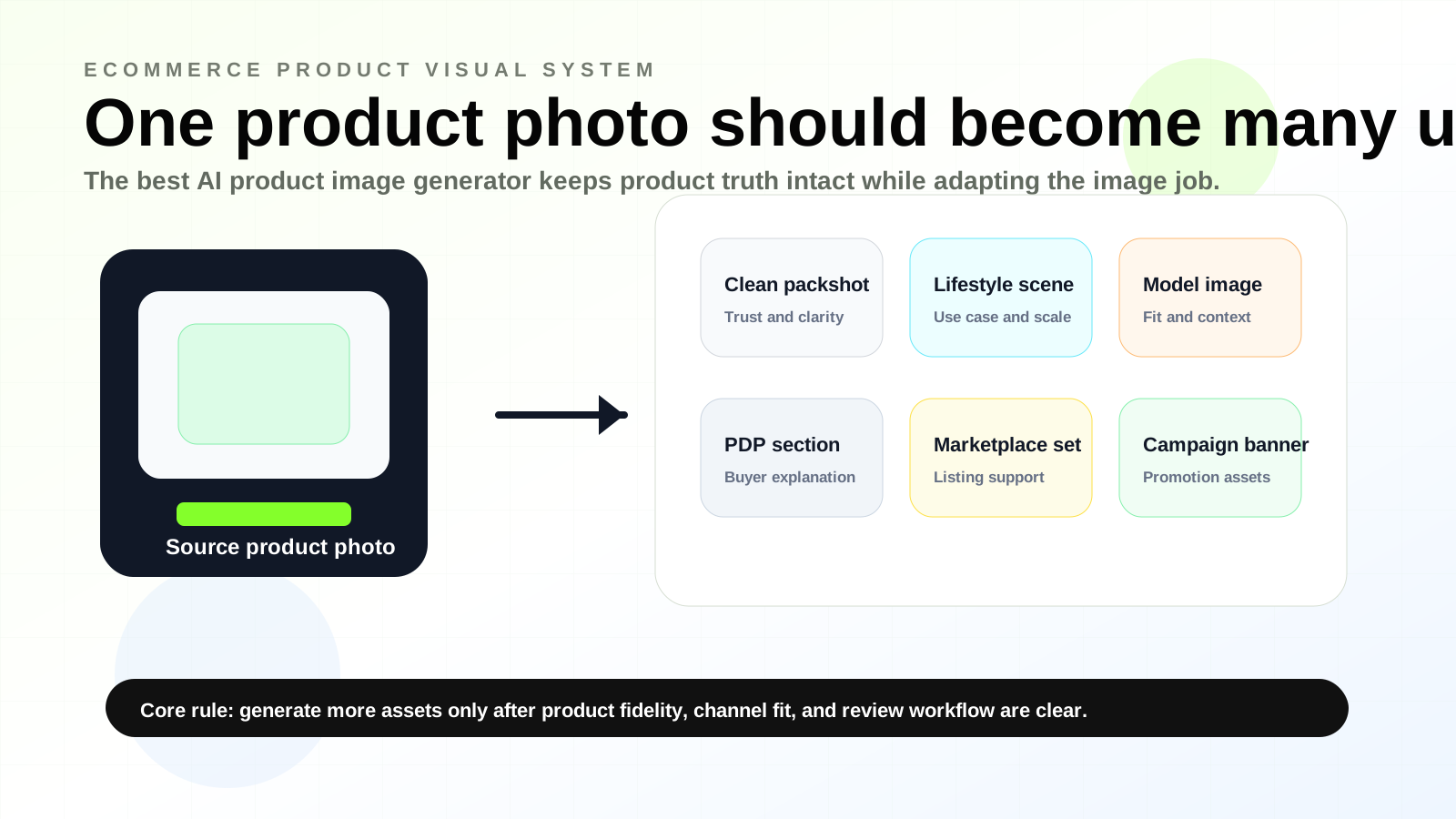
1. Clean packshots
This is the trust layer. Use enhancement or retouching when the real product image needs sharper clarity, cleaner background, better lighting, or more consistent color.
2. Marketplace listing images
Marketplaces need fast-understanding product images. The image should answer what the product is, what it includes, how large it is, how it is used, and what makes it different.
3. Lifestyle scenes
Lifestyle images are useful when they answer a buyer question:
- Where does this product belong?
- How large is it?
- Who uses it?
- What problem does it solve?
- What does it look like in context?
They are risky when the background becomes more important than the product.
4. Model and apparel images
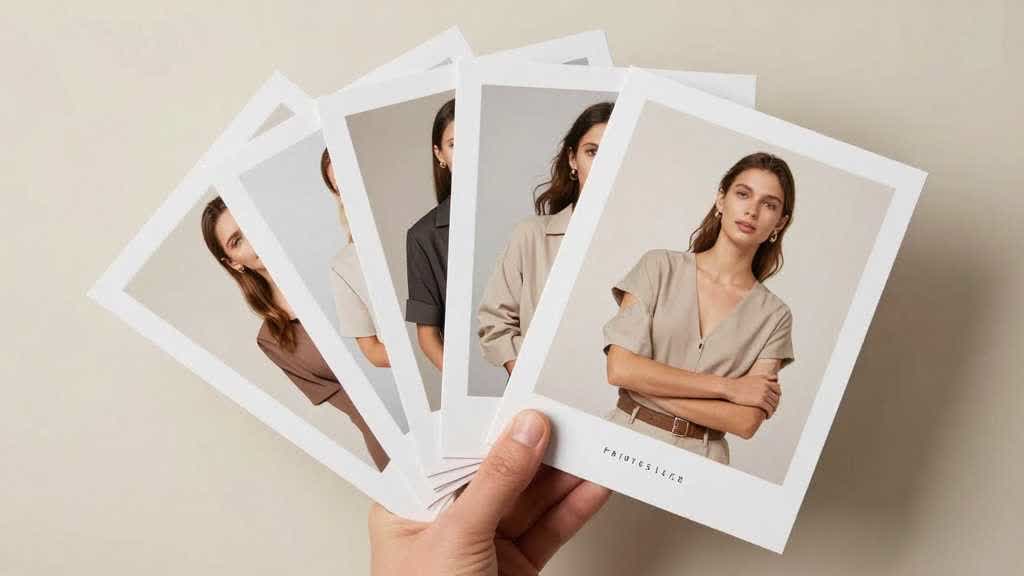
Fashion and apparel need a stricter review layer. The output should preserve fabric, fit, length, silhouette, color, stitching, and product details.
5. PDP explanation assets
Many product pages fail because the visual story is incomplete. A good workflow should help create images that explain:
- size and scale
- compatibility
- ingredients or materials
- before/after outcomes
- comparison charts
- use steps
- benefits and proof points
This is where product detail page visual checklist content should link back to this hub.
6. Campaign banners and ad assets
Campaign visuals can be more creative, but they still need product consistency. If a banner makes the product look better than the real item, it may win clicks but hurt trust after the landing page.
How to Evaluate an AI Product Image Generator
Use this scorecard before choosing a tool or publishing an output.
| Evaluation area | What to check | Why it matters |
|---|---|---|
| Product fidelity | Shape, color, label, material, edge detail | Prevents misleading PDP or ad images |
| Source-photo handling | Can it improve real images without changing the SKU? | Most ecommerce teams start from existing assets |
| Scene control | Can you control background, lighting, camera angle, and use case? | Prevents random pretty scenes |
| Channel fit | Amazon, Shopify, ads, PDP, banner, social | Each channel has different visual jobs |
| Model support | Apparel fit, pose, body type, garment accuracy | Important for fashion and catalog scale |
| Review workflow | Easy compare, regenerate, reject, and reuse | Saves time after QA, not before QA |
| Brand consistency | Repeatable style across many SKUs | Prevents messy catalogs |
| Export readiness | Correct sizes, file quality, and usable outputs | Reduces publishing friction |
If a tool cannot preserve product truth, keep it for ideation and exclude it from final product-page assets.
A Practical Workflow From One Product Photo
Step 1: Start with the best source image
AI still needs good product truth. Start with a real product photo that has accurate color, clean edges, visible details, and enough resolution.
If the source is weak, use enhancement or retouching first.
Step 2: Decide the image job
Before generating anything, decide what the image must do:
- build trust
- explain use case
- show scale
- show fit
- support a claim
- compare options
- create a campaign angle
Give each image one clear job.
Step 3: Choose the right workflow
| Need | Better workflow |
|---|---|
| Improve clarity | AI product image enhancer |
| Change background | product photo background generator |
| Show product in context | AI product lifestyle image generator |
| Show apparel on body | AI fashion model generator or flat lay to model workflow |
| Build PDP sections | product detail page visual workflow |
| Create ad/banner variants | AI product banner generator |
This is the reason LoomaDesign should position itself as a workflow, not only a generator.
Step 4: Review before publishing
Use a final go/no-go check:
- Does the image still match the real SKU?
- Did the product color shift?
- Did the material or texture change?
- Does the size look realistic?
- Are shadows and reflections believable?
- Would this image create a return or support question?
- Does the image fit the channel where it will be used?
If the answer is unclear, hold the image for revision.
Real Questions Sellers Should Ask First
Most bad AI product image workflows start with the wrong question. The question is not "Can this tool make the photo look more premium?" The better question is "Will this image help the buyer understand the real product faster?"
Before choosing a workflow, ask:
- Is the current product image inaccurate, unclear, or just visually boring?
- Does the page need trust, context, scale, comparison, or campaign variation?
- Which image will the buyer see first on mobile?
- Could the generated image make the product look larger, smoother, cleaner, or more expensive than it really is?
- Who on the team is responsible for approving color, material, scale, and label accuracy?
This is also why comments from ecommerce communities often repeat the same concern in different words: AI photos can look good and still feel fake. A strong workflow gives the team language for making that judgment before an image reaches the product page.
Common Mistakes
Mistake 1: Comparing tools only by hero demos
Hero demos usually use easy products and controlled scenes. Test the tool on difficult SKUs with reflective surfaces, fabric, transparent packaging, labels, or irregular edges.
Mistake 2: Generating scenes before cleaning the product
If the source photo is blurry, low-resolution, color-shifted, or inconsistent, lifestyle generation can make the final image look worse. Clean the product first.
Mistake 3: Treating Amazon and Shopify the same
Amazon visuals usually need faster comprehension, stricter clarity, and marketplace review. Shopify pages can support richer storytelling, brand scenes, collection banners, and landing-page visuals.
Mistake 4: Letting every SKU use a different visual style
AI makes variation easy. Strong ecommerce teams define a repeatable style system so product pages feel consistent across the store.
Mistake 5: Publishing without a QA checklist
The cost of a bad AI product image is not only a bad-looking page. It can create mismatched expectations, returns, support tickets, or weaker buyer trust.
Build an Ecommerce Product Visual Workflow in LoomaDesign
LoomaDesign works best as an ecommerce product visual workflow. The practical path is:
- Use AI Product Image Enhancer when the source image needs clarity, cleanup, or trust improvement.
- Use Amazon Listing Image Generator when the marketplace gallery needs structured secondary images.
- Use AI Product Lifestyle Image Generator when the product needs believable scenes and use-case context.
- Use AI Fashion Model Generator when apparel needs on-model visual context.
- Use Amazon A+ Content AI when the Amazon PDP needs a broader content section.
- Use Product Detail Page Design AI when the team needs to decide which image jobs are missing.
This internal link structure is important. It turns this article into a hub page that supports the rest of the LoomaDesign SEO cluster.
FAQ
What is an AI product image generator for ecommerce?
An AI product image generator for ecommerce helps sellers create or adapt product visuals for online stores, marketplaces, product detail pages, ads, and campaigns. The best workflows start from real product assets and preserve product accuracy while creating useful variations.
Is an AI product image generator the same as AI product photography?
Not exactly. AI product photography usually refers to creating product photos or scenes. An AI product image generator can be broader: it may include enhancement, background replacement, lifestyle scenes, model photos, PDP assets, banners, and marketplace image sets.
Should ecommerce teams use real photos or AI product images?
Use real photos as the product truth layer. Use AI to enhance, adapt, scale, and create context around those real assets. For core PDP images, accuracy matters more than novelty.
Can I use AI product images for Amazon and Shopify?
AI visuals can support Amazon and Shopify workflows, but the review standard should differ by channel. Amazon needs fast product clarity and marketplace review. Shopify can support richer PDP storytelling, campaign imagery, banners, and brand visuals.
What is the biggest risk with AI product image tools?
The biggest risk is product drift: the AI output changes the product shape, color, material, label, size, or included accessories. That can create buyer distrust, returns, and content-quality problems.
What should I test before choosing a tool?
Test the tool on your hardest SKU, not your easiest product. Use products with labels, texture, reflective surfaces, fabric, transparent packaging, or complex edges. Then measure how much manual review and cleanup the output still needs.
Sources and Data Points
- Amazon Ads: How to use AI to generate images - Amazon's explanation of AI-generated lifestyle and brand-themed image workflows for advertisers.
- Google Merchant Center image link requirements - Google Merchant Center guidance on product images and Product Studio capabilities such as increasing resolution, removing backgrounds, and generating scenes.
- Shopify Help Center: Taking product photographs - Shopify guidance on source product photography and retouching areas that need improvement.
- Salsify 2025 Consumer Research - shopper research showing the importance of product images, videos, and accurate product content.
If you are planning the next product visual workflow, start with the AI Product Image Enhancer, compare it with the Amazon Listing Image Generator, and use the Ecommerce Scene Presets Guide when the main question is scene or background context.