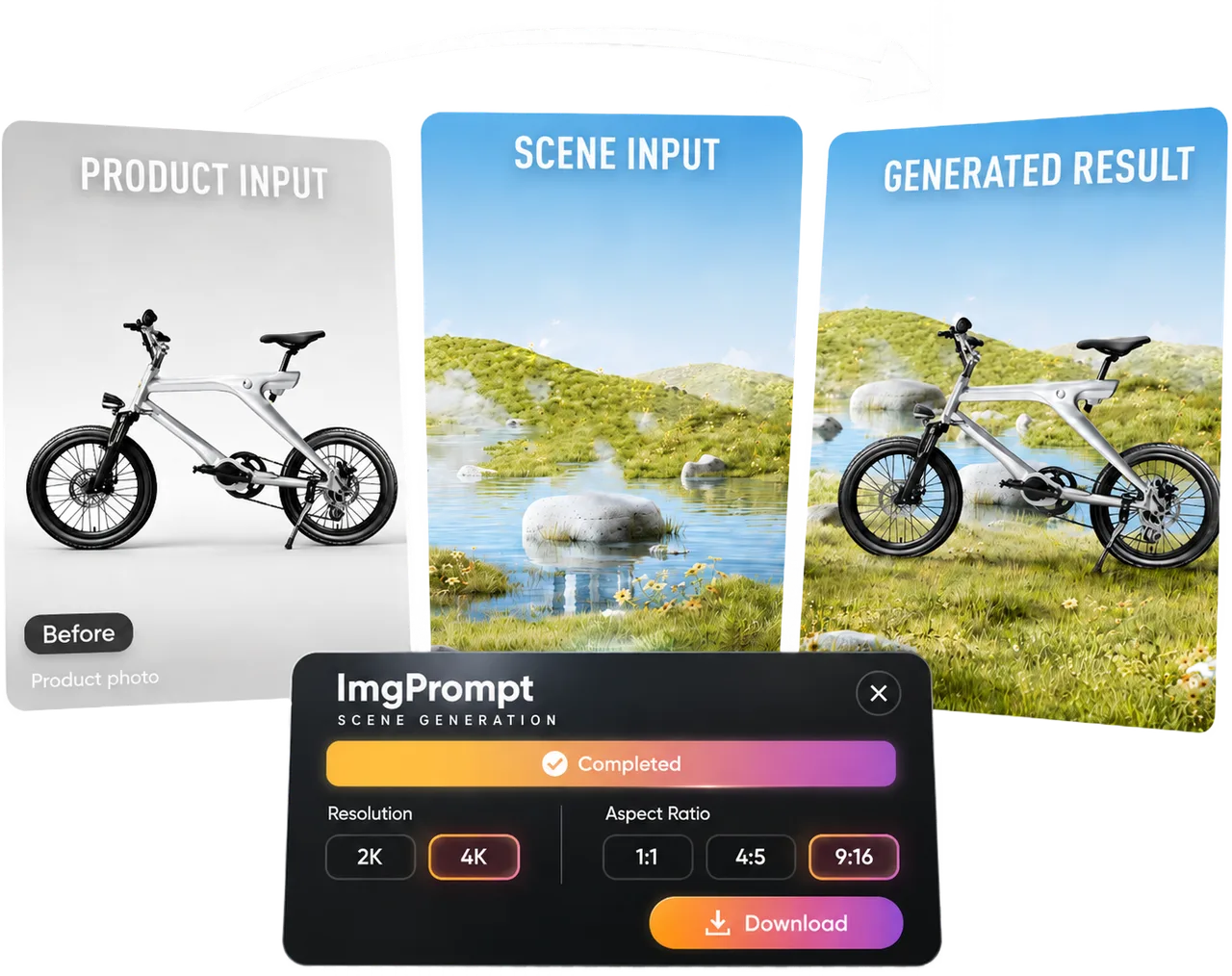
Turn white-background packshots into lifestyle scenes for Amazon listings.

Product Scene Workflow
Amazon Lifestyle Image Generator
LoomaDesign helps ecommerce teams turn packshots into marketplace-ready lifestyle scenes without waiting on a new photoshoot for every visual variation.
Quick answer
Use Looma to turn simple product images into cleaner scene visuals for Amazon and other ecommerce channels, while keeping the workflow faster and easier to repeat.
Use cases
Where this helps ecommerce teams fastest
Generate more campaign and PDP variants without a full studio reshoot.
Test seasonal or merchandising angles faster across multiple products.
Workflow
A clearer path from product input to usable output
Step 1
Bring in the product image
Start with a clean product photo or packshot that already represents the item accurately.
Step 2
Choose the scene direction
Set the environment, angle, mood, and use-case direction you want the visual to communicate.
Step 3
Generate ready-to-use variants
Open the Product Scene Image workflow to produce multiple lifestyle versions for listings, ads, and content refreshes.
Why Looma
What buyers need to understand before they try the tool
What teams usually need from lifestyle visuals
Most teams are not looking for abstract AI art. They need product scenes that make the listing look more useful, more premium, and easier to buy from.
- Usage-context scenes that show how the product fits into real life.
- Visual variants for ads, product detail pages, and merchandising tests.
- Faster visual support for launches that cannot wait on a full shoot schedule.
Why this matters for ecommerce operations
Lifestyle imagery is often one of the slowest content bottlenecks. A faster workflow gives teams more chances to test what actually lifts conversion.
- It creates more room for catalog teams to support more SKUs with less overhead.
- It helps growth teams test more visual angles without committing to a new shoot every time.
- It keeps product content moving when creative bandwidth is tight.
When to use scene images versus other Looma workflows
Scene generation is strongest when the goal is context and atmosphere. If the goal is apparel try-on or model-led visuals, another Looma workflow is a better fit.
- Use Product Scene Image when you want product-in-context storytelling.
- Use Product Model Image when you need on-model visuals for merchandise or fashion content.
- Use Amazon PDP & A+ Content Design when the problem is the full module structure of the PDP.
FAQ
Questions buyers usually ask before they click in
Related resources
Continue into the Looma content cluster
Buyer GuideBlog
Amazon Listing AI Tool: How to Choose the Right Workflow for Faster, Better Listings
A practical guide to choosing an Amazon listing AI tool based on workflow fit, editing control, image support, scalability, and long-term operational value.
Open resource
Platform SignalNews
Amazon AI Image Generator Shows Why Lifestyle Product Visuals Are Becoming Platform-Native
Amazon's advertising image generation tools show how lifestyle product visuals are moving closer to platform-native seller workflows.
Open resource
Related Apparel WorkflowSolution
AI Fashion Model Generator
Create cleaner on-model apparel visuals with LoomaDesign. Turn flat lays and garment photos into faster ecommerce-ready model imagery.
Open resource
Related PDP WorkflowSolution
Amazon A+ Content AI
Create Amazon A+ content faster with LoomaDesign. Turn product facts, selling points, and visual direction into cleaner A+ modules and launch-ready workflows.
Open resource