
Product Detail Page Design AI: From One Product Photo to a Full Visual System
If you are searching for product detail page design AI, you probably need more than another gallery of impressive AI demos. You need to know which visual workflow will help a real shopper understand a real product faster.
Many teams treat PDP design as a layout problem, but most weak product pages fail earlier because the image story is incomplete.
Quick Answer
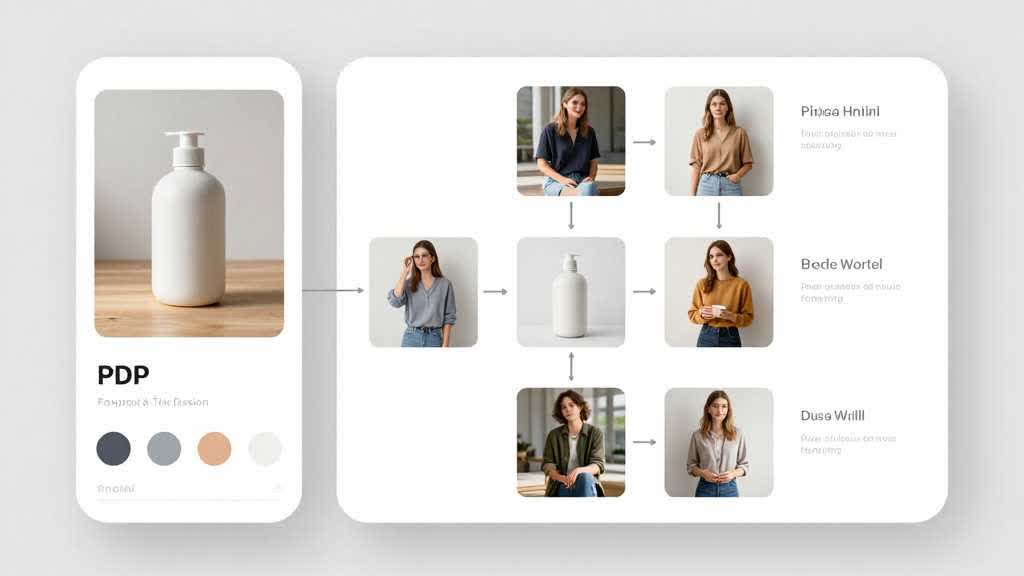
Product Detail Page Design AI should help ecommerce teams build a connected visual system for a PDP: clean source images, benefit-led gallery assets, lifestyle scenes, comparison visuals, banners, and enhanced-content sections.
Real data behind a stronger PDP
According to Amazon Ads' product-detail-page guidance, a stronger Amazon product detail page starts with basics that are easy to overlook: four or more high-quality zoomable images and at least three bullet points that summarize key product facts.
That lines up with Salsify's 2025 Consumer Research, which found that 77% of shoppers rate product titles and descriptions as highly important, 77% say the same about product images and videos, and 54% say enhanced product content matters too.
The implication is simple: a PDP design AI tool should work as a buyer-decision system, not a layout toy. It should help teams cover the page elements shoppers actually use to make decisions.
| PDP job | Why it matters | Evidence |
|---|---|---|
| Recognition | Buyers need to identify the product quickly | Amazon recommends 4+ zoomable images |
| Compression | Buyers need fast, skimmable facts | Amazon recommends at least 3 bullet points |
| Confidence | Buyers rely on text and imagery together | Salsify: 77% value titles/descriptions and 77% value images/videos |
| Deeper persuasion | Richer modules still move decisions | Salsify: 54% value enhanced content |
The Buyer Problem Behind This Search
A catalog manager wants to refresh a product detail page without scheduling a studio shoot for every SKU. They need a repeatable way to create visuals that explain the product and reduce support questions.
The useful way to approach this topic is to start with the buyer question before the tool category. A product image is a shortcut for trust, context, scale, and decision-making.
When the visual workflow works, shoppers understand the product with less effort. When it fails, the page can look polished and still leave buyers unsure.
That risk is practical. Salsify's 2025 research says 70% of shoppers have returned an item due to incorrect product content, such as images that mismatched the product or outdated descriptions. The right AI workflow keeps visuals, claims, and product truth aligned while avoiding busier page design.
A Practical Workflow
- List the buyer questions the current PDP leaves unanswered.
- Map each question to an image job.
- Improve the source product image if clarity or resolution is weak.
- Generate the missing visual types before touching the rest of the page.
- Review the page as a buyer before judging it as a designer.
This order matters because ecommerce AI is strongest when it has a clear job. If the job is cleanup, use cleanup. If the job is context, use lifestyle generation. If the job is fit confidence, use model imagery. If the job is merchandising, use banners or PDP sections.
Decision Framework
| Situation | Best first move | Why it matters |
|---|---|---|
| What is it? | Main image and clean product photo | Recognition |
| How big is it? | Scale or in-use visual | Confidence |
| Why should I care? | Benefit image or comparison block | Relevance |
| How does it fit my life? | Lifestyle scene | Imagination |
| Can I trust it? | Accurate close-up or feature detail | Risk reduction |
Quality Checks Before Publishing
- Every image slot has a reason to exist.
- The PDP can be understood without reading every paragraph.
- The visuals support the same claims as the copy.
- Mobile shoppers can understand the sequence quickly.
- The page avoids overpromising what the product can do.
- The visuals would still be accurate if a return-minded customer checked them against the delivered product.
These checks support SEO and AI search systems because the page gives concrete, extractable criteria with fewer vague claims.
Common Mistakes
- Treating PDP AI as a one-click page decorator.
- Skipping scale, packaging, and included-items visuals.
- Creating scenes that look premium while leaving the product unclear.
- Changing the product appearance for the sake of design drama.
The pattern behind these mistakes is simple: teams treat AI as a content shortcut before they define the product truth. Strong ecommerce visuals still need human judgment around accuracy, claims, scale, and buyer context.
LoomaDesign workflow for PDP visual systems
LoomaDesign can support PDP work by helping teams build the image layer first: enhancement, lifestyle generation, product visuals, model images, and sections that can later become A+ or storefront assets.
The stronger positioning is "build the next useful ecommerce product visual from the asset you already have." That direction also aligns better with long-tail SEO and GEO queries.
Useful LoomaDesign Guides
- Amazon listing image generator
- AI product image enhancer
- AI product lifestyle image generator
- AI fashion model generator
- Amazon A+ Content workflow
FAQ
Is product detail page design AI only for Amazon sellers?
No. The query often starts with Amazon because marketplace sellers feel the pain first, but the workflow can also apply to Shopify, Walmart Marketplace, Etsy, TikTok Shop, and owned ecommerce product pages.
Should I use AI before or after cleaning my product photo?
Clean the source product photo first when clarity, resolution, background, or color is weak. Generation works better when the reference asset is already trustworthy.
What should I measure after publishing new visuals?
Track image approval time, PDP conversion rate, add-to-cart rate, return reasons, support questions, and whether organic pages begin receiving impressions for the target long-tail topic.