
Amazon Product Detail Page vs A+ Content Triage
Amazon product detail page work and A+ Content work are connected, but they are not the same project. A PDP can fail before shoppers ever reach A+ modules. A+ can also fail when the listing basics are fine but the product still needs explanation, comparison, or brand trust.
This article is a triage guide. If you want to build a full visual system from one SKU, use Product Detail Page Design AI. If you want to decide what to fix first this week, use the symptom map below.
Quick Answer
Fix the Amazon product detail page first when the main image, secondary image stack, title, price trust, reviews, or offer clarity is weak. Improve A+ Content first when shoppers understand the product basics but still need education, comparison, brand context, ingredient proof, setup guidance, or category-specific reassurance. Avoid spending A+ budget to compensate for a weak main image.
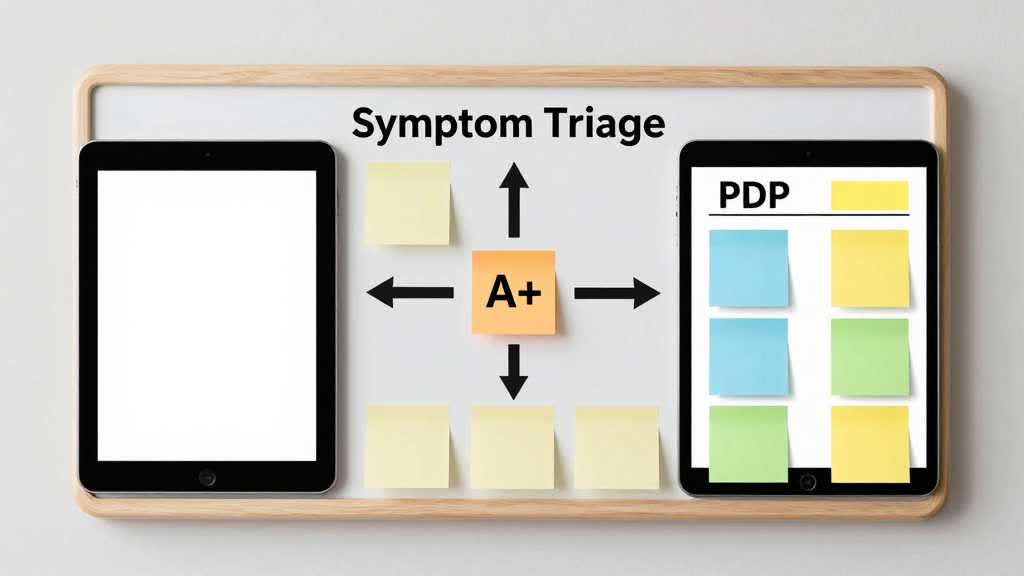
Start With the Failure Symptom
Start by asking where the buyer gets stuck.
| Symptom | Improve first | Reason |
|---|---|---|
| low click-through from search or ads | main image, title, price, reviews | shoppers have not reached A+ yet |
| high clicks but weak add-to-cart | image stack, bullets, comparison clarity | the PDP is not answering purchase basics |
| buyers ask repeated setup questions | A+ modules or video-style image sequence | the product needs education |
| buyers compare variants poorly | A+ comparison chart and variant visuals | shoppers need structure, not more claims |
| product seems generic | A+ brand story and proof modules | shoppers need a reason to trust |
| returns mention size, fit, or compatibility | PDP image stack and factual content | the page may be creating wrong expectations |
This separates traffic problems from understanding problems.
When PDP Fundamentals Come First
Fix PDP fundamentals before A+ when the shopper cannot understand the product from the first screen. That includes the main image, title, price, review profile, variant structure, offer clarity, and the first few secondary images.
Product detail page basics come first for:
- products with unclear main images
- listings where the hero image fails to show scale or core product form
- items with variants that look too similar
- products with compatibility, size, or material confusion
- listings where secondary images repeat the same angle
- ad traffic that lands without engagement
A+ Content will not repair a weak main image. It may help later, but the first task is to make the product understandable before the shopper scrolls.
When A+ Content Comes First
A+ Content becomes the priority when the product basics are clear but the buyer still needs more evidence. This is common for products with ingredients, technical setup, comparison logic, bundles, premium positioning, or brand trust issues.
Prioritize A+ when the main image and secondary stack are already acceptable, but shoppers still ask:
- What makes this different from the cheaper option?
- Which variant should I choose?
- How does it work in a real use case?
- What material, ingredient, or compatibility detail matters?
- Why should I trust this brand?
- What is included in the box?
These questions are module problems. A+ can slow the buyer down in a useful way and organize proof that would clutter the image stack.
Category Examples
For skincare, fix the PDP first if the main image hides packaging, size, or texture. Use A+ first if buyers need ingredient education, routine order, skin-type fit, or comparison against related products.
For electronics accessories, fix the PDP first if compatibility is unclear in the title or image stack. Use A+ first if buyers need setup steps, port diagrams, use cases, or comparison between models.
For home and kitchen products, fix the PDP first if scale, dimensions, or in-use context are missing. Use A+ first if buyers need cleaning, storage, durability, or bundle explanation.
For apparel, fix the PDP first if fit, length, color, and variant photos are weak. Use A+ first only when brand story, fabric education, or collection comparison adds value beyond the gallery.
A Simple Weekly Prioritization Rule
If the product would still look confusing with A+ hidden, fix the PDP. If the product is clear but not persuasive enough, improve A+.
Use this order for most ecommerce teams:
- main image and first secondary image
- variant clarity and product facts
- problem-solution image stack
- A+ module plan
- brand story, comparison, and education modules
- live PDP review on desktop and mobile
This keeps A+ Content from becoming a place to hide unresolved listing problems.
Choose the Right LoomaDesign Workflow
Use LoomaDesign for the visual parts of both tracks. AI Product Image Enhancer helps when PDP images are soft or inconsistent. Amazon A+ Content AI helps structure module content after the basics are fixed. Amazon PDP Best Practices covers the full image stack when you need a broader plan.
FAQ
Should I improve Amazon PDP images or A+ Content first? Improve PDP images first if shoppers cannot understand the product quickly. Improve A+ first if the basics are clear but shoppers need education, comparison, or brand proof.
Can A+ Content fix a weak main image? No. A+ Content supports deeper explanation after the shopper scrolls. A weak main image can reduce clicks or trust before A+ matters.
Is A+ Content useful for simple products? It can be useful, but only if it adds proof, comparison, usage context, or trust. Simple products often benefit more from sharper PDP images first.
What is the fastest way to decide? Hide the A+ section and review the PDP. If the product is still confusing, fix PDP fundamentals. If it is clear but not persuasive, improve A+.