
Amazon Listing Image Size Requirements: Pixels, Dimensions, Rules, and Image Count
Amazon listing image size looks like a simple upload question until a listing gets suppressed, zoom fails, the product looks tiny in search, or a generated lifestyle image changes a SKU detail. The seller then discovers that "high resolution" and "good-looking" are not specific enough for Amazon listing images.
The useful question is more practical. What source image should the team create, what export size should be kept, how much of the frame should the product fill, how many images should the listing use, and which images need a manual review before upload?
Quick Answer
For most Amazon listing images, build a square master file at 2000 x 2000 pixels, export in sRGB, keep the product sharp, and make sure the image remains clean after compression. Amazon Ads says images should be at least 1000 pixels in height or width as a best practice because that minimum enables zoom. Amazon Seller Central community guidance also tells sellers that every detail page needs at least one image, recommends six images, and says the product must fill at least 85% of the image.
For the main image, use a pure white background, show only the product for sale, avoid text, logos, borders, color blocks, watermarks, and graphics, and keep the product large enough to read in mobile search. For secondary Amazon listing images, use the slots to show angles, scale, details, use context, variants, included parts, and feature proof. AI-generated or AI-edited images need a final product-truth review before upload.
The Size Rule Sellers Should Actually Use
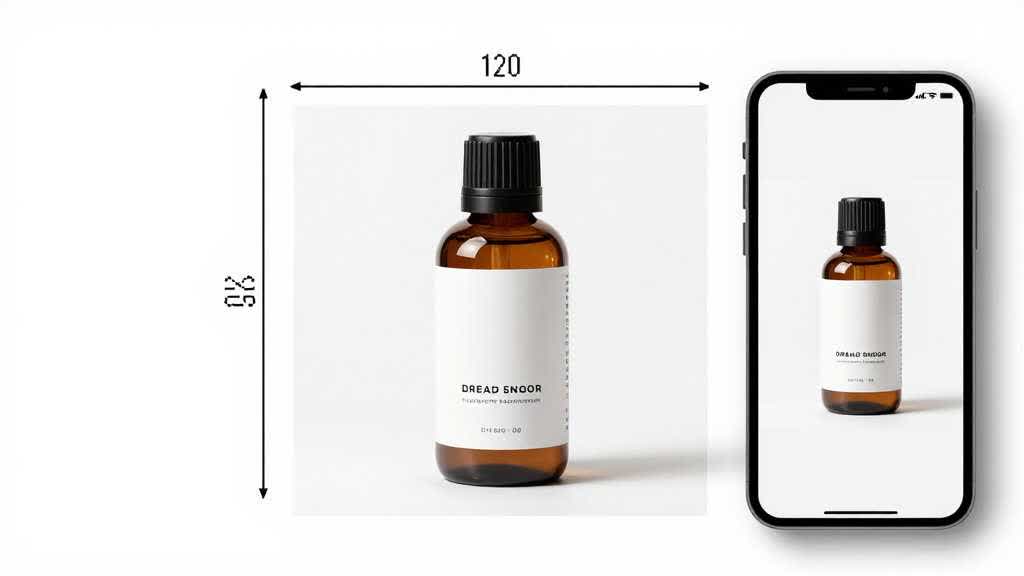
The safest working file for Amazon listing images is usually a square 2000 x 2000 pixel master. It gives enough detail for zoom, enough room for careful crop work, and enough quality for future edits. A 1000 pixel image can meet the zoom threshold mentioned in Amazon Ads guidance, but it gives less room for retouching, sharpening, background cleanup, and compression.
Use 2000 x 2000 pixels as the production target, then keep a clean original source file. If the product is long, thin, tall, transparent, reflective, or has small texture details, review the crop at thumbnail size before calling it finished. Amazon listing image dimensions cover the canvas and the way the product reads inside that canvas.
| Use case | Working recommendation | Why it helps |
|---|---|---|
| Main image | 2000 x 2000 px square JPG, sRGB | clear search thumbnail, zoom-ready, easier crop control |
| Secondary angle image | 2000 x 2000 px square JPG | consistent gallery rhythm and zoom detail |
| Close-up detail image | 2000 x 2000 px or larger source crop | prevents soft texture, stitching, connector, or label detail |
| Infographic image | 2000 x 2000 px with mobile-safe text | gives design room while keeping text legible |
| Lifestyle image | 2000 x 2000 px or high-quality 4:5 crop adapted to square | keeps product visible without losing context |
| A+ module source | separate module-specific size after design | A+ Content uses different module fields, so create separate module exports from the design brief |
This is an operating standard, not a replacement for Seller Central category rules. Some categories and modules have stricter or more specific image requirements. The point is to keep the source asset strong enough before Amazon compresses, previews, or applies category checks.
Main Image Rules That Affect Size
The main image has the narrowest job and the highest compliance risk. It appears in search, advertising, recommendations, and the top of the product detail page. It needs to identify the exact product quickly and follow the main-image restrictions.
Amazon Seller Central community guidance says the main image must show only the product for sale on a white background. It also says images must accurately represent the product, avoid blur or pixelation, and keep text, logos, borders, color blocks, watermarks, and graphics out of main images. That explains why a visually polished image can still fail. It may be attractive, but it misses the main-image job.
For Amazon listing image size, the crop matters as much as the pixel count. A 2000 x 2000 image where the product occupies only 45% of the frame can still look weak in search. A 1200 x 1200 image with harsh compression may technically upload but fail the shopper test. A safer internal rule is to make the product fill roughly 85% of the frame where the product shape allows it, while keeping the entire item visible and avoiding cut-off edges.
Product Fill, White Space, and Odd Shapes
The 85% fill rule sounds simple for a backpack, bottle, box, or shoe. It becomes harder with long cables, tripods, jewelry, kitchen tools, apparel sets, transparent products, mirrors, glassware, and bundles. The product may fill the longest side while still looking small in the actual thumbnail.
For odd shapes, avoid chasing a number alone. Export the image, reduce it to search-result size, and check whether the buyer can identify the product in under a second. If the item has thin parts, use clean contrast and careful retouching. If the product is white or transparent, use edge control, shadow discipline, and strict background cleanup. If it is a bundle, the main image must still make the purchase contents clear without adding props that cause confusion.
Common crop failures:
- product centered but too small
- product fills the width but not the visual weight of the frame
- white product edges disappear against the background
- thin products become hard to identify on mobile
- supplier image has hidden gray pixels around the cutout
- AI cleanup removes a cable, label, seam, texture, or connector
These issues are easier to catch before upload than after a listing goes live.
How Many Amazon Listing Images Should Sellers Use?
Amazon Ads recommends adding four or more high-quality images that show different angles, important details, features, and product use. Amazon Seller Central community guidance recommends six images. In practice, the right number depends on product complexity, category, variant count, and buyer doubts.
For most ecommerce teams, the first six slots should have clear jobs. Avoid filling the gallery with near-duplicate lifestyle images. Also avoid stopping after a main image and one detail shot when the product needs scale, contents, material, compatibility, or setup proof.
| Slot | Suggested job | Typical mistake |
|---|---|---|
| 1 | compliant main image | product too small, background not clean, extra graphic elements |
| 2 | alternate angle or scale | repeating the same front view |
| 3 | detail close-up | crop is soft or too decorative |
| 4 | use case or lifestyle | scene implies unsupported use or included props |
| 5 | dimensions, compatibility, or contents | text is too small on mobile |
| 6 | variant, comparison, or feature proof | image conflicts with selected SKU |
When a seller asks "amazon product listing how many images allowed," the better operating question is what each image will prove. Use enough images to remove real buyer doubt. Avoid weak images added only to fill space.
Secondary Images Can Break Rules in a Different Way
Secondary Amazon listing images have more room than the main image. They can show the product in use, in an environment, from different angles, and with different features. That freedom creates another risk. Secondary images often start making claims that lack support in the product page copy.
If an image shows a charger, bag, stand, measuring tool, hand model, liquid, food, skincare texture, or room scene, the buyer may assume those items or uses are part of the offer. The image must match what ships, because visual mismatch affects returns, reviews, and buyer trust.
For AI-generated lifestyle images, review the scene like a SKU inspector. Check whether the product material changed, the label moved, the pack count changed, the color warmed up, or an accessory appeared. If the image is attractive but wrong, reject it for Amazon listing images.
A Practical Export Workflow
Start with the highest quality source image available. Clean the background, retouch dust and edge artifacts, correct color, and preserve product details. Keep an editable master file before compression so the team can fix future issues without rebuilding the image from scratch.
For the final Amazon listing image size workflow, use this sequence:
- Create or edit the product asset at 2000 x 2000 pixels.
- Use sRGB color for screen consistency.
- Keep the main image on a pure white background.
- Crop so the product fills the frame without cutting off real edges.
- Export as JPG for most product photos.
- Check the image at mobile thumbnail size.
- Check zoom-level sharpness.
- Compare the final image against the physical product or verified source photo.
- Save the master file, final export, and image brief together.
This workflow gives the image team a repeatable standard. It also gives future editors a way to understand why the crop, size, and background were chosen.
Image Size Problems AI Workflows Must Catch
AI can help a seller move faster. It can clean a white background, upscale a weak source photo, create secondary image concepts, generate lifestyle options, and help plan the gallery. The risk is that AI may solve one visible problem while creating a smaller compliance or accuracy problem.
For Amazon listing image size requirements, AI review should cover three areas. First, the output must remain sharp at the target pixel size. Second, the product must keep its real shape, color, material, label, pack contents, and visible features. Third, the image must fit the slot. The main image cannot behave like a lifestyle banner. A secondary infographic cannot have tiny text that disappears on mobile.
Treat Amazon listing image requirements as a file check and a product check. The file has to meet size, crop, background, and quality expectations. The product still has to match the SKU that ships.
Use AI Product Image Enhancer when the source image is soft, compressed, or lightly pixelated. Use consistent AI product images when several related visuals need the same product identity. Use Product Image Color Variant QA when color or material accuracy can affect returns.
Category-Specific Notes
Category review still matters beyond any single Amazon listing image size guide. Apparel, beauty, jewelry, electronics accessories, furniture, grocery, and bundled products all create different visual risks. A shoe, a supplement bottle, a USB hub, a candle set, and a handbag each need a different crop instinct.
Still, the same questions help across categories:
- Does the main image clearly show the exact item for sale?
- Does the product fill enough of the frame to read in search?
- Are important small details sharp enough after export?
- Is the image free from graphics and text in slots that require a clean product view?
- Do secondary images prove scale, contents, material, use, and compatibility?
- Do variant images match the selected child ASIN?
- Does AI editing preserve the SKU?
Amazon Listing Optimization for Product Images and Amazon Product Listing Optimization Services vs AI Workflow connect with this size guide at the production stage. Dimensions solve the file problem. Image planning solves the buyer problem.
The Pre-Upload QA Checklist
Run this check before uploading new Amazon listing images or replacing old ones. It is short enough to use on a real production day.
| Check | Pass condition |
|---|---|
| Canvas | master file is at least 2000 x 2000 px when possible |
| Zoom | final image is at least 1000 px in height or width |
| Background | main image background is clean white |
| Product fill | product reads large enough, with 85% used as the safer internal target |
| Product truth | image matches the real SKU, package, color, and included parts |
| Sharpness | no blur, jagged edges, over-compression, or AI smear |
| Slot fit | main image stays clean, secondary images answer buyer questions |
| Mobile | product and text remain readable in a phone preview |
| Variants | image matches the selected color, size, pack, or model |
| Source file | editable master and final export are saved together |
For teams using AI, add one final check. Compare the output against a trusted original image. If the edited version looks more polished but less accurate, it fails.
Create Size-Ready Amazon Images in LoomaDesign
LoomaDesign supports the product-image production side of Amazon listing work. Sellers can use AI Product Image Enhancer to improve soft or compressed images, plan Amazon gallery structure with Amazon Listing Image Generator, and create controlled ecommerce visuals with AI Product Image Generator for Ecommerce.
For A+ Content and broader listing structure, connect this guide with Amazon A+ Content AI and the Amazon listing optimization visual QA guide. The Amazon listing image size guide should set the production standard. The image-stack guide should decide what each image needs to prove.
Use LoomaDesign after the image-size standard is clear. Enhance weak source files, create the main and secondary image concepts, then export only the images that still pass crop, product fill, mobile readability, and SKU accuracy checks.
FAQ
This FAQ covers the long-tail questions that usually sit behind Amazon listing image size searches. Use it as a pre-upload check before a seller asks a designer, photographer, or AI tool to rebuild the image set.
What is the best Amazon listing image size? A practical working target is 2000 x 2000 pixels for square product listing images. Amazon Ads says images should be at least 1000 pixels in height or width as a best practice because that enables zoom. Larger source files give more room for retouching, crop control, and compression.
What image size for Amazon listing should I export? For most product photos, export a square JPG in sRGB. Use 2000 x 2000 pixels when possible. Avoid uploading small, heavily compressed, or pixelated files, especially for main images and detail close-ups.
What are Amazon listing image dimensions for the main image? Use a square format for the main image in most cases. Keep the product on a white background, show only the product for sale, and make the product large enough to read in search results. The working target should be 2000 x 2000 pixels, with at least 1000 pixels on one side for zoom readiness.
How many Amazon product listing images are allowed? The exact number can vary by listing interface, category, and media type. Amazon Ads recommends four or more high-quality images, and Amazon Seller Central community guidance recommends six images. Treat the first six images as the core decision set.
Should Amazon listing images be square? Square images are the safest default for main and gallery images because they create a consistent product grid and avoid awkward crops. Some secondary visuals may start from a wider lifestyle composition, but they should still be checked in the final gallery preview.
Can AI-generated images be used for Amazon listing images? AI can help with enhancement, background cleanup, lifestyle concepts, and secondary visuals. The final image still needs product-truth review. Reject any AI image that changes shape, color, material, label, included parts, scale, or implied product claims.
Sources and Data Points
The hard product-image claims in this guide come from public Amazon Ads guidance and Amazon Seller Central community guidance. Category-level Seller Central rules can still vary, so the final upload check should happen inside the seller account before publishing.
- Amazon Ads: How to improve your product detail page for advertising
- Amazon Seller Central forum: Quick Tip, Product Images
- Sell on Amazon: A+ Content
- Recent seller discussions on Reddit and Seller Central were checked for recurring issues around main image rejection, white background cleanup, product fill, low-resolution images, and full image-set production time.