
Ecommerce Product Photo Retouching for Beauty and Skincare: Keep Labels, Liquid, and Packaging Accurate
Ecommerce product photo retouching for beauty and skincare products has a narrow margin. The image should look clean enough for a product page, but the product still has to feel like the bottle, jar, tube, or kit that arrives in the box.
This category is easy to over-edit. A label becomes too sharp. A serum looks clearer than it is. A cream jar turns more premium. A cap edge becomes cleaner than the real package. A beige tube shifts toward a warmer shade and suddenly looks like a different variant.
Good retouching makes the product easier to inspect. Bad retouching quietly changes the offer.
Quick Answer
For beauty and skincare ecommerce, retouch product photos by fixing dust, glare, crop, exposure, background, edge quality, and mild compression while protecting label text, liquid color, cap shape, packaging material, variant shade, and included items.
The best photo editing app for ecommerce lets the team improve clarity while keeping the SKU accurate enough for product pages, ads, and marketplace images.
Use a light retouching workflow first. Escalate to regeneration or reshoot only when the source image cannot safely show the product facts.
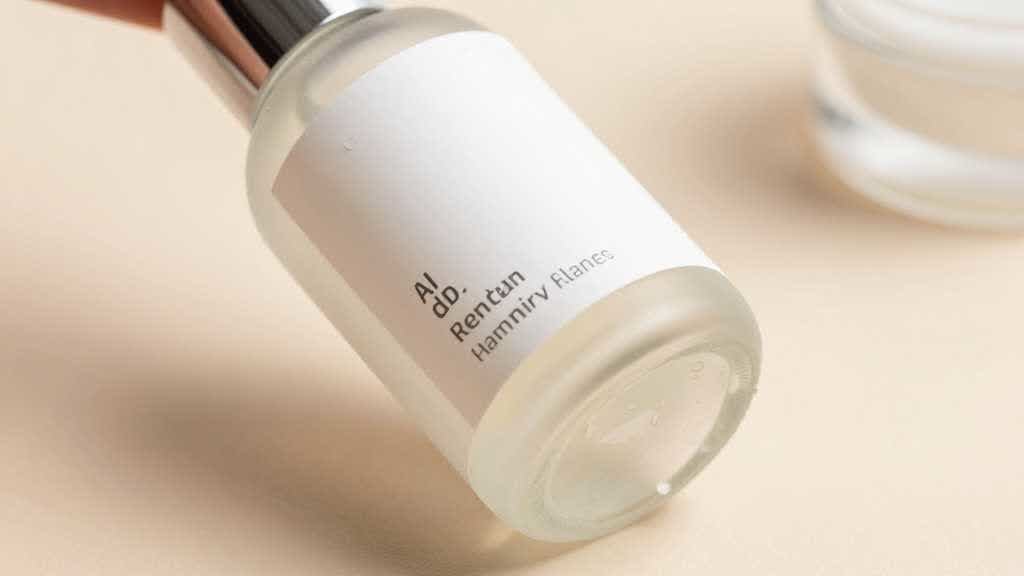
Why Beauty Retouching Is Different
Beauty shoppers inspect small details. They look at shade, finish, texture, volume, applicator, cap shape, packaging, label type, and kit contents. A small image change can create a larger expectation problem.
Skincare and beauty products also carry more regulatory and trust cues than many categories. Labels, ingredient marks, volume, claims, usage context, seals, and packaging all shape how the buyer reads the product.
The image should not make a product look cleaner by erasing useful information. It should remove visual distractions that come from the shoot, compression, or background, while preserving the product's real identity.
This makes the review step as important as the edit.
What to Retouch First
Start with objective cleanup. These edits usually improve the image without changing the product.
| Edit type | Safe use | Risk to watch |
|---|---|---|
| Dust cleanup | remove lint, sensor spots, loose particles | erasing real texture or printed marks |
| Exposure balance | fix dull or dark images | changing liquid or package color |
| Background cleanup | create white or neutral product page image | clipping transparent edges |
| Shadow control | make the product sit naturally | fake floating or heavy shadows |
| Edge cleanup | improve cutout and crop | reshaping caps, pumps, tubes, jars |
| Mild sharpening | restore upload clarity | invented label strokes |
| Color correction | align image to approved product sample | shifting variant shade |
For beauty products, avoid aggressive smoothing. Packaging has texture. Matte plastic, frosted glass, paper label stock, metallic caps, and clear serum all behave differently under light.
A retouched image that erases those differences can look polished and still feel artificial.
Build a Product Truth Sheet
Before editing, write a product truth sheet. It should be short enough for a designer, operator, or AI tool to use during review.
For a serum bottle:
- product type: amber glass serum bottle
- cap: black rubber dropper with glossy collar
- label: off-white paper label, centered, no invented text
- liquid: warm amber, not orange, not clear
- volume: 30 ml
- package: no box in main image unless included
- surface: glass reflection should remain visible
- allowed fixes: dust, background, crop, mild edge cleanup, balanced exposure
- banned fixes: new label, smoother glass, brighter liquid, extra dropper, enlarged bottle
This sheet prevents retouching from becoming taste-based. Everyone can compare the result against the product facts.
Label and Text Safety
Labels are the first place to be careful. AI enhancement and sharpening can make tiny label strokes look cleaner than the source file. Sometimes that helps readability. Sometimes it invents letterforms.
If the label is already unreadable, skip enhancement as a fake clarity fix. Replace the source image, reshoot, or use a verified label file as part of a controlled product mockup.
For product pages, check:
- product name
- variant name
- volume or size
- usage direction if visible
- ingredient or warning marks if relevant
- certification marks only if they exist
- label position and rotation
The final image should not create a label claim that the product page, package, or compliance review cannot support.
Liquid, Cream, and Texture Accuracy
Beauty product photos often fail through texture. A serum becomes too clear. A lotion becomes too glossy. A cream looks thicker than it is. A gel turns more premium because the light changes.
Retouching should make texture visible, not fictional.
For transparent or amber bottles, compare the liquid color against a physical product or approved source image. For creams and gels, keep a closeup reference so smoothing preserves the real texture. For metallic or glossy caps, preserve reflections enough to show material.
This matters because texture affects perceived quality, usage, and price. A buyer who expects a rich cream may be disappointed by a lighter product. A buyer who expects a clear serum may question a darker liquid.
White Background Images for Beauty Products
A clean white background is still important for beauty and skincare ecommerce. It gives the product a conservative baseline and makes variant comparison easier.
Use a white background image for:
- main product gallery
- marketplace upload
- comparison pages
- product feed reuse
- email product cards
- retargeting crops
- variant review
The white background should be clean, but the product should not look pasted on. Preserve a believable shadow and correct edge transparency. Clear bottles, frosted glass, glossy labels, pumps, and droppers need careful edge handling.
LoomaDesign's white background workflow is useful when the source product is good enough and the main issue is background cleanup or marketplace presentation.
When to Enhance, Retouch, Regenerate, or Reshoot
Not every image needs the same fix.
| Problem | Best next step |
|---|---|
| mild blur or compression | enhance and review label/detail accuracy |
| dusty product or messy surface | retouch cleanup |
| weak background | replace or clean background |
| product scene needed | create controlled lifestyle image from approved source |
| unreadable label | reshoot or rebuild from verified label artwork |
| wrong product color | correct against approved reference |
| changed package or missing cap | reshoot or use another source |
| damaged sample | retouch only if final product is not damaged |
This decision protects the team from forcing one tool to solve every image problem.
AI enhancement is useful when the source image still contains enough detail. Retouching is useful when the product is right and the photo has distractions. Regeneration is useful when the scene or background needs to change. Reshoot is the safer option when the product facts are missing.
Beauty Kit and Bundle Images
Beauty kits need extra review. A set image can easily imply the wrong number of products or the wrong included items.
For kits, check:
- exact item count
- box, pouch, brush, scoop, refill, card, or applicator inclusion
- size relationship between items
- label consistency across all bottles or jars
- variant shade order
- packaging position
- whether lifestyle props look like included parts
A retouched kit image should make the bundle clearer. It should not make the package look fuller than it is.
If the kit includes travel sizes, sample sizes, or refills, add one image that explains scale and count. That prevents the polished hero image from carrying too much responsibility.
Mobile Crop Review
Beauty product photos can look excellent on desktop and fail on mobile. Thin labels, slim bottles, small jars, and reflective packaging lose detail quickly.
Review the image at mobile gallery size. The product should still be recognizable, the variant should be clear, and the main shape should not disappear against the background.
For skincare products, avoid crops where the bottle becomes a small vertical line in a large lifestyle scene. Use lifestyle images for mood and use context, then keep a cleaner product-led image for decision moments.
Retouch Beauty Product Images in LoomaDesign
LoomaDesign can support beauty and skincare image work across cleanup, enhancement, white background images, and product page visuals.
Use AI Product Image Enhancer when the image needs sharper edges, cleaner detail, or recovery from mild compression. Use White Background for packshot cleanup. Use Scene Replacement when the brand needs a controlled bathroom shelf, vanity, spa, ingredient, or lifestyle scene. Use Product Detail Page Images when the product needs a full gallery or A+ style story.
For beauty teams, the safest LoomaDesign workflow is reference-first. Keep one approved product image beside the generated output, then check label position, liquid tone, cap shape, shadow, and packaging count before using the image in a PDP, ad, or marketplace gallery.
For related checks, read Product Retouching for Ecommerce SKU Risk and Product Image Color Variant QA.
Good beauty retouching makes the product clearer without making it less true.
FAQ
What should ecommerce product photo retouching include for beauty products?
It usually includes dust cleanup, exposure balance, background cleanup, shadow control, edge refinement, mild sharpening, and color correction. Labels, liquid color, packaging, caps, and included items need careful review.
Can AI retouch skincare product photos safely?
Yes, when the source image is accurate and the edits stay within cleanup, enhancement, background control, and scene generation. AI retouching becomes risky when it invents label detail, changes liquid color, or makes packaging look more premium than the real product.
Should beauty product images use a white background?
Most beauty brands should keep at least one clean white or neutral product image. Lifestyle scenes can support brand mood, but the white background image gives shoppers a clear reference for product shape and packaging.
What is the biggest retouching mistake for skincare products?
The biggest mistake is overprocessing. Skin-care packaging often has subtle glass, plastic, label, and liquid details. If those details become too smooth or too perfect, the image can look less credible.
When should I choose a reshoot over retouching?
Reshoot when the label is unreadable, the product is out of focus, the wrong variant was photographed, the package is damaged, or the source file no longer contains the product detail the buyer needs.
Sources and Data Points
- Google Search Central: image SEO best practices
- web.dev: Learn Images
- Amazon Ads: how to improve your products for advertising
- Community discussions reviewed: ecommerce and product photography sellers discussing overprocessed product images, AI product photography realism, product background replacement, and SKU mismatch risk.