
Product Background AI for Home and Kitchen Products: Scenes That Explain Use, Scale, and Material
Product background AI is useful for home and kitchen products when the background has a job. It should explain where the item lives, how large it feels, what material it belongs near, how it is cleaned, or why it fits the buyer's routine.
Many weak AI product photos fail because the scene is decorative. A countertop appears. A plant appears. Warm light appears. The product still leaves the buyer's question unanswered.
Home and kitchen categories need a tighter workflow. The buyer often cares about counter space, cabinet storage, cleaning effort, surface finish, food contact, family use, apartment size, cord placement, and daily convenience. The background should support one of those doubts.
Quick Answer
For home and kitchen products, use product background AI to create five practical scene types: clean counter hero, in-use lifestyle scene, scale reference, cleaning or storage scene, and material detail environment. Keep the real product shape, color, finish, controls, label, size, and included parts unchanged.
The best background for product photography is the one that makes the product easier to understand. A simple kitchen counter can outperform a dramatic studio scene when it shows size, use, and surface fit.
Start from a clean source image. Write the product facts that cannot change. Then create background variations around buyer questions and real product-page decisions.
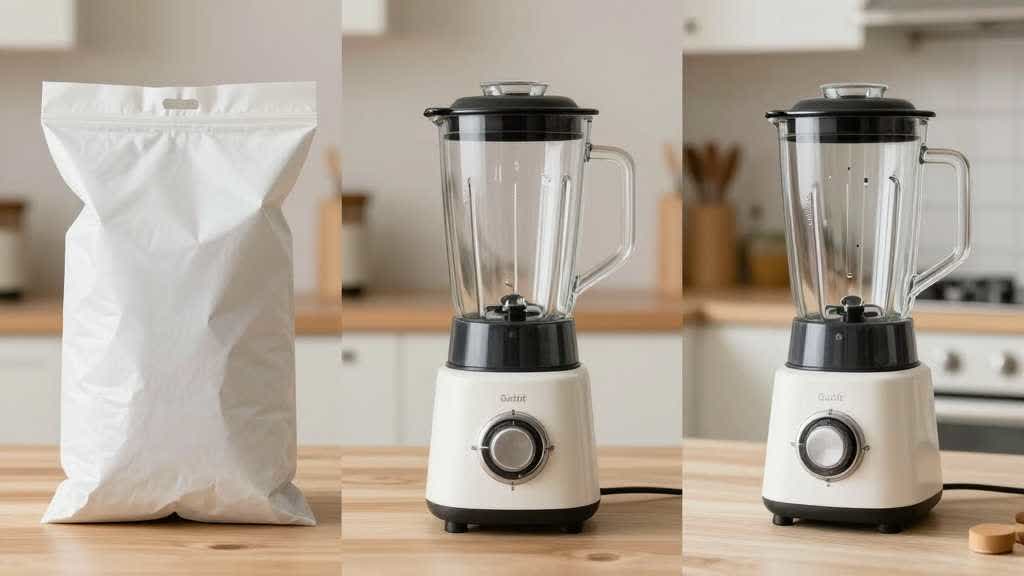
Why Home and Kitchen Scenes Need More Discipline
Home and kitchen products sit inside real rooms. Shoppers judge the item against their own counter, shelf, sink, pantry, table, or cabinet. If the AI background looks nice but gives false scale, the image can hurt trust after the click.
A compact blender shown on a huge counter may feel smaller than it is. A storage bin shown beside tiny props may feel larger. A humidifier in a large bedroom scene may imply room coverage beyond the real spec. A cookware accessory shown with food can make the item look bundled with extras.
That is why this category should treat background generation as product explanation. The background is part of the selling argument.
Use the scene to answer one question:
- Where does it fit?
- How much space does it take?
- What does the material feel like?
- How is it used?
- How is it stored?
- How is it cleaned?
- What else is needed to use it?
If the scene cannot answer one of those questions, it is probably decoration.
Start With a Scene Brief, Not a Mood Prompt
Before using an AI product background generator, write a short scene brief. It should include product facts, buyer doubt, allowed props, banned props, and final channel.
Example for a small air fryer:
- product: compact black 4-quart air fryer
- fixed facts: black rounded body, front drawer, silver handle, touch panel, no extra baskets
- buyer doubt: will it fit a small kitchen counter?
- background: apartment kitchen counter with normal mug and cutting board for scale
- allowed props: plate of cooked food, towel, neutral backsplash
- banned props: second appliance, brand logo, fake steam, text overlay, extra accessories
- channel: product page gallery and A+ content module
This brief keeps the image practical. It also prevents a common AI background problem where the scene becomes more important than the product.
Five Background Types That Work for Home and Kitchen Products
Home and kitchen products usually need more than one background. A single lifestyle image cannot carry every buyer question.
| Background type | Best use | What to protect |
|---|---|---|
| Clean counter hero | main secondary image, category page, ad crop | product silhouette, shadow, crop |
| In-use lifestyle scene | product page gallery, A+ module, landing page | realistic use and true included parts |
| Scale reference | size doubt, small spaces, apartment use | believable object size and camera angle |
| Cleaning or storage scene | practical objections | removable parts, sink, shelf, cabinet fit |
| Material detail setting | premium proof, finish, texture | surface finish, color, reflection |
The first image gives the product a clean view. The second shows why it belongs in the home. The third answers size. The fourth reduces maintenance doubt. The fifth supports quality.
This sequence is especially useful for air fryers, food containers, humidifiers, organizers, desk lamps, countertop tools, storage jars, coffee accessories, water bottles, small appliances, and cleaning products.
Prompt by Buyer Doubt
Generic prompts often produce generic images. A better prompt names the buyer doubt.
For a scale scene:
> Create a realistic ecommerce product photo from this product reference. Keep the product shape, color, finish, controls, logo position, proportions, and included parts unchanged. Place it on a small apartment kitchen counter beside a normal coffee mug and cutting board to show scale. Keep the background clean and believable. Exclude extra accessories, fake labels, text overlays, steam, food splatter, and platform logos.
For a cleaning scene:
> Create a product page image showing the real product in a practical cleaning context. Keep the product accurate and use only removable parts visible in the reference. Show the item near a sink with a clean towel and neutral light. The scene should explain care and maintenance while keeping non-included parts out of the order.
For a storage scene:
> Create a home storage scene from this product reference. Keep the real product dimensions and silhouette. Show it on an open kitchen shelf with enough space around it to show fit. Preserve the product shape, lid, handle count, and believable scale.
The key is restraint. Product background AI should make the product easier to judge, not harder to trust.
Category Rules for Better Background Choice
A background that works for a candle may fail for a food container. Home and kitchen products look similar on a moodboard, but buyers inspect different details.
For small kitchen appliances, show counter fit, controls, opening direction, cord logic, removable parts, and the result the appliance creates. Keep the product's controls and drawer line visible.
For storage and organization products, show capacity, shelf fit, stacking, transparency, lid closure, and what belongs inside. Avoid scenes that make the bin or jar look larger because the props are too small.
For water bottles, cups, and drinkware, show hand grip, cup holder fit, cap shape, leak use case, and surface finish. Avoid lifestyle scenes that add a straw, sleeve, handle, or second cap if those parts are not included.
For cleaning tools, show use position, surface type, storage, replaceable parts, and wet/dry state. Keep the supported surfaces aligned with the product page.
For home fragrance and wellness products, show room context, material finish, refill or water line if relevant, and safe surface placement. Avoid over-styled scenes that make the product look premium in a way the real finish cannot support.
The White Background Still Matters
Product background AI should not replace the clean source image. It should build around it.
Keep one approved product image on a white or neutral background before creating lifestyle scenes. This image becomes the reference for shape, color, scale, and crop. It also helps with marketplace requirements and product feed reuse.
For many ecommerce teams, the safest sequence is:
- create or clean the white background image
- confirm product color and silhouette
- create a simple counter scene
- create a use scene
- create a scale or storage scene
- review every generated image beside the source photo
This sequence reduces drift. It also gives the team a consistent visual base for product pages, ads, social posts, and A+ style modules.
QA Checklist Before Publishing
Use this checklist before placing generated backgrounds on a live product page.
| QA item | What to check |
|---|---|
| Product shape | silhouette, handles, lid, controls, openings |
| Product color | surface tone stays close to the approved source |
| Material | matte, glossy, metal, ceramic, glass, fabric, plastic |
| Included parts | no extra cap, cord, filter, food, bottle, basket, sleeve |
| Scale | surrounding objects are realistic |
| Use context | product is shown in a supported use case |
| Cleanliness | no messy counter, food stains, distracting props |
| Mobile crop | product remains recognizable on phone |
| PDP fit | image matches the product page and other gallery assets |
Good backgrounds stay quiet after answering the question. The buyer notices the product first and understands the scene second.
Create Home and Kitchen Backgrounds in LoomaDesign
LoomaDesign's Scene Replacement workflow can help ecommerce teams turn one approved product photo into controlled home and kitchen scenes. Use it for counter scenes, lifestyle scenes, storage images, and category-specific backgrounds.
Use Additional Product Images when the product needs a gallery set around angle, detail, scale, use, and comparison. Use Product Detail Page Images when the product needs a full PDP or A+ style visual sequence.
The practical workflow is to choose one buyer doubt before choosing the background. If the doubt is size, create a scale scene. If the doubt is cleanup, create a cleaning scene. If the doubt is storage, create a shelf or cabinet scene. This keeps background generation tied to conversion.
For a broader background workflow, read AI Product Background Generator for Ecommerce Scenes. For prompt structure, use Ecommerce Product Image Prompts for Better AI Scenes.
Start with product truth, choose one buyer doubt, then build the background around that doubt.
FAQ
What is the best background for home and kitchen product photography?
The best background is usually a clean, believable environment where the product would actually be used. For kitchen products, a neutral counter, shelf, sink, pantry, or dining table often works better than a dramatic staged set.
Can AI product background tools replace a product photoshoot?
They can reduce the need for extra scene shoots when the source product image is accurate. They should not be used to fix a source photo that has the wrong product, wrong color, or missing details.
Should every home product have a lifestyle background?
No. Many products need one clean hero image, one detail image, one scale image, and one lifestyle image. A full gallery of lifestyle scenes can become repetitive if each scene answers the same question.
How do I stop AI backgrounds from changing the product?
Use a fixed product reference, write the details that cannot change, ban extra accessories, and review the generated image beside the original product photo before publishing.
What should I avoid in AI-generated kitchen scenes?
Avoid tiny props that distort scale, extra included-looking accessories, fake food results, unreadable UI panels, messy counters, unrealistic steam, and scenes that imply unsupported features.
Sources and Data Points
- Google Search Central: image SEO best practices
- web.dev: Learn Images
- Amazon Ads: how to improve your products for advertising
- Community discussions reviewed: ecommerce and product photography sellers asking about AI product photo realism, background fit, overprocessing, and whether AI-generated product scenes are usable for stores.