
Amazon Main Image AI Generator: Turn Supplier Photos Into Compliant Listing Images
An Amazon main image AI generator is useful when the seller has a real product photo but the image still needs work for the main listing slot. The source may come from a supplier, a phone camera, an old catalog, or a quick sample shoot. The product is real, but the frame, background, sharpness, and crop still need Amazon-ready cleanup.
That problem appears often in seller communities. People are asking whether AI images are allowed, why a white background still gets rejected, whether supplier photos can be fixed, how much of the frame the product should fill, and whether an AI-edited main image risks misrepresenting the SKU.
The practical answer is to treat the main image as a compliance and trust asset first. It should be clean, sharp, recognizable, and accurate before it tries to be clever.
Quick Answer
Use an Amazon main image AI generator to clean the background, improve crop, correct lighting, sharpen the product, and prepare a safer main image candidate from a real product reference. Keep the product itself unchanged. The final image should show only the product being sold, on a plain white background, with enough resolution for zoom and enough product fill for fast recognition.
AI can help with background cleanup and production speed. Keep it from inventing packaging, adding props, changing shape, altering color, smoothing away material texture, or making the product look larger than it is.
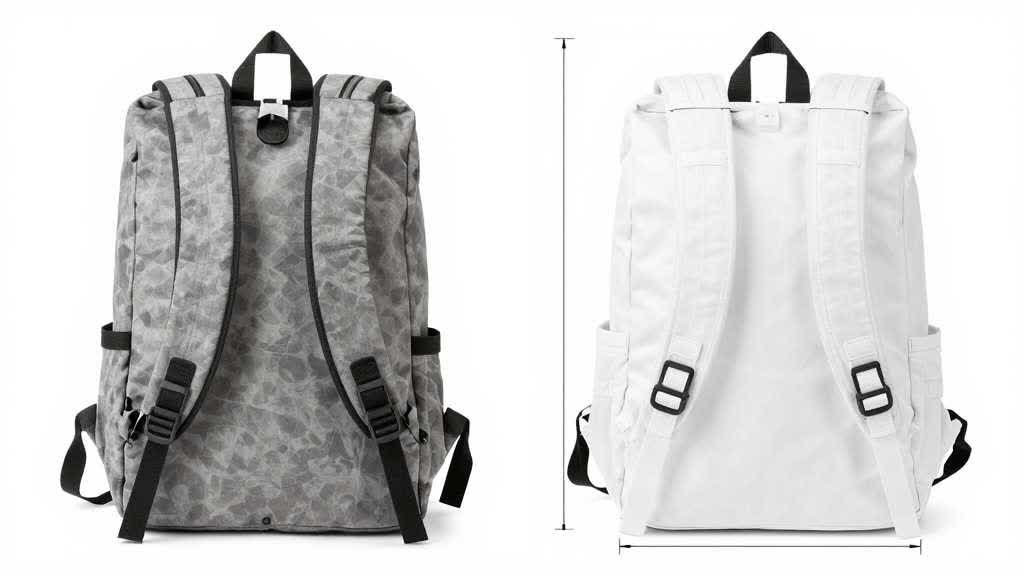
Why Supplier Photos Fail as Amazon Main Images
Supplier photos are made to document the product. They rarely work as search thumbnails. They may include grey backgrounds, shadows, hands, warehouse lighting, props, labels from another market, compressed resolution, uneven crop, or a product angle that hides the main selling feature.
Amazon Ads recommends high-quality images for product detail pages and says sellers should include four or more images from different angles, highlight important details, show use, and use images at least 1000 pixels in height or width so zoom can work. It also recommends plain white backgrounds and product fill of at least 80% of the image area for product images used on detail pages.
Those numbers leave the real problem unsolved. A supplier photo can technically reach 1000 pixels and still look weak. A white background can be white and still have bad product edges. A product can fill enough of the frame and still look wrong because the color shifted during editing.
The main image has a narrow job. It must let a shopper recognize the item quickly while staying faithful to the real product.
The Main Image Workflow I Would Use
Start with the highest-quality product reference available. If the supplier image is small or compressed, collect one extra phone photo from the sample. If the product has a label, texture, hardware, display panel, port, zipper, clasp, cap, shade, or package, add close reference images before editing.
Then create one main image candidate, not a full gallery. The main image should be conservative. Use AI for background removal, lighting balance, edge cleanup, resolution improvement, and crop. Avoid scene generation, props, icons, badges, infographics, lifestyle context, and decorative shadows in this slot.
After generation, review the image against five checks.
| Check | What to look for | Why it matters |
|---|---|---|
| Product truth | color, shape, material, logo, label, packaging | prevents mismatch and return risk |
| Background | plain white, no grey cast, no old shadow residue | reduces compliance risk |
| Crop | product large enough, not clipped, centered enough | improves thumbnail recognition |
| Edge quality | clean cutout, no halo, no missing fine detail | protects professional appearance |
| Zoom quality | sharp enough around labels, seams, ports, texture | helps shoppers inspect the item |
Only after these checks should the image move into the listing workflow.
What AI Can Safely Fix
AI is useful for supplier photos because the source problem is often production quality. The product may be correct, but the image file needs work.
Safe AI edits include these production fixes:
- removing a non-compliant or messy background
- replacing a grey or beige surface with a clean white background
- balancing exposure
- improving edge cleanliness
- sharpening a slightly soft image
- correcting mild lens distortion
- preparing a square crop
- increasing resolution before final export
- aligning the product to the center of the frame
These are production edits. They keep the SKU intact.
Unsafe edits are different. They change what the buyer thinks is included or what the product looks like. That includes adding a gift box, changing the handle shape, smoothing leather grain, changing fabric shade, removing a visible seam, changing a label, widening a strap, making a bottle taller, or making plastic look like metal.
Those edits may make a better-looking picture. They also create a weaker listing.
Category-Specific Main Image Risks
The main image QA should change by product category. A universal checklist helps, but each product type has its own failure points.
| Category | Main image risk | QA focus |
|---|---|---|
| Bags and backpacks | straps, handles, pocket shape, fabric tone shift | preserve silhouette and hardware |
| Beauty bottles | cap shape, label text, shade, package count | protect label and formula color |
| Jewelry | scale, metal tone, stone shape, clasp detail | avoid over-smoothing and fake shine |
| Small appliances | control panel, buttons, vents, basket, cord | keep functional parts accurate |
| Electronics accessories | ports, connectors, cable count, compatibility marks | avoid wrong connector shapes |
| Home decor | texture, material finish, shape symmetry | prevent unrealistic smoothing |
| Bundles and kits | missing parts, extra parts, wrong packaging | match the included components exactly |
Generic image generators often struggle with these category details. They can produce a clean-looking result while changing the product in a way the seller may miss on first review.
Prompt Structure for a Main Image
A weak prompt asks for a better Amazon product photo.
A better prompt gives the image generator a narrow job.
> Create an Amazon main image candidate from this real product reference. Keep the product color, shape, material, logo, label position, packaging, and included parts unchanged. Use a clean plain white background, centered square crop, balanced lighting, clean edges, and sharp detail. Keep out props, badges, text overlays, lifestyle elements, reflections, extra accessories, and decorative shadows.
That prompt has three useful parts. It names the output slot, protects product facts, and blocks common main-image mistakes.
The prompt still needs review. AI systems may ignore negative instructions or over-correct small details. Amazon Ads' own image generation guidance recommends specific, concise prompts and notes that ambiguous language can create results that miss the intended image.
For main images, the most reliable brief is boring on purpose.
Export Settings and File Review
Before upload, export the image as a clean square file. A 2000 x 2000 pixel image is a practical target for many Amazon listing workflows because it leaves room for zoom and later resizing. At minimum, keep the image above Amazon Ads' 1000-pixel best-practice threshold for zoom.
Check the final file at three sizes:
- full size, to inspect labels, edges, and texture
- search thumbnail size, to check recognition
- mobile gallery size, to check whether the product stays readable
Also check compression. A main image that looks sharp before export can become soft after aggressive compression. Fine edges, leather grain, text labels, transparent plastic, jewelry stones, and fabric texture reveal compression problems quickly.
If the image started from a weak source, run enhancement before generating the final candidate. Fixing source quality first often reduces the amount of AI guessing in the final image.
Prepare the Main Image Candidate in LoomaDesign
LoomaDesign is useful when the source product image is real but not ready for a marketplace listing. The white background product photo workflow helps turn product references into cleaner main image candidates. The AI image enhancer can help when the source image is too soft or compressed for a strong final file.
Use LoomaDesign as a compliance-prep step, not as a way to invent a better SKU. Start with the real supplier or sample photo, clean the background, improve clarity, check the crop, then compare the output against the physical product or reference notes.
For secondary listing images, the Amazon additional product image workflow can help create angle images, detail proof, lifestyle visuals, scale references, and feature cards after the main image is safe.
The related guide on Amazon listing image size requirements is useful for technical export planning. The guide on Amazon custom product listing image best practices for bags and accessories shows how the same QA logic changes by category.
A durable workflow pairs generation with product review. That keeps a cleaner main image from becoming a misleading main image.
Main Image QA Checklist
Use this before uploading a generated Amazon main image candidate:
- The image shows only the product being sold.
- The background is plain white with no visible old scene residue.
- Product color matches the real sample.
- Product shape and proportions match the real sample.
- Logo, label, text, and markings are accurate or intentionally not visible.
- No props, badges, icons, claims, or lifestyle elements were added.
- Packaging count matches the offer.
- Included parts are not missing or invented.
- Edges are clean with no halo or cutout damage.
- Product fill is strong enough for thumbnail recognition.
- The image is sharp enough for zoom.
- The final file still looks clean after compression.
If any check fails, fix that specific issue before creating the rest of the listing image set.
FAQ
Can I use AI to create an Amazon main image?
AI can help prepare a main image candidate from a real product reference, especially for white background cleanup, crop, lighting, and sharpness. The final image still needs to represent the real product accurately and follow Amazon image requirements.
Should an Amazon main image be AI-generated or photographed?
The most reliable main image starts from real product photography. AI can improve production quality, but the product itself needs to come from the real sample.
What size should an Amazon main image be?
Use at least 1000 pixels in height or width so zoom can work. A square 2000 x 2000 pixel export is a common practical target for higher-quality listing workflows.
Can supplier photos be fixed for Amazon?
Yes, if the product is visible and accurate enough. AI can help clean the background, improve sharpness, and prepare the crop. If the source image hides important details, request more reference photos before editing.
What is the biggest risk with AI Amazon main images?
The biggest risk is product drift. The image may look cleaner while changing color, material, scale, packaging, or included parts. That risk is higher for bundles, jewelry, apparel details, transparent products, and products with small text.
Sources and Data Points
- Amazon Ads, How to improve your products for advertising: Amazon Ads recommends four or more high-quality images, plain white backgrounds, product fill of at least 80%, and images at least 1000 pixels in height or width for zoom.
- Amazon Ads, How to use AI to generate images: Amazon Ads explains prompt structure, product-present wording, specificity, and the need to revise full prompts.
- Google Search Central, Image SEO best practices: Google explains how page context, alt text, and image quality help search systems understand images.
- Community research checked from Reddit discussions around supplier photos, Amazon main image requirements, AI product image generation, white background rejection, and search suppression concerns. Repeated user phrasing included supplier photos that fail main image requirements, pure white background errors, and whether AI-edited main images are safe.