
Amazon Custom Product Listing Image Best Practices for Bags and Accessories
Amazon custom product listing image best practices become much more useful when they are applied to a real category. Bags and accessories are a good example because the buyer needs visual proof that a flat specification table cannot carry alone. A shopper wants to know the size, structure, material, pocket layout, strap behavior, color, hardware finish, and whether the product looks cheap once it is worn or used.
That makes bags, backpacks, handbags, crossbody bags, laptop sleeves, wallets, and travel accessories a strong test case for Amazon listing images design. The image stack has to be accurate enough for compliance, rich enough for conversion, and controlled enough to keep AI edits from changing the product.
Quick Answer
For bags and accessories, Amazon custom product listing image best practices should focus on seven forms of proof: main image clarity, side and back structure, capacity, scale on body or object, material texture, hardware and zipper details, and variant accuracy. The main image should stay clean and conservative. Secondary images can carry lifestyle, callouts, closeups, and comparison, but every scene should protect product truth.
If a seller uses Amazon listing image AI or an external design service, the final review should check the same category risks: straps, handles, pocket count, zipper direction, stitching, interior layout, material grain, color, and included accessories.
Why Bags and Accessories Need a Category-Specific Image Stack
A generic Amazon listing image set often under-explains bags. The product may look attractive in the hero image, but the buyer still cannot tell whether a laptop fits, whether the strap is adjustable, whether the bag stands upright, how the zipper opens, how deep the interior pocket is, or whether the beige color is warm cream, gray beige, or pale pink.
These doubts matter because bag returns often come from expectation mismatch. Size feels different from the photo. Material looks more synthetic than expected. Hardware looks too shiny. A crossbody bag hangs at the wrong height. A backpack looks compact in the main image but bulky on the body. A tote seems structured in one view and collapses in real use.
Amazon product listing image best practices 2026 should handle these points through the gallery, not hide them in the bullets.
A Better Image Stack for Bags
This sequence works for many bag and accessory listings.
| Slot | Image job | Bag-specific notes |
|---|---|---|
| Main image | Show the exact product cleanly | keep straps and handles visible, avoid props unless included |
| Three-angle image | Show front, side, back, and depth | side depth matters for backpacks, totes, camera bags, laptop sleeves |
| Capacity image | Show what fits inside | use realistic contents and avoid implying non-included accessories |
| Scale image | Show on body, shoulder, hand, suitcase, or desk | match the target buyer and use a neutral scale reference |
| Detail image | Show zipper, stitching, handle, buckle, lining, pocket, feet, or clasp | choose the detail that affects trust, not the most decorative macro |
| Material image | Show leather grain, nylon texture, canvas weave, waterproof coating, or hardware finish | protect color accuracy across variants |
| Variant image | Show color or size options | keep lighting and white balance consistent across variants |
| Lifestyle image | Show real use context | make the product the subject, not a background prop |
| A+ bridge image | Expand feature proof and brand story | use modules for capacity, comparison, routine, and care |
This is more specific than a standard image checklist. It tells the image team which buyer doubts the category creates.
Main Image Rules for Bags
The main image should show the exact bag or accessory that ships. For a handbag, that means handles, strap attachment points, silhouette, hardware, and closure shape must remain visible. For a backpack, front pocket structure, side pockets, shoulder straps, and depth need to stay visible even in a clean crop. For a wallet or small accessory, the product should fill enough of the frame to stay recognizable in search.
Keep lifestyle work out of the main image. A clean product image is usually safer for the first slot. If the bag comes with a detachable strap, show the strap only if it is included. If the product has packaging, dust bag, charm, pouch, or accessory pieces, keep those out of the main image unless they are part of the offer and category rules allow them.
AI cleanup has one special risk here. It often "improves" straps, handles, hardware, and seams because those are visually complex. A cleaner strap that changes length, attachment, or buckle shape is a product accuracy problem.
Detail Images Should Show Trust Details
Bag buyers often use closeups to judge quality. The best detail images show a fact that would matter if the product were in the buyer's hands.
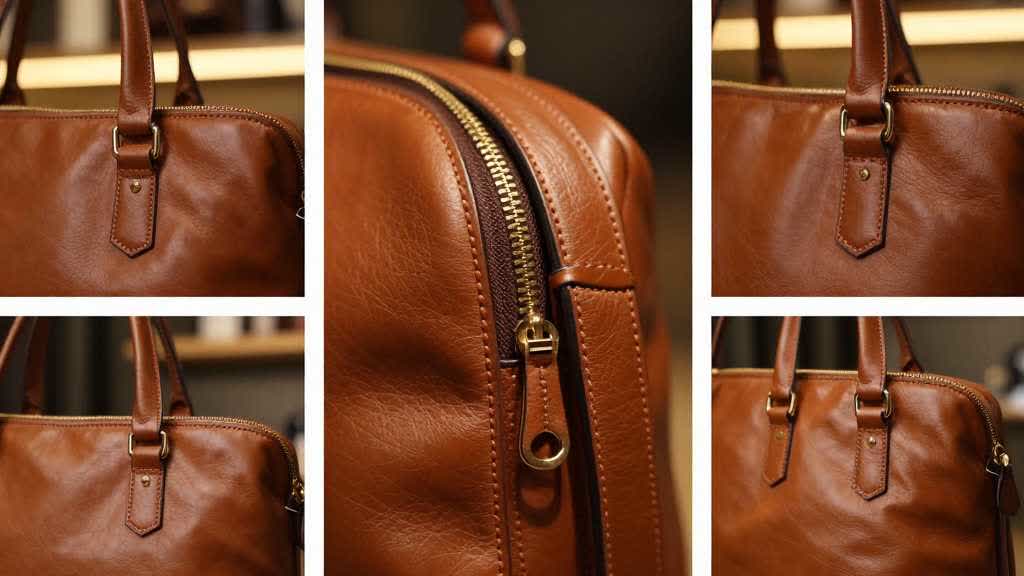
For a handbag, useful detail images include stitching, leather grain, lining, zipper pull, handle attachment, interior divider, magnetic clasp, bottom feet, and hardware finish. For a backpack, show shoulder strap padding, laptop sleeve, water bottle pocket, luggage strap, front organizer pocket, zipper track, and back padding. For a travel pouch or wallet, show pocket count, card slots, snap closure, seam finish, and how the item opens.
Avoid closeups that are visually pleasant but vague. A macro crop of a corner with no clear feature rarely helps the buyer. A small callout pointing to the zipper, stitching, or material can help, but the text must remain readable on mobile.
Scale and Capacity Images Prevent Returns
For bags and accessories, scale is a conversion and return-control tool. A buyer may know the dimensions and still misread the product because the photo lacks context.
Good scale images show the product on a body, beside a laptop, near a suitcase handle, on a desk, inside a car, on a stroller, or next to everyday items. Good capacity images show a realistic loadout: laptop size, notebook, bottle, wallet, phone, cable case, keys, cosmetics, camera body, or travel documents.
Keep the contents honest. If a 15-inch laptop barely fits, avoid showing it floating in a spacious compartment. If a water bottle fits only in one size variant, keep that image tied to the correct variant. If the product comes without accessories, the image should make clear that props are for scale or use context.
This is where Amazon listing images services sometimes help: a skilled operator can translate product specs into scenes that answer buyer doubts. A repeatable AI workflow can help too, as long as the final review checks the product before approving the image style.
Variant Images Need Stricter Color QA
Bags often sell in beige, cream, black, gray, brown, olive, navy, tan, blush, metallic, or patterned variants. Small color drift can cause a real problem because the buyer expects the selected variant to match the image.
Use a consistent lighting setup for all variants. Keep the same crop and angle where possible. If AI generation or background replacement is used, compare each output against a reference swatch or original product photo. Watch for warm beige becoming pink, black losing texture, navy becoming black, olive becoming gray, and metallic hardware changing from gold to brass or rose gold.
Variant images should also keep structure consistent. A bag should keep the same stiffness and silhouette across colors unless the material actually changes. If the hardware differs by variant, show it clearly.
AI Workflow for Bag Listing Images
AI is best used after the product facts are locked. Use real product photos as the source, then generate or edit secondary scenes around specific jobs: capacity, body scale, interior layout, material mood, travel use, desk use, or A+ module direction.
A practical AI workflow looks like this.
- Create or collect clean source photos of the exact SKU.
- Build a proof list for the category: scale, capacity, material, hardware, straps, interior, variants.
- Generate scene concepts only for secondary images and A+ drafts.
- Keep the main image conservative and review it separately.
- Compare each output against the real product for shape, color, material, handle, zipper, strap, pocket, and included parts.
- Enhance the approved images for sharpness and export quality.
- Check mobile thumbnail, gallery rhythm, and A+ continuity before upload.
The important part is the approval layer. Amazon listing image AI can produce useful drafts quickly, but bags have too many small details to skip human review.
LoomaDesign workflow for bag and accessory image QA
LoomaDesign fits teams that want more control than a one-off design service and more speed than a full manual shoot for every secondary image. For bags and accessories, it can help create lifestyle directions, secondary image concepts, A+ visual ideas, and clean product scenes from the same source product.
Use it for the parts where controlled variation helps: gallery planning, scene replacement, feature-focused visuals, and image enhancement. Keep a manual product-truth review at the end. For bag listings, that last pass should check the parts buyers notice after purchase, such as stitching, zipper, strap length, hardware tone, lining, and color.
For wider planning, see the Amazon product listing image best practices guide, the Amazon listing image size requirements guide, and the Amazon listing optimization visual QA guide.
FAQ
What are the most important Amazon custom product listing image best practices for bags?
Show the exact product clearly, then prove structure, capacity, scale, material, hardware, strap behavior, pocket layout, and variant color. These points reduce the common mismatch between what the listing suggests and what the buyer receives.
Should a handbag listing use lifestyle images?
Yes, but lifestyle images should answer a specific question. Use them to show scale, outfit fit, carry position, travel use, office use, or capacity. Keep the product visually dominant and avoid props that look included.
Can AI generate Amazon listing images for bags?
AI can help with secondary scenes and A+ visual drafts. It still needs review because it may change straps, seams, zipper placement, pocket count, material grain, color, and hardware details.
Are Amazon listing images services better than AI tools?
Services can help when the brand needs a full creative direction, photography, model casting, or compliance review. AI tools can help when the team already has strong product facts and wants faster controlled image variations. Many sellers use both: service-level judgment plus AI-assisted production.
What image should come after the main bag image?
For most bag listings, use an angle or structure image after the main image. The buyer should quickly understand depth, side shape, handles, straps, and back view before seeing lifestyle or feature graphics.
Sources and Data Points
- Amazon Ads, "How to improve your product detail page for advertising", guidance on high-quality product images, four or more images, product fill, plain white background, and image resolution.
- Amazon Sell, "A+ Content", guidance on enhanced images, custom text placements, video, comparison charts, and AI-assisted content generation.
- Recent seller community discussions around main image rejection, strict image requirements, and blurry A+ Content were used to shape the category QA checklist.