
Amazon A+ Content Image Generator: From One Product Photo to Module-Ready Visuals
An Amazon A+ Content image generator is useful when the seller already has the basic product image and needs module-ready visuals that explain the product below the main gallery.
A+ production has its own job.
A plain product image may show the SKU. An A+ module image should answer a buyer question. It may need to prove quality, show what comes in the box, compare variants, explain a feature, show a use step, or support the product's premium price.
Quick Answer
Use an Amazon A+ Content image generator when you have a real product photo and need to create structured A+ module visuals from it. Start with a product truth sheet, choose the buyer question each module must answer, generate the right image type, then review the output for SKU accuracy, claims, mobile readability, and consistency with the main listing gallery.
The best A+ image generator workflow creates a product-page visual system: hero value, feature proof, detail closeup, use case, package contents, comparison, and mobile QA.
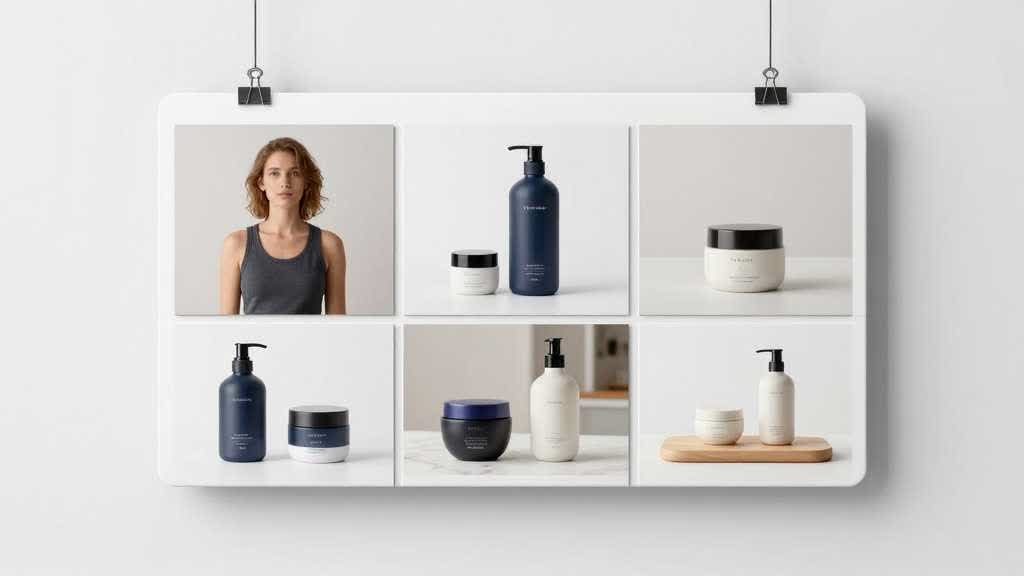
Why A+ Images Need a Module Plan
A+ Content gives eligible Amazon sellers more room to explain the product. That room can help conversion, but only when the modules carry useful information.
Many A+ sections fail because the images repeat the gallery. The product appears again, the brand adds a slogan, and the shopper still lacks proof that the product is better, larger, safer, easier, more durable, more compatible, or worth the price.
An A+ image generator should be used after the module plan is clear.
Start with these questions:
- What doubt stops the buyer?
- Which product fact answers it?
- Which image type proves it fastest?
- What product detail cannot change?
- What claim needs human approval?
- Will the module still read on mobile?
This makes the tool more useful because each output has a job.
The Seven A+ Image Types Sellers Need Most
Most products need the right mix, not every possible module.
| A+ image type | Best use | Risk to check |
|---|---|---|
| Hero value image | summarize the main value | vague slogan with no proof |
| Feature proof image | show one important feature | invented parts or unsupported claims |
| Detail closeup | show material, finish, texture, label, control, or stitching | blurry crop or changed product detail |
| Use-step image | show setup, cleaning, wearing, filling, installing, or daily use | extra steps or accessories |
| Included-parts image | show what ships in the box | invented tools, cables, caps, or inserts |
| Comparison image | help choose size, model, bundle, or variant | too much text or unfair claim |
| Mobile summary image | make key proof readable in a small crop | tiny labels and crowded icons |
This structure works better than asking the generator for "premium A+ Content." The generator needs the module job, not a mood label.
Build the Product Truth Sheet
The product truth sheet protects the real SKU.
For a small kitchen appliance, write:
- exact product shape
- control panel layout
- removable parts
- basket or tray style
- size and counter footprint
- included accessories
- cleaning steps
- approved claims
- banned food results or extra parts
For a beauty product, write:
- bottle shape
- label text
- cap color
- liquid color
- texture
- package contents
- routine order
- approved ingredient language
- banned certification badges
For a backpack, write:
- material
- pocket count
- zipper style
- strap shape
- laptop size
- available colors
- logo placement
- interior layout
- banned extra compartments
The truth sheet is more important than a long prompt. It gives the generator boundaries and gives the human reviewer a checklist.
Prompt by Module, Not by Page
Skip the giant all-in-one A+ request. Generate one module type at a time.
For a feature proof module:
> Create an Amazon A+ Content feature proof image from this product reference. Show the exact product part that supports the feature. Keep the shape, color, label, scale, material, and included parts unchanged. Use a clean module layout with one short label area and enough white space for mobile viewing. Exclude badges, extra accessories, platform logos, and unsupported claims.
For an included-parts module:
> Create an A+ Content included-parts image. Show only the items that ship in the box. Arrange them cleanly beside the product packaging. Keep each item accurate to the reference. Exclude invented cables, caps, tools, inserts, manuals, and bonus items.
For a use-step module:
> Create an A+ Content use-step image showing the product in one realistic action. Keep the product unchanged. Make the action visible without adding extra accessories. Use natural lighting, simple composition, and a product-page layout. Exclude fake UI, claims, unreadable text, and logos.
For a comparison module:
> Create an A+ Content comparison image showing two product variants from the same brand. Use the same camera angle and scale. Compare only size, color, model, or bundle contents. Keep product facts unchanged. Use short labels only.
Module prompts make review easier because the expected output is narrow.
Category Rules by Product Type
The module plan should change by category. A kitchen appliance needs a different proof order than a skincare routine or a commuter backpack. Generic A+ image generators often become weak here. They produce the same hero banner, feature card, and lifestyle panel for every SKU.
Use category rules before prompting the image.
| Category | A+ modules that usually matter | What to watch during review |
|---|---|---|
| Kitchen appliances | counter scale, control closeup, removable parts, cleaning step, result image | added baskets, fake accessories, wrong control panel, unrealistic food result |
| Beauty and skincare | routine order, texture, package size, label clarity, bottle or tube detail | changed liquid color, fake ingredient claim, invented certification badge, altered label |
| Bags and accessories | laptop fit, pocket layout, zipper detail, fabric closeup, strap proof, scale | extra pockets, changed strap width, wrong fabric, unrealistic laptop fit |
| Home organization | storage capacity, room fit, material, cleaning, before-and-after use | exaggerated capacity, added compartments, changed finish, misleading room scale |
| Electronics accessories | port detail, compatibility, included cable, button layout, device fit | invented ports, extra cables, fake indicator lights, unsupported compatibility |
This keeps the A+ Content image generator focused on the product proof a buyer expects in that category. It also gives the reviewer a faster way to reject attractive visuals that changed the offer.
Keep Text Out of the Image When Possible
A+ module images can use short labels, but heavy text inside images creates problems. It can become too small on mobile. It can be hard to localize. It can also create claim risk if the team edits the image but forgets to update the product page copy.
Use image text for:
- size
- model name
- one feature word
- short included-part label
- simple sequence number
Keep longer explanations in the page copy or module text fields.
The image should carry the proof. The text should clarify it.
QA Before Upload
Run a review before the image enters Seller Central or the site CMS.
| Check | What to verify |
|---|---|
| SKU accuracy | shape, color, label, scale, material, included parts |
| Module job | one buyer question answered with visible evidence |
| Claim support | no unsupported performance or certification claim |
| Mobile crop | product and proof remain visible |
| A+ continuity | style matches the main gallery |
| Text size | labels remain readable |
| Compression | output stays sharp after upload |
| Variant logic | color and model names match the product options |
This review is the difference between a useful A+ image generator workflow and a risky image dump.
LoomaDesign Workflow for A+ Module Visuals
LoomaDesign helps sellers move from product reference to module-ready visual assets. Use Amazon A+ Content AI when the listing needs A+ module visuals. Use Product Detail Page Images when the gallery and A+ section need to work together. Use Scene Replacement for controlled lifestyle modules, and Additional Product Images for more angles, detail shots, and package-content visuals.
The fastest practical workflow is to start with one product reference and make three assets: one feature proof image, one detail or scale image, and one mobile-readable summary image. Review those against the SKU before generating the rest of the A+ section. This keeps the page from turning into polished images that miss the buyer's real questions.
For a broader positioning guide, read Amazon A+ Content Agency Alternative. For conversion planning, read Amazon A+ Content Conversion Rate. For the gallery side, read Amazon Listing Images Design.
FAQ
Can AI generate Amazon A+ Content images?
Yes. AI can generate A+ module visuals such as feature proof images, detail closeups, use-step images, comparison cards, package contents, and lifestyle scenes. The seller still needs to review product accuracy and claims.
What is the best first A+ image to create?
Start with the image that answers the largest buyer doubt. For many products, that is size, included parts, material proof, setup, or comparison.
Should A+ images include lots of text?
No. Use short labels only. Long copy is easier to edit and review in module text fields. Heavy text inside images often fails on mobile.
Can one product photo create a full A+ image set?
It can create a useful first draft if the product reference is clear and the product truth sheet is specific. For high-risk categories, use more reference images before generating final assets.
How does LoomaDesign differ from a design agency?
LoomaDesign is a product visual workflow tool. It helps sellers create and review A+ visual assets faster. Sellers still own strategy, photography judgment, legal review, and final compliance approval.
Sources and Data Points
- Amazon, A+ Content
- Amazon Ads, How to improve your product detail page for advertising
- Amazon, Manage Your Experiments
- Google Search Central, Google Images best practices
- Community research reviewed seller questions about AI-generated listing images, A+ Content agency quality, upload readability, and whether improved images move conversion.