
Amazon A+ Content Agency Alternative: AI vs Agency
Amazon brands usually consider an A+ Content agency when the catalog needs stronger product education and the internal team cannot turn product knowledge into finished modules fast enough. The work includes more than arranging banners. Someone must confirm claims, choose the right module for each buyer question, prepare accurate images, and review the result on mobile.
An in-house image workflow can cover much of that production work when the brand direction and product facts already exist. A specialist agency earns its fee when the project still needs positioning, original photography, senior art direction, or compliance-heavy copy. The useful comparison starts with the work the team needs, the number of ASINs involved, and who will approve the final page.
Quick Answer
Use an in-house A+ workflow when the product facts, approved claims, and visual direction already exist. The team can produce feature images, comparison cards, package-content layouts, use-case scenes, and mobile-ready modules without opening a new agency project for every variant.
Use an agency when the team still needs the creative direction itself. A flagship launch, custom shoot, new brand system, complex copy program, or legal review usually needs people who can own those decisions. A hybrid model also works: an agency establishes the system, then the internal team uses Amazon A+ Content AI for repeatable SKU production.
The A+ Content image agency workflow covers briefs, revision logs, SKU QA, and export packaging after the team has chosen who will do the work.
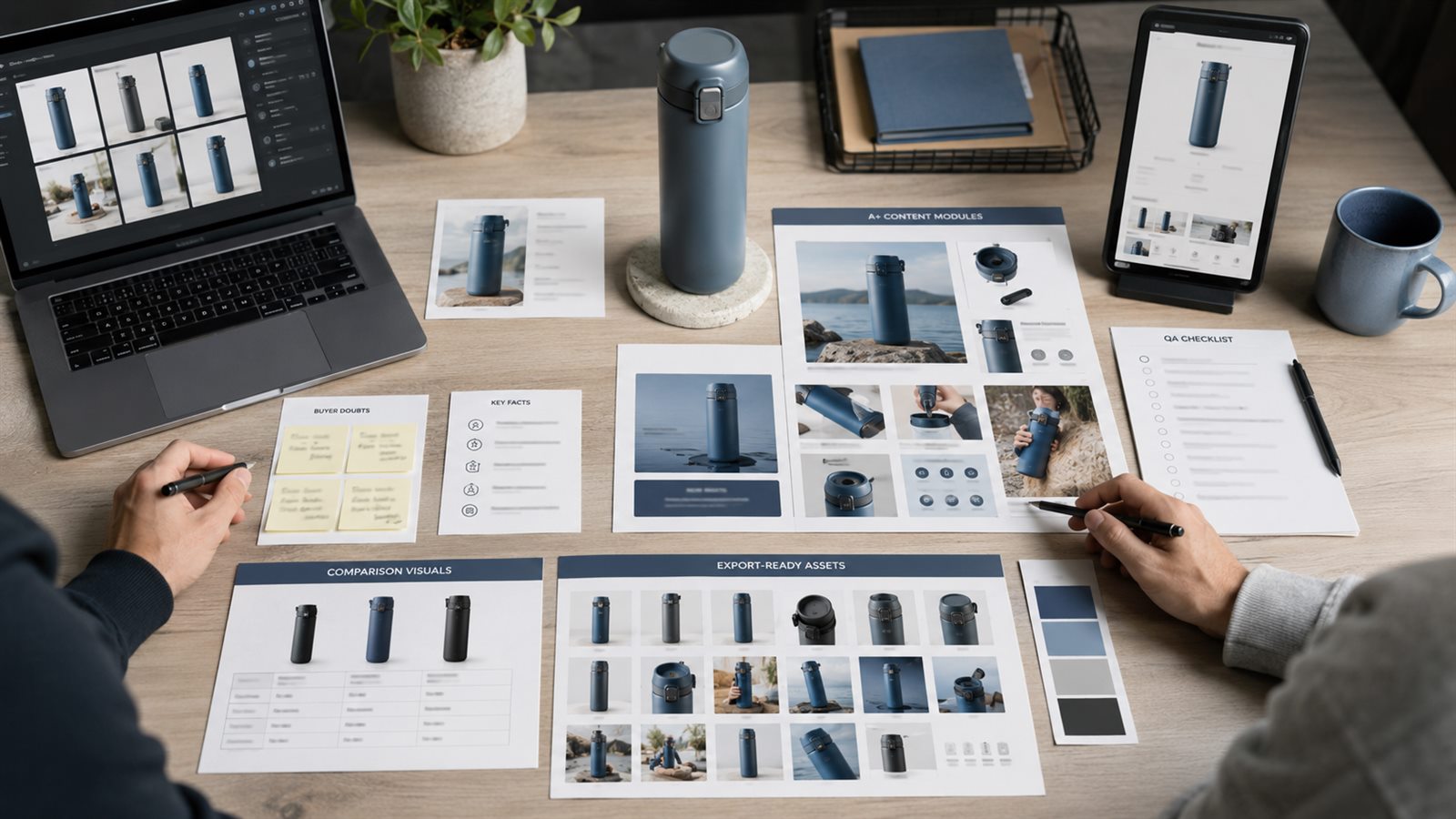
Decide From the Missing Work
Start with the gap in the current listing. A page may need a clearer model comparison, proof of material quality, a setup sequence, package contents, dimensions, or an explanation of why the premium option costs more. Each of those is a defined production task. A request to "make the A+ look premium" gives neither an agency nor an internal team enough direction.
The second question concerns ownership. The brand must supply verified product facts, approved claims, current packaging, variant differences, and an accountable reviewer. An outside agency cannot remove that responsibility. An internal workflow also stalls when nobody can confirm whether the output matches the SKU.
Agency, In-House, and Hybrid Compared
The three models distribute direction and production differently. The table assumes that the brand keeps final approval in every case.
| Decision factor | Specialist agency | In-house workflow | Hybrid model |
|---|---|---|---|
| New brand direction | strong fit | weak fit | agency leads |
| Original photography | strong fit | depends on internal capability | agency handles key assets |
| Repeated SKU modules | higher cost per round | strong fit | internal team handles volume |
| Fast revisions | depends on queue and scope | direct operator control | internal team handles routine changes |
| Variant and localization work | can become expensive | reusable structures help | internal team extends approved system |
| Senior art direction | included when scoped | requires internal expertise | reserved for flagship pages |
| Product-fact approval | brand responsibility | brand responsibility | brand responsibility |
| Final compliance review | shared by contract, brand approves | brand approves | brand approves |
A small catalog with a major launch may justify agency direction. A mature brand with dozens of related ASINs often gains more from a reusable system. The hybrid option fits brands that want expert direction on the first page and internal control over the next twenty.
Five questions settle most buying decisions. Count the ASINs and variants, estimate how often the content changes, identify whether new direction is required, name the person who will verify product facts, and reserve custom photography for pages where it can change the purchase decision.
Compare the Full Production Cost
An agency quote may include discovery, copy, design, photography, account management, revisions, and upload support. An in-house estimate often counts only tool fees and ignores staff review time. Compare both options at the same scope and measure cost per approved ASIN, not the headline project price.
Include the work that continues after the first page. Variants, packaging changes, translations, seasonal updates, comparison-table revisions, and mobile corrections can change the economics more than the initial concept round.
| Cost question | Why it changes the decision |
|---|---|
| How many ASINs use the same visual system? | reusable structures favor internal production at scale |
| How many revision rounds are included? | unclear limits create change-order costs |
| Who supplies product facts and copy? | missing inputs add discovery and review time |
| Are source files included? | editable files determine whether the brand can make later changes |
| Does the quote include photography? | original assets can justify agency cost for flagship pages |
| How often do packaging and variants change? | frequent updates favor direct editing control |
| Who handles localization? | translation alone does not solve image text, crop, or marketplace review |
Ask an agency to separate direction, asset creation, module design, revisions, and ongoing catalog support. For an internal workflow, record staff hours spent on preparation, generation, rejection, correction, and approval.
Check Whether the Team Is Ready to Work In-House
Internal production needs more than access to an image tool. The team must already know the brand direction, keep current product records, identify supported claims, and assign someone to approve SKU accuracy. Missing ownership turns fast generation into a queue of unresolved decisions.
An in-house approach is ready when the team can answer these questions:
- Which ASINs and variants belong in the first batch?
- Which product facts and claims have been approved?
- Which gallery assets can A+ reuse without repeating them?
- Who rejects an image that changes the product?
- Who checks mobile readability and final export dimensions?
- Where will editable files and approval notes be stored?
If several answers are missing, an agency can help establish the system. The brand still needs an internal owner who can approve the result.
Use a Hybrid Handoff for Flagship Pages
A hybrid arrangement keeps senior creative work on the pages that justify it. An agency can establish the visual direction, copy hierarchy, original photography, and first approved module set. The internal team can extend that system to related variants and routine updates with Amazon A+ Content AI.
The handoff should include editable source files, approved type and color rules, image references, module examples, claim notes, rejected treatments, and mobile layouts. Without those assets, the internal team has to infer the system and the catalog will drift.
Run a Paid Pilot Before the Full Catalog
Choose one representative ASIN with real traffic, typical product complexity, and enough buyer questions to test the working relationship. Avoid the easiest product in the catalog. It will hide problems with variant accuracy, proof, revisions, and mobile design.
Score the pilot on first-draft usefulness, revision turnaround, SKU accuracy, claim discipline, mobile readability, source-file delivery, and cost per approved module. Use the same scorecard for an agency pilot and an internal LoomaDesign pilot. The result gives the brand a production decision grounded in its own catalog.
Review Cost and Claims Honestly
Fast production still needs a named reviewer. Check product shape, color, material, labels, included parts, scale, dimensions, feature claims, comparison claims, mobile readability, and consistency with the gallery and bullets. Reject attractive images that no longer match the offer.
Amazon states that Basic A+ Content can increase sales by up to 8% and that well-implemented Premium A+ Content can increase sales by up to 20%. These are Amazon-reported potential lifts, not a forecast for an individual ASIN. The page still competes on product, price, reviews, traffic quality, and offer strength. Eligible brands can use Manage Your Experiments to test supported A+ variations instead of assigning every change to the redesign.
FAQ
Is LoomaDesign an Amazon A+ Content agency?
No. LoomaDesign provides an A+ image-production workflow. The brand supplies direction, verified product facts, claims, and final approval.
Can LoomaDesign replace an A+ Content agency?
It can cover repeated production tasks such as module image drafts, product scenes, comparison cards, detail images, and visual refreshes. Product strategy, compliance judgment, and final approval stay with the brand.
Who should use an A+ Content agency alternative?
Sellers with product knowledge, several SKUs, a need for faster image production, and a clear owner for final review. It works best when the team wants control without building a full design department.
What still needs human review?
Final claims, compliance review, variant approval, legal checks, and category strategy still need a human reviewer.
When is the hybrid model useful?
Use it when a flagship page needs agency direction but related variants need frequent internal updates. The agency defines the visual system, and the internal team produces within that approved system.
Sources and Data Points
Platform claims in this guide come from current Amazon seller and advertising documentation. The sales-lift figures are Amazon internal data published on its A+ Content page, so they describe possible results rather than a guaranteed outcome for every ASIN.
The workflow recommendations come from the production and QA requirements discussed throughout the guide. Teams should verify current eligibility, module options, and marketplace rules in Seller Central before upload.
- Amazon, A+ Content: Amazon states that Basic A+ Content can increase sales by up to 8%, and well-implemented Premium A+ Content can increase sales by up to 20%.
- Amazon Ads, How to improve your product detail page for advertising: Amazon recommends high-quality images, four or more product images, zoom-ready files, and A+ Content that helps shoppers make informed decisions.
- Amazon, Manage Your Experiments: eligible brand owners can test listing content, including images and A+ Content.
Seller Central can change eligibility and module options by marketplace. Confirm the current choices in the account before approving the production scope.