
AI Product Image Generator for Feature Callout Images: Turn Product Facts Into Buyer Proof
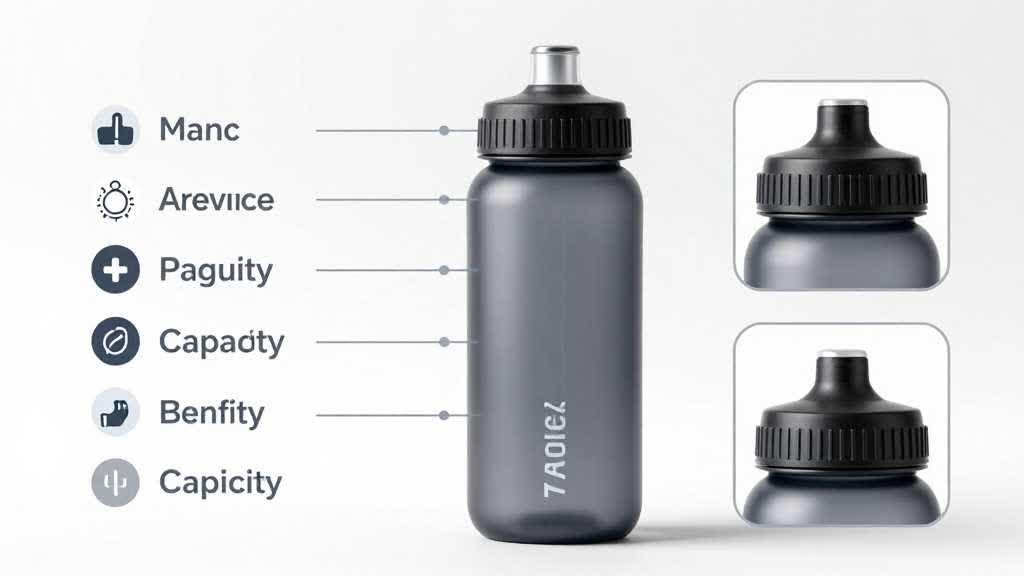
An AI product image generator can create stronger feature callout images when the work starts with product facts before any decorative labels are added. A callout image should help a shopper understand what matters before they read the full product description. The image can show material, size, parts, controls, included items, setup, protection, texture, compatibility, or use case.
The weak version is easy to recognize. A product sits in the center. Arrows point at obvious parts. Icons repeat the bullet points. The image looks busy, but the buyer learns little.
The better version chooses one buyer doubt, proves it visually, and keeps the product accurate.
Quick Answer
Use an AI product image generator for feature callout images when the product has specific details that shoppers need to verify before buying. Start with the buyer question, choose the product part that answers it, generate or edit the image around that proof point, and review the final image against the real SKU before publishing.
The best feature callout images usually explain one of five things: material, size, function, included parts, or use context. They work best as secondary listing images, A+ modules, PDP image cards, landing page sections, and ad-support visuals. They must preserve product shape, color, label, scale, and included accessories.
What Feature Callout Images Need to Do
Feature callout images have a narrow job. They should reduce uncertainty.
A buyer may wonder whether a backpack has enough compartments, whether a skincare bottle has the right dispenser, whether a kitchen appliance is easy to clean, whether a cable fits their device, or whether a storage bin really includes the lid shown in the photos. A good callout image answers that doubt with visible evidence.
That makes feature callouts different from lifestyle images. Lifestyle images create context. Detail images show close proof. Comparison images help buyers choose between options. Feature callout images connect a product fact to a buying decision.
For ecommerce teams, this is where AI can save time. A seller can begin with a supplier photo or studio photo, create supporting layouts around the same SKU, then use a review step to keep the output honest. The tool should speed up the visual production process without inventing a better product than the one being sold.
Start With Buyer Doubts Before Icons
Most weak callout images start with icon ideas. The team asks for icons for "durable," "premium," "easy," or "comfortable." Those words sound useful, but they leave the image without a proof target.
Start with the doubt instead.
| Buyer doubt | Better callout focus | Visual proof to show |
|---|---|---|
| Will it fit my space? | size and scale | dimensions, object beside a familiar reference, product in use |
| Is it durable? | material and construction | seam, clasp, coating, thickness, reinforcement, hardware |
| What comes in the box? | included parts | full kit layout, packaging, accessories, labels |
| Is it easy to use? | function and sequence | hand interaction, open/close state, controls, setup steps |
| Is this the right variant? | color or model clarity | variant row, label, finish, material swatch, side-by-side differences |
The image generator needs these inputs. If the prompt only says "create a professional feature callout image," the output may look polished and still miss the buying reason. If the prompt says "show the removable divider, the lid fit, and the storage capacity for a kitchen organizer," the output has a real job.
Choose One Callout Type Per Image
Feature callout images become hard to read when one image tries to prove everything. A secondary image can carry several labels, but the core message should stay focused.
Material Callout
Material callouts work for leather goods, bags, cookware, bedding, apparel, beauty packaging, and outdoor products. The image should show texture, finish, thickness, stitching, surface coating, or hardware. AI can help create clean macro layouts, but the review must compare material detail to the real product.
Use material callouts when shoppers care about touch, durability, finish, or premium feel.
Function Callout
Function callouts show how a product works. This is useful for kitchen appliances, organizers, electronics, tools, bottles, cases, and accessories. The image may show an open lid, a hand pressing a button, a water-resistant detail, a filter part, a removable basket, or a cable connection.
Use function callouts when a buyer might skip the product because the operation feels unclear.
Scale Callout
Scale callouts help buyers understand size before delivery. They work for storage, furniture, bags, bottles, home goods, pet products, and small appliances. The image can include dimensions, a hand, a phone, a countertop, a person, or a common object.
Use scale callouts when reviews mention "smaller than expected," "bigger than expected," or "wrong size for my space."
Kit Callout
Kit callouts show what ships together. They are useful for bundles, starter sets, replacement kits, beauty sets, home repair kits, and electronics accessories. The image should show every included item and avoid props that might be mistaken for included parts.
Use kit callouts when returns or support tickets often come from missing-part confusion.
Variant Callout
Variant callouts show differences between colors, sizes, formulas, models, or compatibility options. They should make the difference obvious without making one variant look like a separate product.
Use variant callouts when buyers compare similar options and need a fast decision.
A Practical AI Workflow
Begin with the cleanest available product image. If the source photo is soft, compressed, distorted, or poorly cut out, fix that first with an image enhancer or retouching step. A feature callout image magnifies product details. A weak source photo will make the final callout weaker.
Write down the product facts that must stay fixed. For a backpack, this may include fabric color, zipper layout, pocket count, logo placement, strap style, and included accessories. For a skincare product, it may include label area, bottle color, cap shape, liquid color, pump type, and packaging. For an appliance, it may include control panel, handle, vents, basket, size, and finish.
Choose the buyer doubt and the proof point. A single image might answer "Is the bottle leakproof?" by showing the cap, seal, open/closed state, and water exposure. Another might answer "What fits inside the organizer?" by showing compartments with realistic contents.
Generate the layout around the proof point. Keep the product shape, color, material, and included parts locked. Ask for a clean ecommerce feature callout image with one main product view, two to four detail views, restrained label areas, and mobile-readable spacing.
Review the result against the SKU. AI can improve composition, but it can also change a seam, label, color, port, clasp, compartment, handle, or accessory. Reject any output that looks better than the real product in a way that could affect buyer expectation.
Export for the channel. A marketplace secondary image, A+ module, Shopify product image, ad creative, and landing page card may need different crops. Keep one master file, then create channel-specific exports.
Prompt Structure
Use a prompt that gives the model a buyer reason, product constraints, and layout rules.
```text Create an ecommerce feature callout image for this product.
Product: [describe the real SKU] Buyer doubt: [what the image must answer] Proof point: [material / function / size / included parts / variant difference] Required product details: [parts, color, material, label, shape, included accessories that must stay unchanged] Layout: one main product image, two to four supporting closeups, clean label areas, simple arrows or markers, mobile-readable spacing Style: realistic ecommerce product photography, accurate product proportions, clean background, restrained callout design Guardrails: preserve the real SKU, skip invented features, remove fake logos, avoid unsupported claims, keep text readable, show only shipped accessories ```
The prompt should read like a production brief first. Slogans can come later. The model needs to know what the buyer must understand.
Category Examples
Bags and Accessories
For bags, shoppers often need proof around material, compartments, straps, zipper quality, size, and carrying style. A strong feature callout set may include a front view, open interior, strap detail, zipper macro, laptop fit, and scale on a person.
The risk is overpromising storage. If the image shows a laptop, bottle, camera, notebook, and jacket inside the bag, the actual product must support that use. The callout should clarify capacity without staging an impossible packout.
Beauty and Skincare
Beauty callouts should handle label clarity, texture, dispenser type, package size, formula appearance, and routine position. A serum image may show dropper detail, liquid color, texture sample, bottle scale, and packaging.
The risk is color drift. AI may make liquid more golden, cream smoother, or packaging more premium. For beauty products, shade and texture accuracy matter because the image can change buyer expectation.
Home and Kitchen
Home and kitchen callouts often prove capacity, cleaning, storage, removable parts, safe materials, and countertop scale. An organizer may need compartment dimensions. An air fryer may need basket detail, handle grip, control panel, and cleaning step.
The risk is showing props or food that imply a use case outside the product's real limits. Keep supporting props secondary and honest.
Electronics and Accessories
Electronics callouts should prove ports, compatibility, button placement, cable length, included parts, setup, and device fit. A phone stand may need angle range. A charger may need connector type and cable length. A case may need thickness, hinge, and device fit.
The risk is fake interface detail. If the AI changes a port, button, screen, certification mark, or label, the image can create support problems.
Mobile QA
Feature callouts often look good on a desktop canvas and fail on a phone. Before publishing, view the image at mobile size. The product should still be clear. The labels should be readable or at least visually clean. The crop needs to keep the product part that the image is trying to prove.
Use this quick mobile check:
| Check | Pass condition |
|---|---|
| Main product | recognizable at thumbnail size |
| Proof point | visible without zooming |
| Labels | short enough for mobile |
| Arrows or markers | helpful, clean, and sparse |
| Background | clean enough for small screens |
| Product truth | no changed part, color, label, or included item |
If the mobile version looks crowded, split the idea into two images. One image can show the material proof. Another can show the function proof.
Marketplace and Feed Safety
Feature callout images usually belong in secondary image slots, A+ modules, PDP sections, landing pages, or ads. Main marketplace images are stricter. For example, Amazon and Google have product image rules that push main images toward clear product representation and away from misleading overlays, props, generic placeholders, and unsupported claims.
Google Merchant Center requires product images to meet size and content rules, including accurate product display and restrictions on promotional overlays. Google also recommends high-quality images and product framing that keeps the product large enough in the image. For AI-generated product images used in Merchant Center, Google says required metadata such as IPTC DigitalSourceType should be preserved.
Amazon's A+ Content materials describe enhanced images, custom text placements, videos, and comparison modules as ways to help shoppers make more informed decisions on product detail pages. That makes callout imagery a natural fit for A+ and secondary PDP content, as long as the image still reflects the real SKU.
Using LoomaDesign for This Workflow
LoomaDesign is useful when a seller needs more than one pretty product photo. The workflow starts with the product image and turns it into a fuller visual set for listing images, A+ content, comparison modules, detail images, and landing page sections.
For a feature callout workflow, use LoomaDesign to create the supporting layout around one buyer doubt, then enhance the final image so texture, edges, and product parts stay clear. If the callout image is part of a larger gallery, pair it with AI Product Image Generator for Detail Images, AI Product Image Generator for Comparison Images, and Amazon A+ Content Image Generator.
LoomaDesign gives a small ecommerce team the production discipline usually found in an agency deck: product fact, buyer doubt, visual proof, QA, export.
QA Checklist Before Publishing
Use this checklist before adding a feature callout image to a product page.
| QA item | What to verify |
|---|---|
| SKU accuracy | product shape, material, color, label, and parts match the real item |
| Buyer question | the image answers one specific doubt |
| Claim support | every claim has visible proof or product documentation |
| Included items | props are clearly separated from shipped parts |
| Variant match | color, size, model, and compatibility match the selected SKU |
| Mobile readability | product and callout remain clear on phone |
| Channel fit | main image, secondary image, A+ module, ad, and landing page crops are separated |
| File quality | final export is sharp enough for zoom or detailed inspection |
Common Mistakes
The first mistake is overloading the image. A single callout image with eight arrows, six icons, three claims, and tiny text will usually lose the buyer. Choose one proof job.
The second mistake is letting AI invent clarity. A generated closeup may show a cleaner seam, shinier metal, straighter label, or thicker material than the real SKU. That image may increase clicks and create returns at the same time.
The third mistake is copying product bullets into the image. Callout images should translate a fact into proof. If the image simply repeats "durable material" without showing the material, it wastes a slot.
The fourth mistake is using the same image style across every product category. A jewelry callout needs macro sparkle, scale, clasp detail, and packaging. A kitchen appliance needs controls, capacity, removable parts, and cleaning proof. A backpack needs straps, compartments, fabric, zipper, and carried scale.
FAQ
What is a product feature callout image?
A product feature callout image is a product image that highlights a specific feature with supporting closeups, labels, markers, or simple layout elements. It helps shoppers understand material, function, size, included parts, or variant differences.
Can AI create feature callout images for Amazon listings?
Yes, AI can create secondary listing images, A+ visuals, and product-page callout images. Main images need stricter compliance review, so callout layouts usually work better outside the main image slot.
How many callout images should a product page use?
Most products need one to three callout images. Use one for the strongest purchase doubt, one for material or function proof, and one for included parts or scale if those questions affect conversion.
Should callout images include text?
Short text can help, especially for secondary images and A+ modules. Keep text short enough for mobile. If the label needs a full sentence, the image probably needs a cleaner visual proof point.
Can feature callout images improve conversion?
They can help when they answer real buyer doubts. A callout image that proves material, scale, included parts, or function can reduce hesitation. A decorative image with generic labels usually adds little.
Sources and Data Points
- Google Merchant Center image requirements and best practices: https://support.google.com/merchants/answer/6324350
- Amazon Selling Partners overview of Gen AI-powered A+ Content and enhanced product detail content: https://sellingpartners.aboutamazon.com/gen-ai-powered-a-content
- Amazon A+ Content tool overview: https://sell.amazon.com/tools/a-content
- Community research notes: seller discussions repeatedly mention blurry images, main-image compliance, product image mismatch, callout clutter, and uncertainty around whether images show the real product.