
Amazon PDP Image Stack for Small Electronics Accessories
Small electronics accessories often fail on Amazon because the buyer cannot quickly answer practical questions: will this fit my device, what is included, how long is the cable, how large is the item on a desk, and does the product in the photo match the selected variant?
That is why a mouse, USB hub, charging cable, keyboard cover, camera mount, adapter, or small desktop gadget needs a different PDP image stack from skincare, apparel, or home decor. The page has to prove compatibility and setup before it tries to look polished.
Quick Answer
For small electronics accessories, the strongest Amazon PDP image stack usually includes a clean main image, a connector or control close-up, a device compatibility image, an included-parts layout, a scale image, a setup or in-use image, and one comparison or A+ module that explains model differences. Each visual should answer one buyer question.
AI-generated or AI-edited images can help with background cleanup, sharpness, desk scenes, and module layouts, but they should not invent ports, cables, device models, bundled accessories, screen states, or performance claims. For electronics accessories, visual accuracy matters as much as style.
Why Small Electronics Need a Tighter Image Sequence
Buyers rarely judge a tech accessory by beauty alone. A mouse may need ergonomic proof, cable detail, sensor placement, and device fit. A USB hub needs port count, connector type, cable length, device compatibility, heat or desk setup expectations, and included parts. A charger needs wattage clarity, plug type, cable support, and careful safety language.
The same product can look acceptable in a search tile and still fail on the PDP. A buyer may zoom into the port layout, compare variants, check whether the cable is detachable, or look for the exact device generation. If the image stack leaves those questions open, the page pushes the buyer into reviews, Q&A, or a competitor listing.
Amazon Ads recommends strong product detail pages with high-quality images, useful product information, and A+ content when available. It also recommends four or more high-quality images and images large enough to support zoom. For small electronics, those general rules need category-specific execution.
The Seven-Image Stack
Use this sequence as a starting point. The page may use more or fewer uploaded images, but each slot should have a job.
| Image role | Buyer question | What to show | Main risk |
|---|---|---|---|
| Main image | What exactly is this? | The product and only included core items | Extra accessories imply a larger bundle |
| Connector close-up | Will it fit? | Port shape, cable end, adapter side, button detail | AI or retouching simplifies tiny hardware |
| Compatibility image | Does it work with my device? | Device category or supported setup, without fake UI | Unverified compatibility claim |
| Included-parts layout | What arrives in the box? | Product, cable, manual, mounts, adapters, case | Props look like included parts |
| Scale image | How big is it? | Product on a desk, hand scale, laptop scale | Scene makes the item look larger or smaller |
| Setup image | How is it used? | Cable routing, placement, angle, workspace use | Scene hides the actual product |
| Comparison or A+ module | Which model should I choose? | Port count, cable length, version differences | Comparison overstates performance |
The main image can stay simple. The secondary stack should carry the explanations. If every image tries to look like a hero asset, the page loses the facts buyers need.
Connector and Port Close-Ups
Small electronics depend on tiny details. USB-A, USB-C, Lightning, HDMI, microSD, audio ports, dongles, adapters, power buttons, indicator lights, and plug orientation can decide whether the product is useful. These details should be photographed or edited from a reliable source image.
AI enhancement can sharpen a soft product photo, but it can also round a port, simplify a seam, or create a cleaner connector than the real SKU. That risk is higher when the source image is small or compressed. If the product has compatibility details or a precise connector type, review the close-up against the physical SKU before publishing.
For a broader repair workflow, use how to fix pixelated product photos. If the port or label detail is already gone, a reshoot is safer than an invented sharp image.
Compatibility Images Without Overclaiming
Compatibility images work best when they clarify product fit without pretending to certify every device. Show the product connected to a generic laptop, monitor, phone, keyboard, desk setup, or device outline when the category supports that use case. Keep the claim limited to verified product facts.
Avoid screenshots, fake app interfaces, brand marks, and exact device claims unless the product data supports them. A compatibility image can help buyers quickly understand use, but it can also create returns if the visual implies support for an unsupported device generation, operating system, port standard, or charging behavior.
For Amazon A+ content, compatibility may deserve its own module. A port diagram, supported device family, setup step, or comparison table can be easier to read in A+ than inside a crowded secondary image.
Included Parts and Bundle Truth
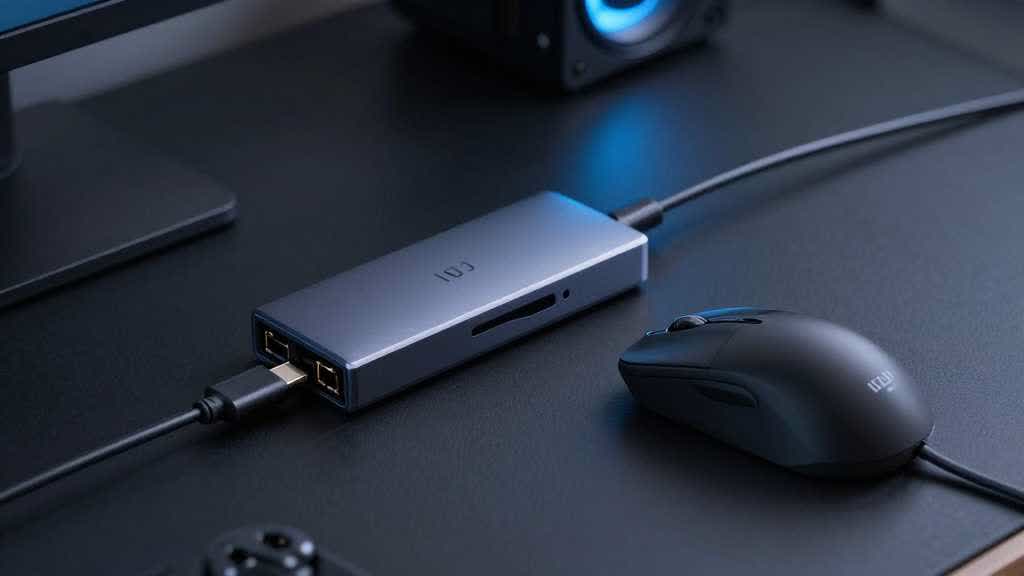
Many accessory listings create doubt because the images use too many props. A desk scene may show a laptop, monitor, phone, cable, pen tray, speaker, or stand. Buyers may not know which items ship with the SKU.
Use one factual included-parts image. Lay out the product, cable, adapters, manual, case, mount, or spare parts that ship in the package. If a prop is needed for scale or setup, keep it in a separate image and make the product relationship obvious.
This is especially important for AI-generated scenes. A clean setup image can quietly add an extra cable, stand, adapter, or device. That may look better, but it changes buyer expectations.
Scale and Desk Context
Scale matters for accessories because the buyer imagines the product in a workspace. A mouse may need hand or desk scale. A USB hub may need laptop scale and cable length context. A charger may need plug and bag scale. A webcam mount may need monitor thickness or angle context.
The scale image should not be decorative. It should answer one question the buyer might ask before buying. If the image is for cable length, show cable routing. If it is for desk footprint, show the product beside a laptop or keyboard. If it is for travel, show bag or pouch context.
For scene generation, choose a simple desk setup. Overloaded desk props can distract from compatibility and make the product look less trustworthy. A clean workspace with one device reference is usually stronger than a lifestyle scene with many objects.
A+ Content for Small Electronics
A+ content should carry explanations that are hard to fit in the image carousel. For small electronics accessories, useful A+ modules include compatibility tables, port diagrams, cable-length explanation, setup steps, variant comparison, use-case split, material or durability proof, and care instructions.
Use A+ content for more than a larger version of the gallery. If the core image stack already shows the product, A+ should organize buyer decision details. The Amazon Product Detail Page vs A+ Content guide explains how to decide which information belongs above the fold and which belongs in enhanced content.
AI Visual QA Checklist
Before publishing AI-assisted images for electronics accessories, check:
- the port shape, cable end, buttons, lights, and seams match the SKU
- no extra cable, adapter, stand, device, or case appears as if included
- device compatibility is supported by product data
- screen states, app UI, or device brand marks are not invented
- scale remains believable in desk or hand context
- text inside diagrams remains readable on mobile
- the image answers one buyer question before any decorative treatment
If the image cannot pass these checks, keep it for internal planning and create a safer buyer-facing version.
Build a Small-Electronics Image Stack in LoomaDesign
LoomaDesign helps sellers move from one product image to a controlled PDP visual set. A team can enhance a source photo, create product-context images, generate supporting module visuals, and review the output for product truth before using it on Amazon, Shopify, or a brand PDP.
For adjacent workflows, use Amazon PDP Best Practices for Product Images and A+ Content for the broader PDP structure, Amazon Listing Image Generator for listing image planning, and AI Product Photography for Shopify and Amazon for cross-channel product scene work.
FAQ
What images should small electronics accessories use on Amazon?
Use a clear main image, connector close-up, compatibility visual, included-parts layout, scale image, setup image, and comparison or A+ module when the product needs model explanation.
Can AI generate Amazon PDP images for electronics accessories?
AI can help with backgrounds, scene setup, sharpness, and module layouts. It should not invent ports, compatibility, device UI, included parts, or technical claims.
Should compatibility go in the image carousel or A+ content?
Use the carousel for the most urgent compatibility question. Use A+ content for tables, setup steps, port diagrams, and model comparisons that need more space.
What is the biggest image risk for tech accessories?
The biggest risk is a polished image that changes product facts: wrong connector, missing cable, extra adapter, inaccurate device fit, or a setup scene that implies unsupported use.
Sources and Data Points
- Amazon Ads, How to improve your product detail page for advertising
- Amazon Ads, Create your brand foundation on Amazon
- Google Merchant Center Help, Image link attribute
- Seller and ecommerce community discussions around compatibility images, port close-ups, included accessories, and small electronics listing confusion were reviewed for phrasing and objections.