
Amazon Lifestyle Product Image Best Practices 2026: How I Use Scenes to Prove the Product
Lifestyle product images should not be treated as decoration. When I design Amazon listing images, I use lifestyle scenes to answer the doubts that a white-background image cannot answer: where the product fits, how large it feels, what problem it solves, which material details matter, and whether the product still looks believable in real use. For 2026, my rule is simple: a lifestyle image earns its place only when it proves one buying decision. If the scene looks pleasant but does not reduce hesitation, I cut it.
This article uses a countertop kitchen utensil organizer as the working example. The product is ordinary, which makes it useful. It has size, compartments, drainage, material finish, and cleaning questions. Those are exactly the kinds of details a buyer wants before clicking add to cart.
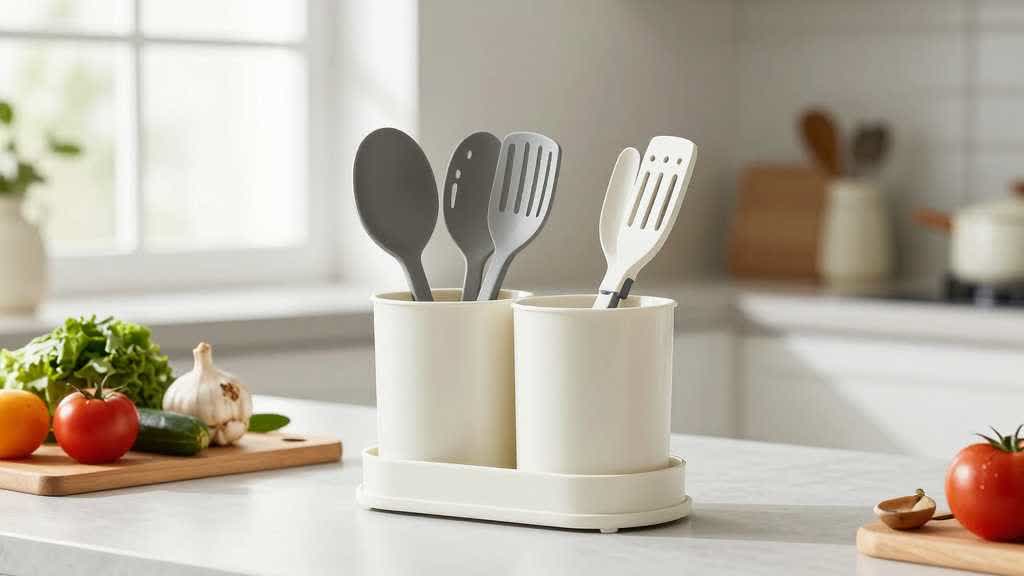
The Designer Rule I Use for Amazon Lifestyle Product Images
I do not start with a mood board. I start with a buyer question.
For a kitchen organizer, the common questions are practical:
- Will it fit on a small countertop?
- Does it hold tall spoons and spatulas without tipping?
- Does water collect inside?
- Is the base easy to clean?
- Does it match a light kitchen, a dark kitchen, or a rental kitchen?
- Is the plastic or silicone finish cheap-looking?
A lifestyle product image should answer one of those questions. If the image only shows a clean kitchen, it is weak. If it shows the organizer beside the sink with utensils inside, the drain base visible, and enough counter space around it to judge scale, it starts doing real work.
That is also how I use AI in this workflow. I do not ask for a beautiful scene first. I write the product facts and the buyer doubt first, then choose the visual job.
Amazon Image Rules I Design Around
Amazon Ads product detail page guidance recommends high-quality images that show different angles, important details, features, use, and variations when relevant. It also recommends a plain white background for the main image, strong product fill, and images at least 1000 pixels in height or width so shoppers can use zoom.
Amazon A+ Content gives sellers more room to explain product benefits with enhanced images, custom text placements, comparison charts, videos, carousels, and Q&A modules. Amazon's A+ Content design guide also points sellers toward clear product photos, lifestyle imagery, short copy, technical specifications, comparison charts, and mobile-readable design.
Those rules matter because lifestyle images sit between compliance and persuasion. The main image should usually stay clean and product-led. The lifestyle image can show context, but it still has to preserve the real product.
My Workflow for a Kitchen Organizer Lifestyle Image
For this product, I would start with a clean source image, not a scene. The first pass is the Product Retouching and White Background Tool. I want the product shape, color, compartments, base, and edge finish to be accurate before I build anything around it.
If the supplier photo is soft, I use the AI Product Image Enhancer only to recover visible detail. I do not want a new texture. I want the real ribbed surface, bottom base, and inner divider shape to stay readable.
Then I use the Product Scene Image Generator to create controlled lifestyle scenes. For the kitchen organizer, I would create three scene types:
| Scene | Buyer doubt it answers | What I check |
|---|---|---|
| Organizer on a small countertop | Will it fit my kitchen? | counter scale, product proportion, no oversized props |
| Organizer beside a sink | Is it useful where I wash tools? | drain base visible, no impossible water behavior |
| Organizer inside a drawer or cabinet | Can it work beyond the counter? | compartments still match the product |
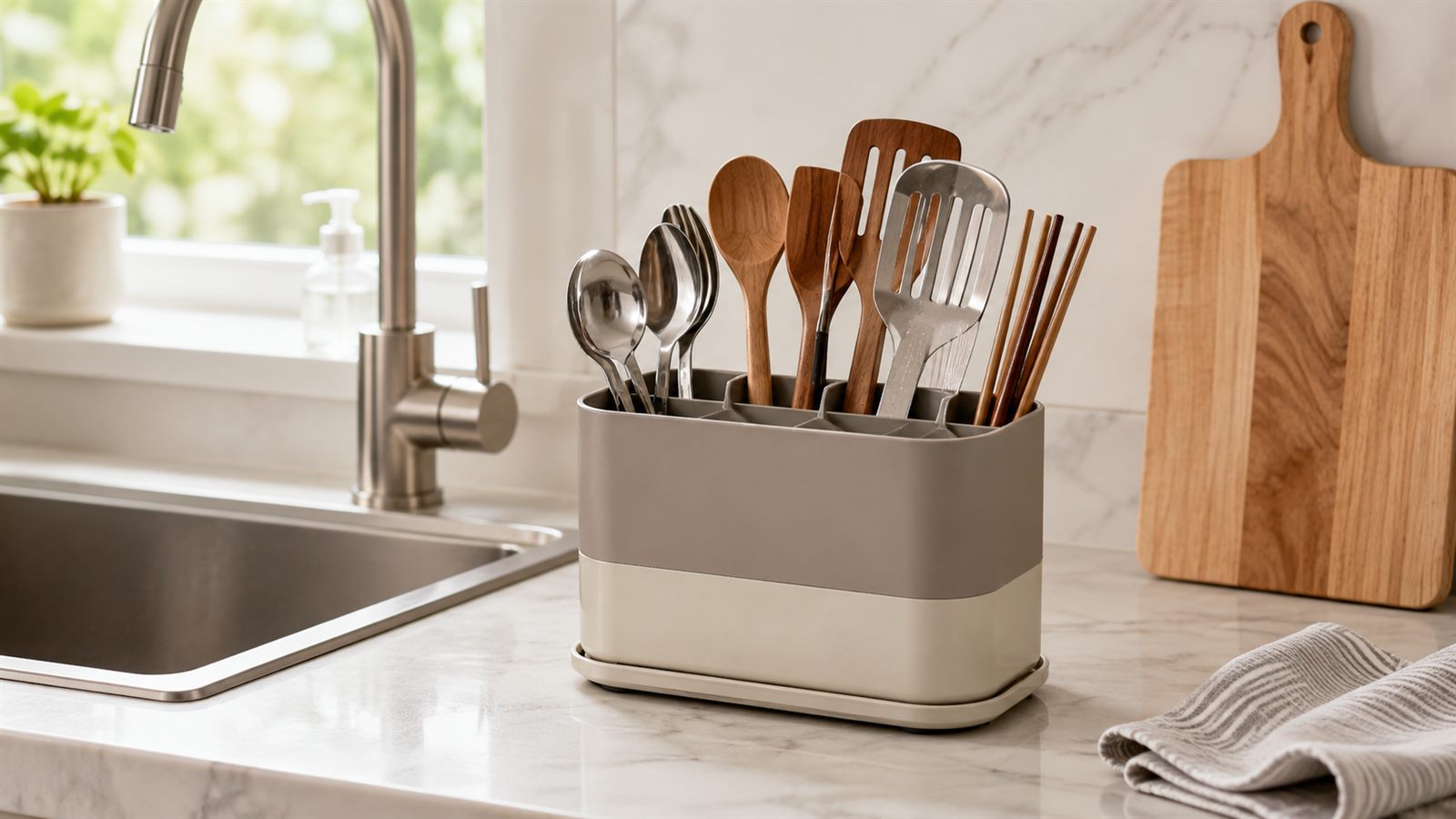
After that, I use Amazon Additional Product Image Generator for detail support: the drain holes, divider slots, base material, wall thickness, and included parts if any. A lifestyle image should not carry every fact. It should be supported by detail images.
Finally, I use Amazon PDP and A+ Content Design Tool to check order. My usual order is: main image, scale, use scene, detail proof, cleaning proof, variant or color, A+ module.
Lifestyle Product Image Best Practices for 2026
The strongest lifestyle product images do not try to impress the buyer with a perfect room. They help the buyer imagine the product in a real decision.
For Amazon listing images design, I keep these rules:
- Use one product truth across the gallery. The product shape, color, material, label, included parts, and size cannot change from image to image.
- Make the use case visible in two seconds. If the buyer has to study the scene to understand the benefit, the image is too busy.
- Avoid lifestyle scenes that hide the product. A scene should frame the product, not bury it in props.
- Put scale into the scene when size matters. Countertop items, bags, bottles, jewelry, storage boxes, and accessories often need scale proof.
- Keep claims out of the image unless the product facts support them. I avoid words like waterproof, medical grade, leakproof, or unbreakable unless the seller has approved proof.
- Check mobile thumbnails. A lifestyle image can look strong on desktop and become unreadable on mobile.
Category Notes I Use in Real Reviews
Different products need different lifestyle proof.
For kitchen and home products, I care about size, cleaning, storage, and how the product looks beside real surfaces. For beauty products, I care about texture, packaging, routine order, and whether the lifestyle image suggests an unsupported result. For bags, I care about scale, strap position, compartment access, material closeups, and what fits inside. For jewelry, I care about scale on body, skin tone balance, clasp detail, and whether the stone or metal looks exaggerated.
An AI product lifestyle image generator becomes useful only under control. The tool can build scene options quickly, but the designer still has to reject images that change product truth.
Common Lifestyle Image Mistakes I Reject
I reject images that make the product better than the real SKU.
For the kitchen organizer, I would reject:
- compartments that appear deeper than the real product
- a glossy finish when the product is matte
- utensils that make the organizer look larger than it is
- a sink scene that implies drainage if the product has no drain path
- a drawer scene where the product dimensions would not fit
- text callouts that repeat obvious features instead of solving doubts
- props that distract from the product
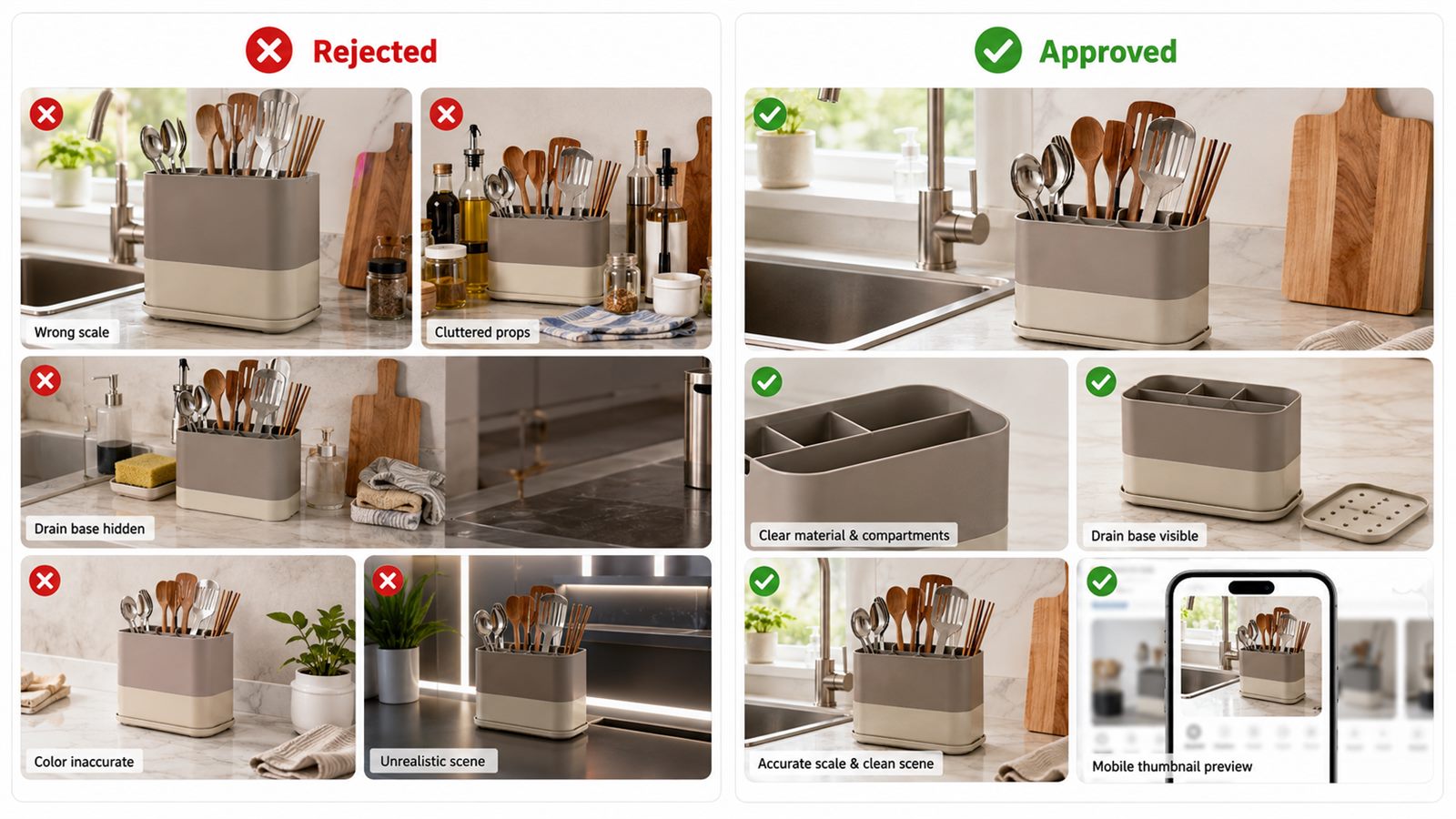
One of the fastest ways to improve conversion is to remove attractive but unhelpful images. A clean, slightly boring proof image often sells better than a beautiful scene that leaves the buyer uncertain.
How I Measure Whether the Scene Worked
I look at the gallery as a buyer would see it on mobile. If the first five images answer product identity, size, use, material, and cleaning, the set is strong.
My review questions are:
- Can I identify the exact product from the thumbnail?
- Does the lifestyle image show a real use case?
- Does the scene make scale easier to understand?
- Does the image avoid unsupported claims?
- Does the A+ module repeat the gallery, or does it add proof?
- Would I still trust the image after comparing it with the real product photo?
If the answer is weak, I revise the image. I do not add more images just to make the page feel full.
Final Checklist Before Upload
Before I use a lifestyle product image on an Amazon listing or ecommerce PDP, I check:
| Check | Pass standard |
|---|---|
| Product truth | same SKU shape, color, material, label, parts |
| Scene purpose | one clear buyer doubt answered |
| Scale | product size feels believable |
| Mobile | key proof visible in thumbnail |
| Claims | no unsupported promise |
| Gallery order | scene supports the white-background and detail images |
| A+ connection | module copy and image tell the same story |
| Compression | final image remains sharp after upload |
The best lifestyle image is not the most cinematic one. It is the one that helps a buyer believe the product will work in their life.
FAQ
What is the best use of lifestyle product images for Amazon?
Use lifestyle product images to show use, scale, material, fit, routine, or context that the main image cannot show. Each image should answer a buyer doubt.
Should every Amazon listing have lifestyle images?
Most ecommerce listings benefit from at least one use-context image, but not every product needs a heavily styled scene. If a detail or scale image answers the buyer better, use that first.
Can AI-generated lifestyle images be used for Amazon listings?
AI-generated lifestyle images can support a listing when the final image preserves the real product shape, color, label, material, and included parts. The image still needs human QA before upload.
What should I avoid in lifestyle product images?
Avoid changed product details, unrealistic scale, unsupported claims, cluttered props, fake accessories, unreadable text, and scenes that make the product look different from what the buyer receives.
How can an AI product lifestyle image generator help?
A focused AI workflow can turn product facts and selling points into white-background images, additional listing images, lifestyle scenes, A+ modules, and QA-ready product visuals. The useful sequence is to clean the source photo first, generate only the missing proof images, then review every output against the real SKU before upload.
Sources
- Amazon Ads, How to improve your product detail page for advertising.
- Amazon, A+ Content.
- Amazon, A+ Content design guide.