
AI Product Image Enhancer for Ecommerce: Fix Soft Product Photos Without Losing SKU Accuracy
An AI product image enhancer helps when a product photo already contains the right facts but looks too soft for a listing. I use it to recover edge clarity, label readability, texture, and mobile thumbnail quality. I do not use enhancement to redesign the product. The useful question is simple: can the buyer inspect the real SKU faster after enhancement? If the answer is yes and the cap, color, material, label, included parts, and scale stay accurate, the image can move forward. If AI changes the product, the image goes back into revision.
This is the same quality check I use when reviewing ecommerce galleries for sellers. A sharper image has no value if it creates a different item.
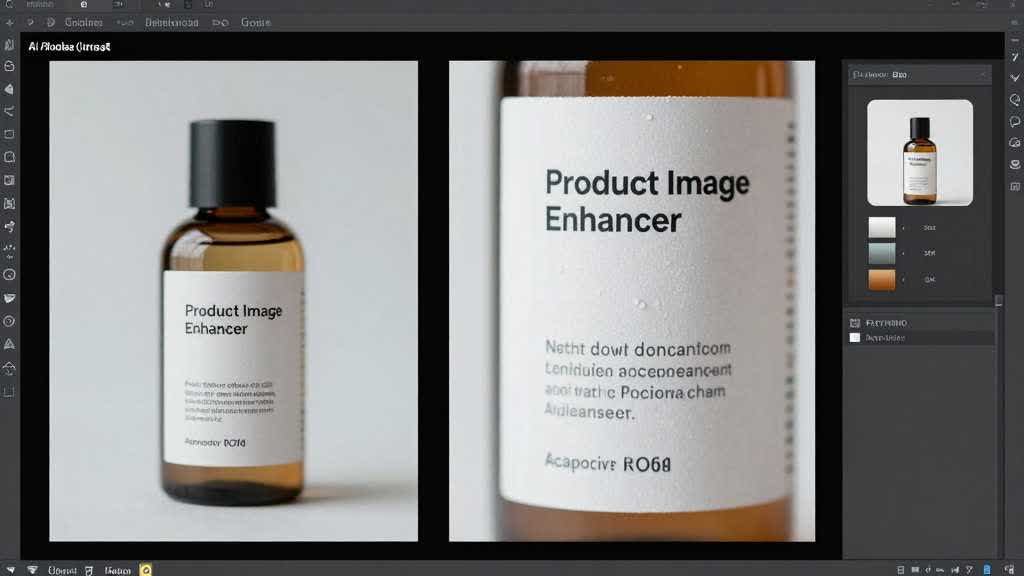
Quick Answer: Use Enhancement When the Product Facts Already Exist
I use an AI product image enhancer when the source photo has the correct shape, color family, surface texture, label position, accessory set, and scale, but the file quality is holding the page back. That usually means supplier compression, weak lighting, a soft crop, or a detail image that falls apart on mobile.
I stop and choose a different workflow when the source photo is missing evidence. If the label is absent, the material texture cannot be seen, the zipper pull is hidden, or the product was shot from the wrong side, enhancement has too much room to guess. At that point I create a new supporting image from a better reference, use a multi-angle workflow, or ask for a reshoot.
The practical goal is not a prettier file. The goal is a listing image that helps a shopper trust the exact item.
The Real User Pain: AI Images Can Change the Thing Being Sold
Seller forums and Reddit threads keep circling the same fear. Sellers worry about AI or automated image handling changing a listing image, showing a lower-quality AI version, using the wrong variation image, or making the product look different from the item that ships. Buyers complain when AI lifestyle photos make the product look more useful, larger, cleaner, or better built than the real item.
That concern changes how I write prompts and how I review outputs. I never start with "make this premium." I start with the product facts that must survive.
For a 32 oz insulated bottle, I lock the lid shape, mouth opening, handle position, straw, coating texture, body color, bottom band, and scale. For a backpack, I lock zipper pulls, strap shape, pocket count, fabric weave, handle position, and included parts. For skincare, I lock label text, cap type, bottle transparency, liquid color, pack count, and claims.
The enhancer can improve clarity around those facts. It cannot invent them.
Product Image Quality Rules I Design Around
Amazon's product image guidance recommends multiple product images and zoom-ready files so shoppers can inspect angles, features, and details. Amazon Ads also tells advertisers to feature high-quality images and add A+ Content when available. These rules point to a practical standard: product images should reduce doubt before the shopper reaches reviews or Q&A.
I translate that into four checks.
| Check | What I look for | Common failure |
|---|---|---|
| Product truth | shape, color, label, material, included parts | AI changes the SKU |
| Detail proof | clasp, cap, port, texture, seam, stitching | soft image hides the feature |
| Mobile readability | thumbnail still explains the point | detail works only on desktop |
| Claim support | image matches bullets and packaging | visual promise cannot be defended |
Official references worth keeping open during review:
- Amazon Seller Central product image guide: https://sellercentral.amazon.com/help/hub/reference/external/G1881
- Amazon Ads product detail page guidance: https://advertising.amazon.com/library/guides/improve-your-products-for-advertising
- Amazon A+ Content overview: https://sell.amazon.com/tools/a-content
My Designer Workflow for Enhancing a Product Photo
I usually run the work in this order.
| Stage | Tool page | What I do | What must survive |
|---|---|---|---|
| 1 | Product Retouching and White Background Tool | Clean the source photo and prepare a main-image candidate | product crop, shadow, color, product fill |
| 2 | AI Product Image Enhancer | Recover clarity for a soft or compressed file | label, texture, edge shape, no invented parts |
| 3 | Amazon Additional Product Image Generator | Create angle, detail, scale, and use-case support images | one buyer question per image |
| 4 | Amazon PDP and A+ Content Design Tool | Arrange the gallery and decide which A+ modules need proof | image order, mobile sequence, claim support |
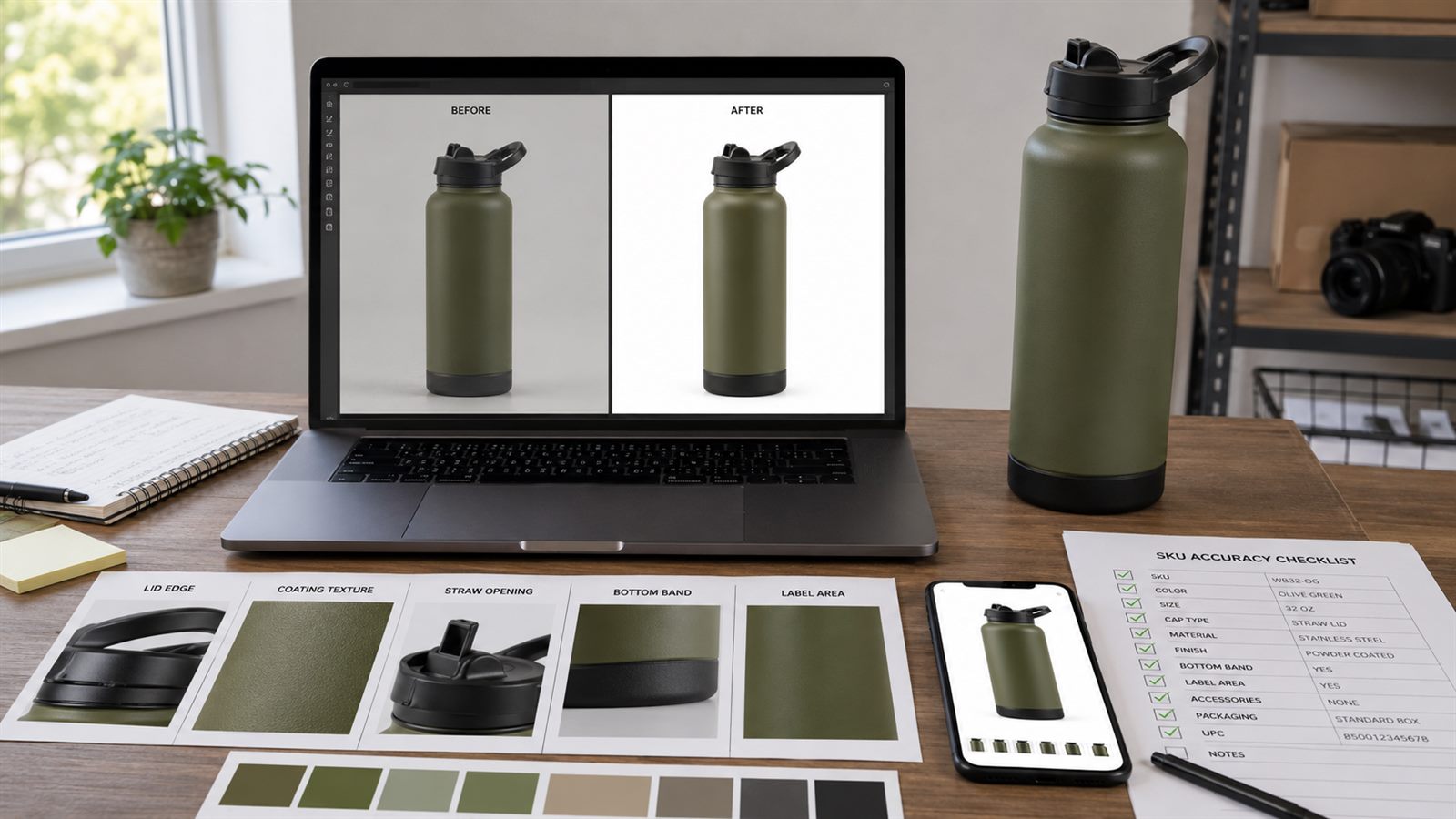
Here is a real production-style example. A seller gives me a supplier photo of an olive green bottle. The product is correct, but the cap edge is soft, the coating texture looks flat, and the mobile thumbnail makes the straw hard to understand. I first clean the white background so the product fill and shadow are controlled. Then I enhance only the areas that need clarity. After that I create a close-up image for the lid, a scale image for capacity, and a lifestyle image for the use case.
In a manual workflow, this kind of set can take a designer half a day once sourcing, cleanup, crop variants, and mobile checks are included. With a controlled AI workflow, the first usable pass often takes under an hour, and most of the remaining time goes into QA. That is where AI is useful: it compresses production time while the designer keeps control of product truth.
When I Enhance, Regenerate, or Reshoot
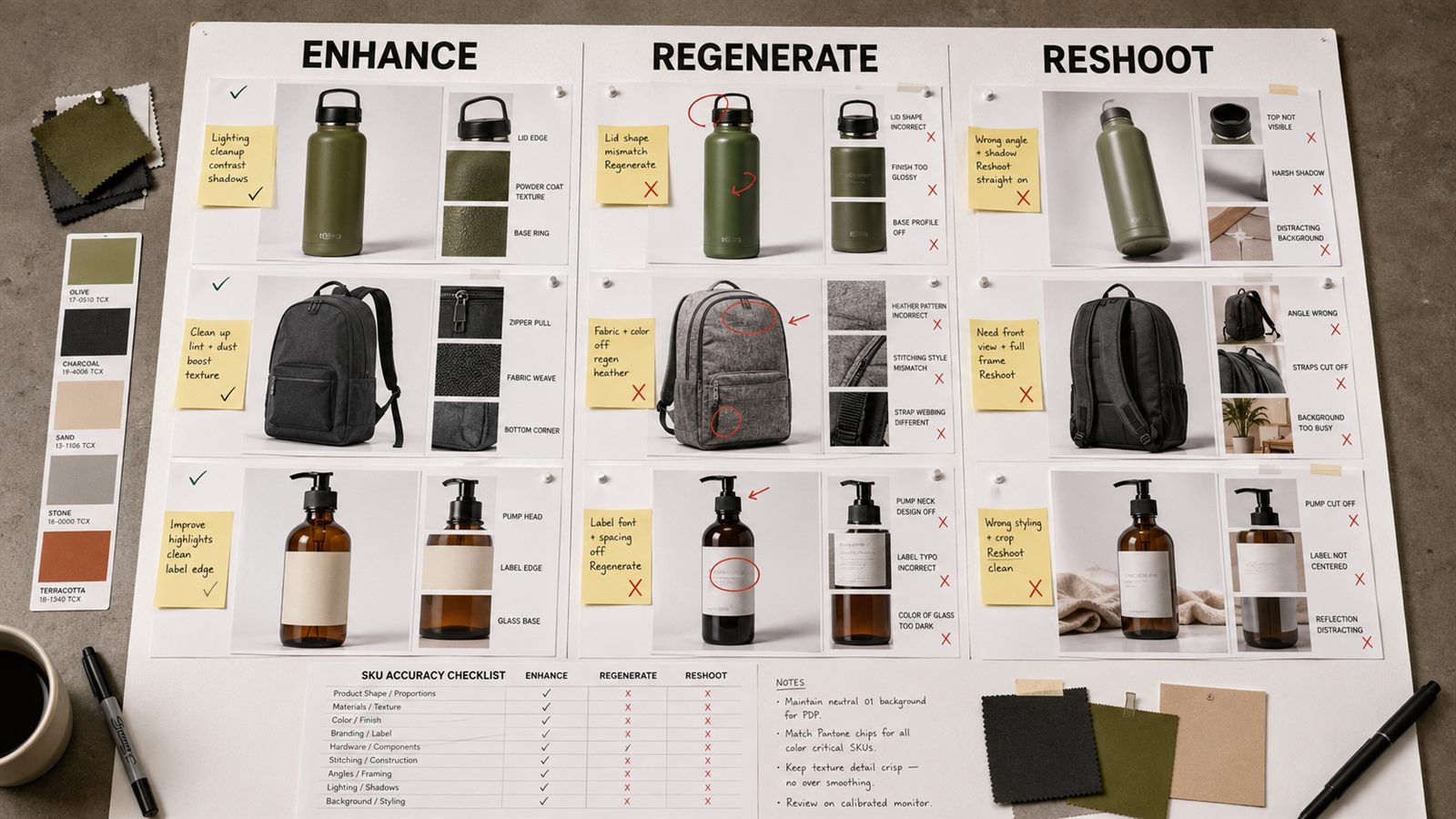
The decision depends on what the source photo already proves.
| Situation | Best move | Why |
|---|---|---|
| Label exists but is soft | Enhance | The real information is already there |
| Texture exists but lacks crispness | Enhance | AI can recover perceived detail without changing the material |
| Product angle misses the feature | Generate a support image or reshoot | Enhancement cannot show a hidden side |
| Color is wrong in the source | Retouch against a physical reference | Enhancement may preserve the wrong color |
| Hardware is missing or blocked | Reshoot or use a better reference | AI should not guess functional parts |
| Gallery lacks a use-case scene | Generate an additional image | The issue is coverage, not clarity |
For a backpack zipper close-up, I do not want AI to create a stronger zipper. I want the actual zipper, stitching, pull tab, and fabric weave to read clearly. For a skincare bottle, I do not want rewritten label text or a smoother cap that differs from the real package. I want a clean image that makes the existing package easier to inspect.
Prompt Structure That Protects SKU Accuracy
The safest prompts describe the product facts before the style.
For a bottle detail image, I would write:
Create a close-up product detail image from the provided bottle reference. Preserve the exact lid shape, straw opening, handle position, olive green body color, bottom band, coating texture, and included straw. Improve edge clarity and material readability. Do not add new accessories, logos, labels, ports, buttons, condensation, measurement marks, or alternate lid designs.
For a skincare image, I would write:
Create a clean ecommerce close-up of the provided serum bottle. Preserve the label layout, cap type, glass color, liquid tone, bottle proportions, and pack count. Improve lighting and crop clarity. Do not rewrite label text, change the claim, add extra bottles, change the liquid color, or add medical result imagery.
These prompts sound plain because the job is plain. The image should make a buyer question easier to answer.
SKU QA Checklist Before Publishing Enhanced Images
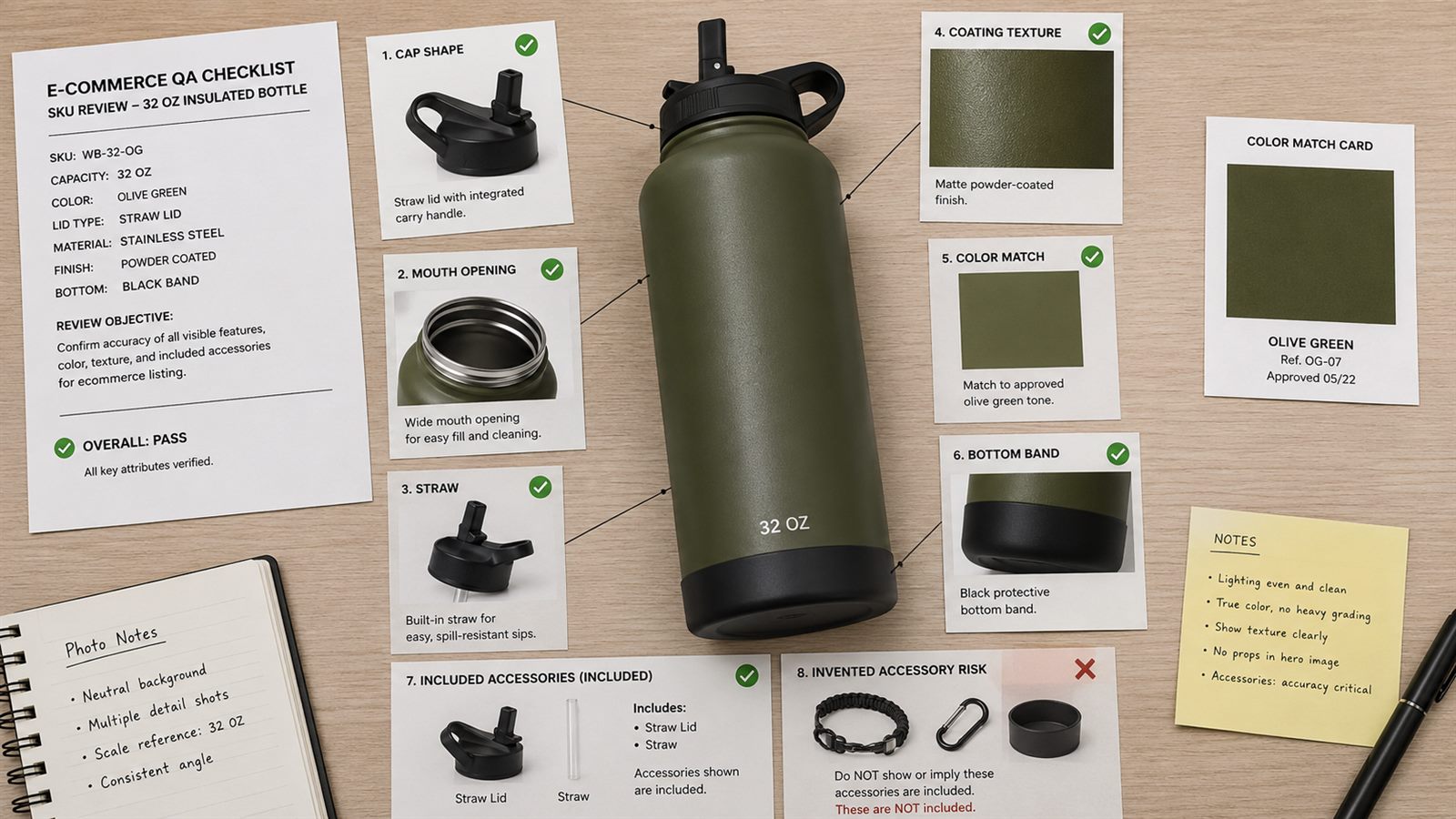
I approve an enhanced image when it passes these checks.
| QA question | Pass condition |
|---|---|
| Did the shape change? | Silhouette, handle, cap, strap, bottle body, or packaging still matches the source |
| Did the color shift? | Output stays inside the approved product color range |
| Did AI invent a part? | No extra ports, lids, accessories, seams, labels, buttons, or badges |
| Did the label survive? | Text placement and key label blocks still match the real item |
| Is the detail clearer? | The intended feature reads faster at listing size |
| Is the claim supported? | Visual proof matches bullets, packaging, and product facts |
| Is it mobile readable? | The image works as a small thumbnail without zooming |
If one check fails, I do not publish the image. I revise the prompt, enhance a narrower crop, use another LoomaDesign feature, or replace the source.
Common Mistakes With AI Product Image Enhancement
The biggest mistake is treating enhancement like a beauty filter. Ecommerce product images are evidence. They need accuracy before polish.
Watch for these failures:
- leather, fabric, plastic, or metal texture gets over-smoothed
- label text or brand marks change
- color shifts into another variant
- extra ports, buttons, clasps, seams, or accessories appear
- shadow makes the product look larger or smaller
- the image becomes clean but loses material evidence
- the enhanced image no longer matches the rest of the gallery
The strongest ecommerce image set usually feels boring during production. Product facts remain stable from main image to detail image to A+ module. That consistency is what buyers trust.
FAQ
Can an AI product image enhancer fix pixelated ecommerce photos?
It can improve compression artifacts, soft edges, weak crops, and mobile readability when the original file still contains the real product detail. It should not be used to invent labels, hardware, materials, safety information, or package contents.
Is enhancement better than generating a new product image?
Enhancement is better when the source photo is accurate but low quality. A new generated image is better when the gallery needs a missing angle, scale reference, lifestyle scene, comparison image, or A+ content module.
How do I avoid AI changing product details?
Lock the SKU facts before generation, compare the output with the real item, inspect labels and hardware at full size, and run a mobile preview before publishing.
Does image enhancement help Amazon listing images?
It can help when it improves clarity, crop quality, zoom readiness, and mobile readability while preserving the real product. It should support the listing instead of creating a better-looking but inaccurate item.
What should I check before publishing an enhanced product image?
Check shape, color, texture, label, included parts, scale, mobile readability, and whether the image supports the exact claim made in the product page.
Sources
- https://sellercentral.amazon.com/help/hub/reference/external/G1881
- https://advertising.amazon.com/library/guides/improve-your-products-for-advertising
- https://sell.amazon.com/tools/a-content
- https://sellercentral.amazon.com/seller-forums/discussions/t/fab5a9d1-42b2-419c-982d-c5ad16cae3cb