
AI Fashion Model Generator for Ecommerce: How to Evaluate Tools
An AI fashion model generator ecommerce workflow can help apparel sellers create on-model visuals faster, but fashion content has higher accuracy demands than many other ecommerce categories.
The image must look good, but the garment must also remain true to the real product.
Quick Answer
The best AI fashion model generator ecommerce workflow should preserve garment detail, offer consistent model direction, support diverse model options, allow scene control, and make review easy. The right tool helps sellers reduce photoshoot costs while keeping product accuracy and brand consistency under control.
What real shopper behavior says about fashion visuals
This category is not hype-driven by marketers alone. Fashion shoppers are already heavily digital, and they already respond to visualization help.
Salsify's 2025 Consumer Research found that 71% of shoppers bought fashion and apparel online, 77% rate product images and videos as very or extremely important when deciding to complete a purchase, and 17% purchased after using a virtual try-on or placement preview tool. Those numbers cannot prove every apparel brand should replace shoots with AI, but they show that better apparel visualization can affect purchase behavior.
The Four Questions Buyers Usually Ask Before Choosing a Tool
Most buyers comparing fashion model tools are really trying to answer four questions:
- Do I need flat lay to model, text to model, or both?
- Do I need the same model identity across many SKUs?
- How much monthly volume am I actually producing?
- Do I need Shopify or API integration, or just fast image output?
If a page fails to answer those four questions, it usually feels too generic to be useful.
Why Fashion Sellers Need a Different Standard
Fashion shoppers care about:
- fit
- drape
- length
- color
- texture
- styling
- body context
If AI changes any of these too much, the image may become visually impressive but commercially risky.
The Three Output Modes Buyers Usually Confuse
| Workflow mode | Best use | Main risk |
|---|---|---|
| flat lay to model | catalog expansion from existing garment photos | garment drift during transfer |
| ghost mannequin or clean studio model | repeatable PDP support | catalog can still feel too static |
| editorial or lifestyle model scene | campaign mood and stronger styling context | product truth can get weaker fast |
Many buyers compare tools before they decide which output mode they need, so the demos blur together and the real production risk stays hidden.
Evaluation Criteria
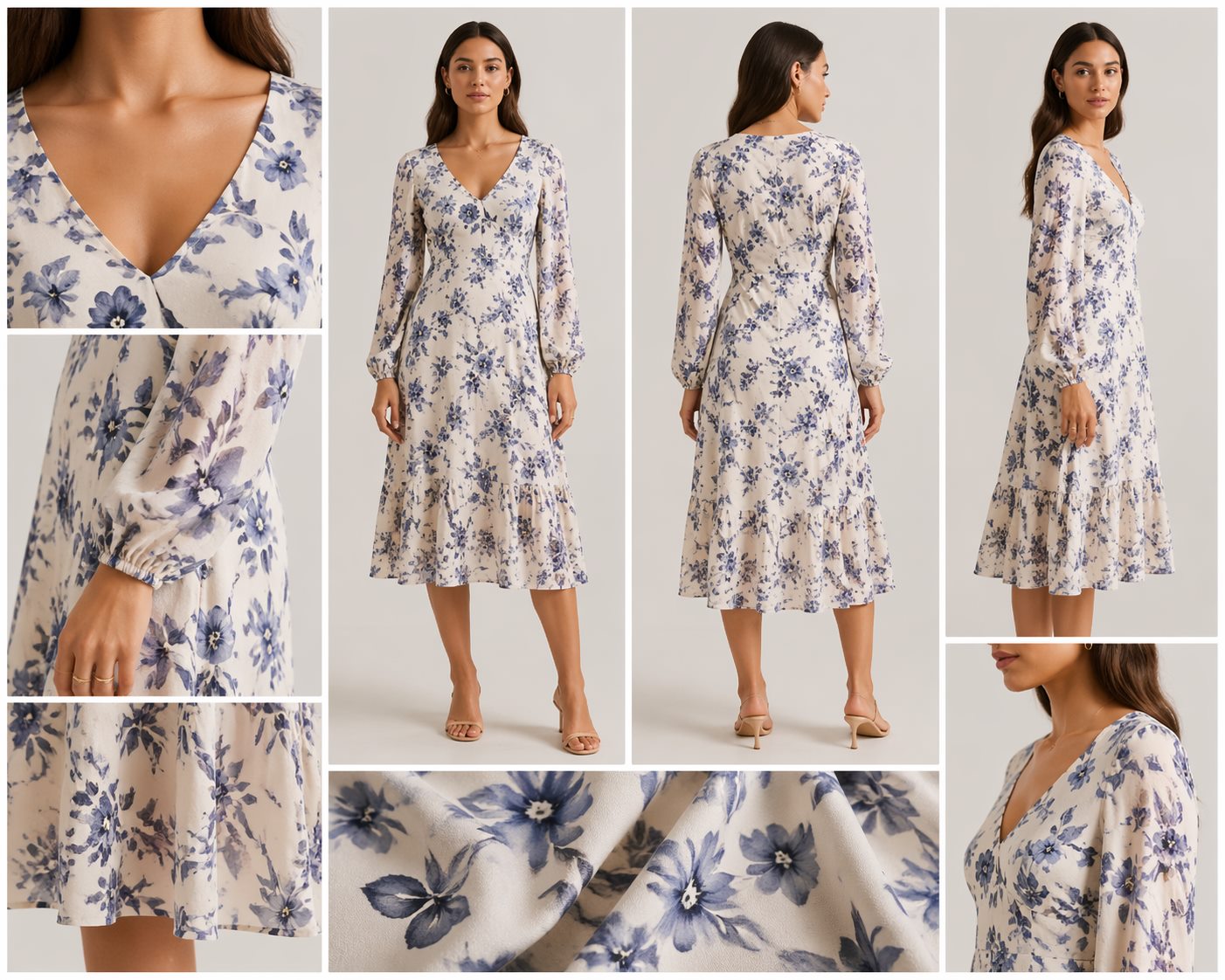
1. Garment fidelity
The tool should preserve:
- neckline
- sleeve length
- hemline
- pattern
- logo
- fabric texture
- color
- construction details
Garment fidelity is the non-negotiable test.
2. Model consistency
For catalog use, consistency matters.
Look for control over:
- model type
- pose
- camera angle
- lighting
- background
- styling direction
Consistent images make a store feel more professional.
3. Model diversity
Good fashion ecommerce benefits from inclusive model options.
Sellers may need different body types, ages, skin tones, and style directions depending on the audience and product line.
4. Scene control
Some products need studio images. Others need lifestyle context.
The tool should let you choose:
- plain studio
- outdoor lifestyle
- urban streetwear
- premium editorial
- fitness setting
- casual home setting
The scene should support the product positioning.
5. Review workflow
Fashion images need careful QA.
Review for:
- distorted hands
- unrealistic body proportions
- changed garment details
- inconsistent shadows
- stretched prints
- odd folds
The easier the review workflow, the more scalable the tool becomes.
A Better Test Than Homepage Samples
The fastest way to evaluate a fashion model tool is to test one hard garment, not one easy garment.
A good test item usually includes at least one of these:
- visible texture
- a print that can stretch or warp
- lace, ribbing, or layered construction
- a neckline or hemline that is easy to distort
- a fit-sensitive silhouette such as a dress, blazer, or tailored top
If a tool performs well there, it is much more likely to survive real catalog use.
Decision Framework: Which Workflow Fits Which Apparel Team
| Team situation | Better starting workflow | Why |
|---|---|---|
| Small apparel brand with flat lays only | flat lay to model | easiest way to add context without a full shoot |
| Brand testing many styles each month | repeatable model system | reduces inconsistency across PDPs |
| Agency or marketplace team with catalog volume | batch-friendly model workflow | speed matters more than one hero image |
| Brand doing campaign art direction | hybrid AI plus human review | visual polish and fidelity both matter |
This is more useful than asking for the "best tool" in the abstract.
Flat Lay to Model vs Text to Model
Flat lay to model is usually the better starting point when:
- the seller already has garment images
- the goal is PDP support
- product fidelity matters more than creative range
Text to model is more useful when:
- the team needs campaign exploration
- there is no usable source image yet
- the visual goal is concept exploration, not exact replication
Many teams need both, but they should not confuse them. One is a conversion workflow. The other is often a creative workflow.
What a Good Pilot Test Looks Like
Before rolling model generation into a full collection, test one garment across three outputs:
- one studio-style on-model image for clean PDP use
- one slightly more styled image for merchandising context
- one difficult angle or pose that reveals whether the garment still holds up
Then review the output at both zoom level and standard PDP size. Some failures only become obvious up close. Others only become obvious when the image shrinks and the garment stops reading clearly.
When to Use AI Model Images
AI model images are especially useful for:
- new collection previews
- low-budget catalog refreshes
- ad creative tests
- size and style visualization
- seasonal campaigns
- Shopify PDP galleries
- Amazon secondary images where allowed
They are less suitable when the image must prove exact fit, technical construction, or regulated claims.
Volume, Budget, and Consistency Matter More Than Most Buyers Expect
An apparel team generating 20 images per month can tolerate more manual review. A team creating hundreds of PDP assets cannot.
Before choosing an AI fashion model generator ecommerce process, the team should define:
- expected monthly output
- how many product lines need the same visual style
- whether one consistent AI model identity matters
- whether exports need to feed Shopify, Amazon, or ad workflows
That turns tool selection into an operating decision, not a demo decision.
How to Build a Repeatable Workflow
Use this process:
- Start with clean garment images.
- Define model and scene standards.
- Generate multiple options.
- Review garment accuracy.
- Save the best prompt patterns.
- Reuse the same style across similar SKUs.
This turns AI model generation from a novelty into an operating process.
When This Workflow Is the Wrong Fit
AI model generation is usually the wrong first move when:
- the product requires exact fit proof
- the garment is too technically complex to trust without human-led photography
- regulated claims or luxury campaign standards raise the review bar
- the team still lacks clean source imagery
In those cases, the better first step may be cleanup, standard product photography, or a smaller pilot.
Build Apparel Model Sets in LoomaDesign
For apparel teams, model generation usually works best as one part of a broader content system.
A practical Looma workflow can look like this:
- start with the public AI Product Model Image Generator page when the team needs repeatable on-model imagery
- use Amazon Lifestyle Image Generator when the next need is contextual product storytelling
- support the full PDP with Amazon Listing Image Generator when model photos need to connect to the rest of the gallery
For teams using garment images as the source of truth, the more specific companion read is the flat lay to model photo AI workflow. For channel rollout, the AI product photography workflow for Shopify and Amazon covers the review differences that model-image teams usually hit next.
That keeps the apparel workflow consistent without treating every SKU like a one-off creative job.
FAQ
Can AI fashion models replace real models? They can reduce the need for some shoots, especially for testing and catalog expansion. Real photography may still be better for high-end campaigns or fit-critical products.
What is the biggest risk? Garment distortion. If the clothing changes, the image may misrepresent the product.
Are AI model images useful for Amazon sellers? They can support marketplace visuals when reviewed for accuracy and policy fit. Sellers should always check current platform guidelines before publishing.
What matters more, realism or consistency? For a single campaign image, realism may matter more. For a catalog, consistency often matters just as much because shoppers compare products side by side.
Which garments need the most caution? Items with intricate textures, small prints, lace, transparency, reflective materials, or fit-sensitive construction need the strictest QA.
When is a real photoshoot still the better choice? Real photography is still the better option when exact fit proof, luxury-level art direction, regulated claims, or campaign-level polish matter more than speed.
Sources and data points
How This Connects to the Full Product Visual Workflow
This topic is one part of a broader ecommerce image workflow. Retouching and enhancement make source assets publishable, listing images explain the product quickly, lifestyle scenes make the use case concrete, and A+ or PDP modules turn the same product story into a deeper buying explanation.
AI fashion model generators reduce production friction when they stay accurate, controllable, repeatable, and honest enough to survive real ecommerce review.
If you are planning the next asset, connect this page with the flat lay to model photo AI workflow, the AI product photography workflow for Shopify and Amazon, and the ecommerce product image prompts guide.