
Amazon Listing AI and A+ Content: 2026 Seller Review Guide
Amazon's current seller workflow can create listing drafts from a short description, product image, brand-owned URL or sparse spreadsheet. It can propose titles, bullet points, descriptions and missing attributes. Eligible brands can also generate selected text and image fields inside A+ Content Manager modules marked AI Ready.
The speed is real, but the output remains optional. Amazon states that sellers can review, customize or decline proposed content and remain responsible for accurate product representation. In 2026, the practical task is to connect listing copy, structured attributes, variant images and A+ modules to one approved set of ASIN facts before publishing.

Amazon's adoption data needs the right denominator
Amazon reported that independent sellers created more than 12 million sales-ready listings with generative AI during 2025. Another Amazon update states that more than 900,000 selling partners had used its generative AI listing tools and accepted proposed content with little or no editing about 90% of the time. The figures show operational adoption across Amazon's seller base.
They do not prove that an individual ASIN will sell more. Amazon says its tools generate more than 70% of required product attributes and produce a 40% increase in overall listing quality. Its seller guide explains that listing quality uses an automated composite data-quality score informed by seller submissions, manual audits, seller feedback and listing acceptance rates. That metric is different from conversion, revenue or return rate.
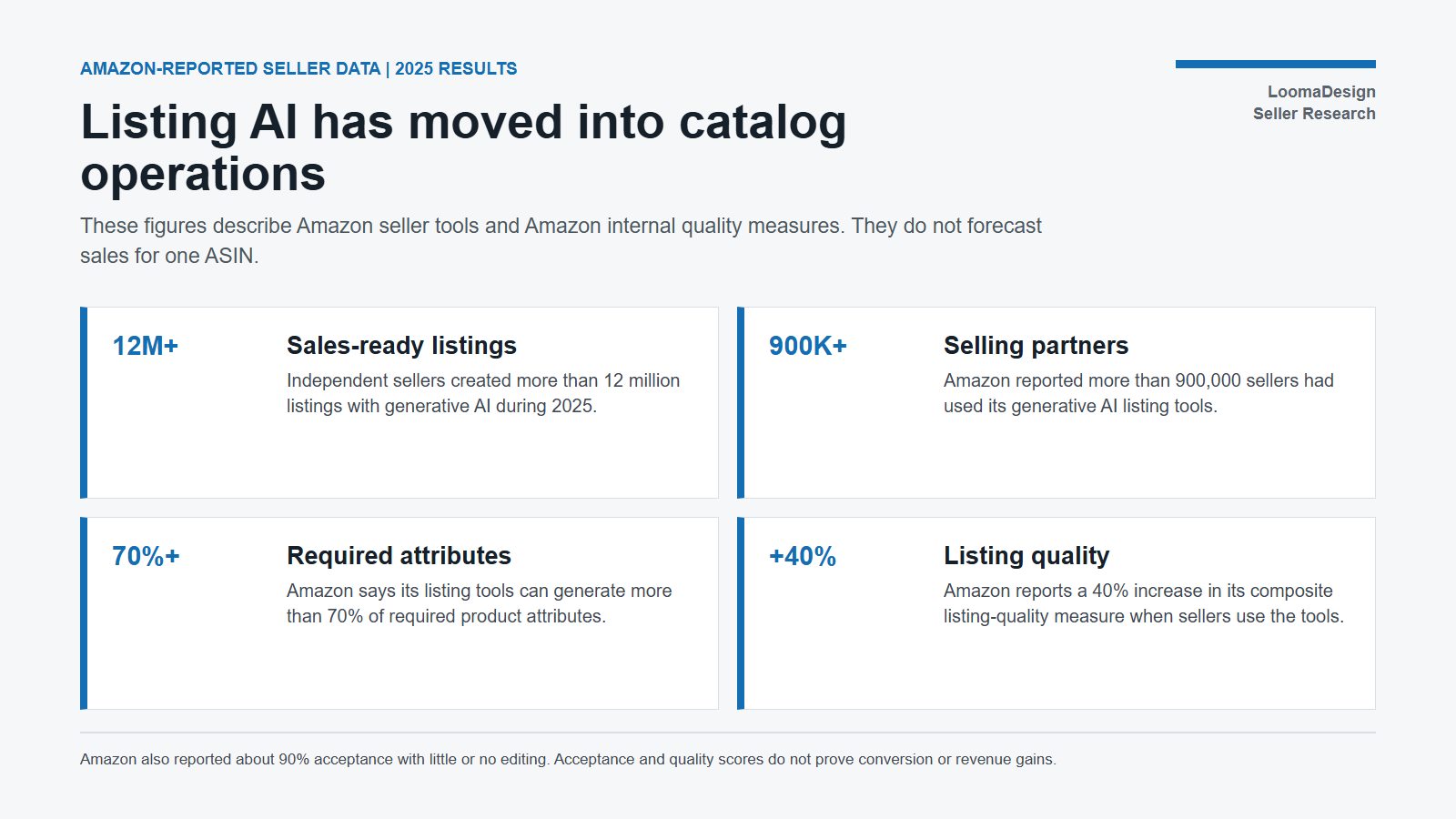
| Amazon-reported measure | Scope | What it supports | What it cannot prove |
|---|---|---|---|
| More than 12 million listings | Sales-ready listings created by independent sellers with generative AI in 2025 | The tools are operating at catalog scale | That every generated listing passed without seller changes |
| More than 900,000 sellers | Selling partners reported as users of Amazon listing AI | Adoption extends beyond a small pilot | Current availability in every marketplace or account |
| About 90% accepted with little or no editing | Seller acceptance of proposed listing content | Many proposals reach a usable draft state | Accuracy for a specific product category |
| More than 70% of required attributes | Product attributes generated by Amazon listing AI | Sparse inputs can populate much of a listing draft | That inferred values match the physical product |
| 40% higher listing quality | Amazon's composite listing-quality measure | Data completeness and listing form can improve | A 40% rise in sales, conversion or organic rank |
Amazon also publishes sales-lift estimates for A+ Content: up to 8% for Basic A+ and up to 20% for well-implemented Premium A+ Content. Amazon identifies these as internal data and uses “up to,” so they are ceilings observed in its data, not guaranteed results. The public guides do not provide enough methodology to forecast one brand's outcome.
What the AI workflow can generate
The listing workflow accepts several starting points. A seller may enter a few descriptive words, upload a product image, supply a URL from a brand-owned website or upload a file with limited product information. Amazon can then propose an Amazon-style product record that includes titles, bullet points, descriptions, search terms and attributes.
A+ generation happens inside A+ Content Manager. The seller selects a module with the AI Ready badge, chooses text or image fields, adds a brand-owned ASIN and may use prompts or insights from successful products in the category. Basic A+ eligibility generally requires a Professional selling account plus an eligible Brand Registry role or qualifying generic products; Premium modules have additional eligibility conditions.
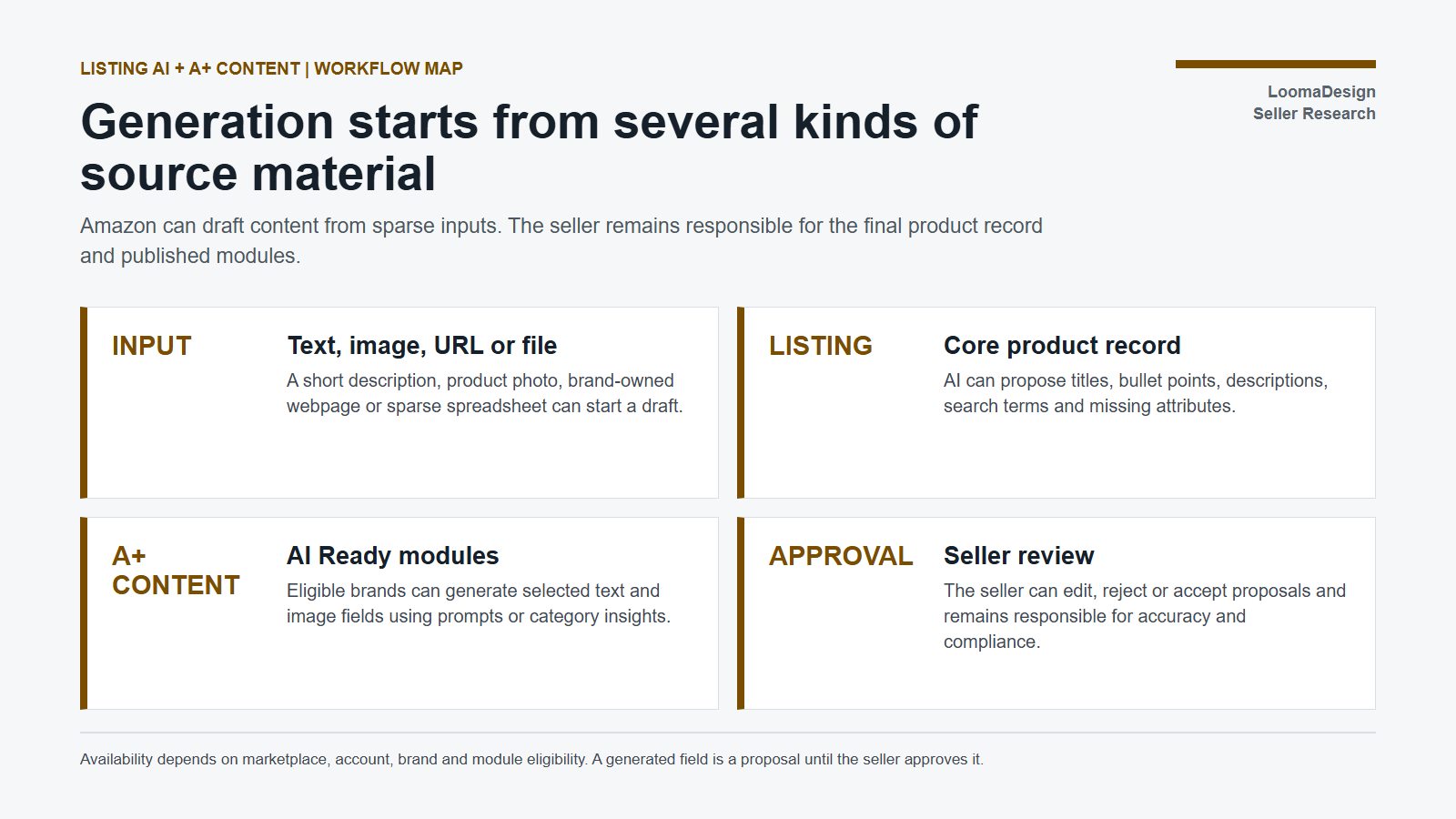
| Stage | Possible input | Proposed output | Seller decision |
|---|---|---|---|
| New listing | Short text or one product image | Title, bullets, description and attributes | Verify identity, measurements, materials and missing fields |
| Website import | Brand-owned product URL | Amazon-formatted listing draft | Remove claims or assets that do not meet Amazon rules |
| Bulk creation | Sparse spreadsheet | Multiple enriched listing drafts | Review row-level variants and prevent copied errors |
| Enhance My Listing | Existing Amazon listing | Recommendations for titles, attributes, descriptions and missing details | Accept, edit or decline each recommendation |
| A+ Content Manager | Brand ASIN, prompt and category insights | Text and image fields in eligible AI Ready modules | Confirm module order, claims, image accuracy and eligibility |
Generation should not start from an unverified supplier page or mixed-variant folder. A URL can contain outdated specifications. A product image can hide the pack quantity or compatibility requirement. A spreadsheet can repeat the same error across hundreds of rows. The source must identify the exact product before Amazon fills missing fields.
Build one ASIN review gate for listing and A+
Review the whole detail page as one connected record. Product title, attributes, bullets, gallery images, variation relationships and A+ modules should describe the same item. A reviewer needs approved specifications, packaging details, source photos and substantiation for product claims before accepting generated content.
Amazon's Seller Assistant adds another control point. Amazon says the agentic assistant can monitor account health, flag potential product-safety or compliance issues, explain missing documents and implement an approved action with seller permission. That can surface risk earlier, but it does not transfer responsibility for the submitted content or supporting evidence.
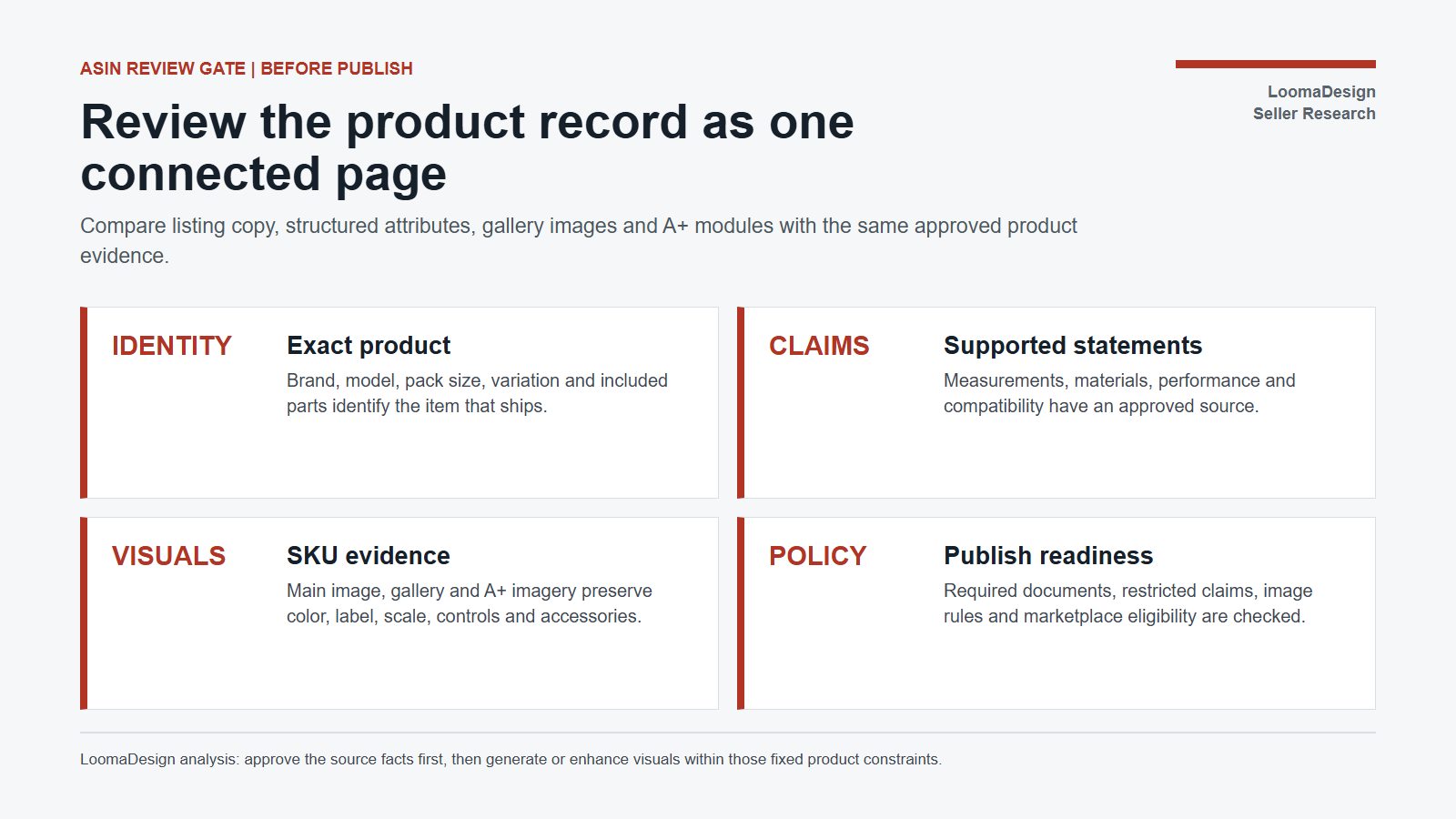
| Review area | Pass condition | Common AI-assisted failure | Required evidence |
|---|---|---|---|
| Product identity | Brand, model, pack size and included parts identify the item that ships | Draft combines facts from another model or pack | Manufacturer sheet, packaging and approved SKU record |
| Structured attributes | Required values match the selected variation | Inferred color, battery, material or occasion is wrong | Product specification and variation map |
| Claims | Performance, compatibility and material statements are supportable | Category language becomes an unsupported product promise | Test, certificate or approved claim source |
| Main and gallery images | Color, label, controls, scale and included parts match the ASIN | Generated scene changes the item or makes a prop look included | Source photos and image-to-SKU checklist |
| A+ modules | Copy and images add useful evidence without contradicting the listing | Comparison chart, lifestyle image or headline uses stale facts | Approved module brief and current product record |
| Compliance | Restricted claims, documents and marketplace rules are satisfied | A draft implies regulated use or omits required documentation | Policy review and account-health record |
LoomaDesign can support the visual portion after the source facts are approved. Use Amazon A+ Content AI to organize module concepts, product detail images to build a connected evidence sequence and additional product images for scale, use, variation and included-parts views. Keep the real product reference beside each output and reject visual changes to identity or offer.
Test the workflow on a controlled ASIN set
Select 10 to 20 ASINs from one category and marketplace. Save the current listing, variation map, image set, A+ modules and baseline metrics. Classify each proposed change as a factual correction, completeness improvement, visual clarification or merchandising experiment. This prevents a single batch from mixing unrelated causes.
Measure the set after 7 and 30 days. Useful store-level metrics include listing completeness, suppressed-listing or policy alerts, sessions, unit-session percentage, advertising conversion where relevant, returns and customer questions. Record price, inventory, reviews, advertising and promotions during the same period. A conversion change cannot be credited to AI content when those variables also moved.
- Choose a single category, marketplace and product family.
- Freeze the approved product facts and variant relationships.
- Generate drafts from verified text, images, URLs or files.
- Review attributes and claims before reviewing style.
- Compare listing images and A+ modules with the physical SKU.
- Publish only approved changes and retain the before version.
- Review operational errors after 7 days and buyer outcomes after 30 days.
The strongest first result is fewer contradictions and a traceable approval history. Amazon-reported seller data shows that creation can scale quickly. It does not establish a universal causal relationship between using listing AI and higher sales. Store-level gains need their own baseline and observation window.
Questions sellers ask about Amazon listing AI
Does Amazon listing AI publish content automatically?
Amazon describes the generated content as optional proposals. Sellers can review, customize or decline suggestions and remain responsible for the content that represents their products.
What does Amazon's 40% listing-quality increase mean?
Amazon ties the figure to a composite data-quality measure informed by submitted listings, audits, feedback and acceptance. It is not a 40% increase in conversion, sales or search rank.
Can Amazon AI create A+ Content images as well as text?
Yes, for eligible modules marked AI Ready. A seller can select text and image fields, provide prompts or category insights and generate proposals inside A+ Content Manager. Account, brand, marketplace and module eligibility still apply.
Should sellers trust attributes inferred from a product image or URL?
They should verify every material field. Images and webpages can omit pack quantity, measurements, battery requirements, compatibility or current variant details. The seller needs an approved product source before accepting inferred values.
Sources and data points
- Sell on Amazon, How to use Amazon AI to create product listings
- About Amazon, Enhance My Listing uses generative AI to improve product listings
- About Amazon, Seller Assistant gains agentic AI capabilities
- About Amazon, 2025 Small Business Empowerment Report highlights
- Amazon Selling Partners, Amazon Accelerate 2025 seller tools
- Sell on Amazon, A+ Content design guide and eligibility
- Sell on Amazon, A+ Content tool overview
All adoption, acceptance, quality and sales-lift figures above are Amazon-reported data. Amazon has not published enough methodology to use them as an individual ASIN forecast. Feature availability and eligibility can vary by marketplace, account, brand status and module.