
AI Product Image Generator for Shopify Product Pages: Main Image, Variants, Lifestyle, and Mobile Gallery
An AI product image generator can help a Shopify seller move faster, but a product page still needs a planned image set. One strong image is rarely enough. The buyer needs to recognize the product, inspect details, compare variants, understand scale, and imagine use before adding to cart.
The useful question is whether the generated images help a product page sell the exact SKU with less confusion.
Quick Answer
For a Shopify product page, use an AI product image generator to build a structured image set: clean main image, variant images, detail closeups, lifestyle scene, scale or use image, and mobile-ready crops. Start from accurate source photos, generate each image for a specific page job, and check the final set for product accuracy before publishing.
AI product photos work best when they extend real product information. They need to preserve product features, material, color, and included accessories.
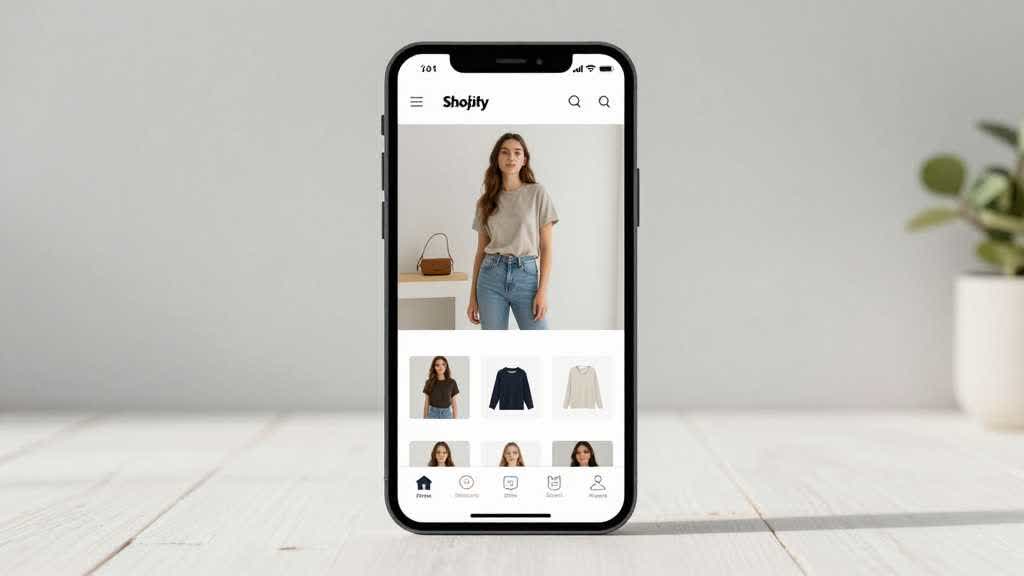
What a Shopify Product Page Image Set Needs
Shopify stores often rely heavily on product media because the page has less marketplace structure than Amazon. The brand controls layout, image order, copy, and conversion flow. That control helps only when the images answer the right questions.
A strong product page image set usually needs:
- a main product image for fast recognition
- a clean angle image for shape and structure
- detail closeups for texture, material, hardware, label, controls, or stitching
- lifestyle images that show use context
- variant images with consistent crop and lighting
- scale images when size is easy to misread
- mobile crops that remain clear in the gallery
- optional product detail modules for benefits, setup, or comparison
The exact set depends on the category. A beauty product may need shade and texture proof. A travel bag may need pocket layout, strap detail, laptop fit, and model scale. A small home appliance may need counter fit, control panel, included parts, and cleaning image.
Build Images by Buyer Question
AI tools make it easy to create more visuals. More visuals alone will not create a better product page.
Use buyer questions as the brief.
| Buyer question | Product page image to create |
|---|---|
| What exactly am I buying? | main image and clear angle image |
| What does the material look like? | macro detail or texture closeup |
| How big is it? | scale image with hand, model, shelf, table, or room context |
| Which variant should I choose? | consistent variant board |
| How do I use it? | lifestyle or step image |
| What comes in the box? | included parts or packaging layout |
| Why is it worth the price? | feature proof, comparison, or PDP module |
| Will it look good on mobile? | mobile gallery preview |
This approach keeps the product image generator focused. The page needs fewer unanswered buyer questions, not six attractive images with no job.
The Workflow I Would Use
Start with the cleanest source photo available. If the product has important details, collect extra reference images for the label, texture, zipper, clasp, ports, control panel, shade, or packaging.
Create the main image first. This should show the product accurately with a clean crop and neutral presentation. Many Shopify stores can use a non-white first image, but the image still needs to identify the product instantly.
Create variant images next. Use the same angle, crop, background, and lighting whenever possible. A color selector feels more trustworthy when every SKU is shown in the same visual language.
Create detail images after that. These are the photos that justify the product copy. If the product page says soft fabric, show texture. If it says durable hardware, show the clasp or zipper. If it says compact, show scale.
Create one lifestyle scene. The scene should show the product in a real context without making the product hard to inspect. A scene that hides the product may look good on a brand page but weakens the PDP.
Finish with mobile QA. Open the image set as if it were a small gallery. Check whether the main product remains clear, whether detail crops are still readable, and whether variant colors still look distinct.
Where AI Helps Shopify Teams
AI product images can speed up production in several places.
They can clean backgrounds, create lifestyle scenes, generate category-specific detail modules, create ad crops, keep product page visuals consistent, and help teams test visual directions before committing to a shoot.
They also help smaller stores that have one good supplier photo but need a more complete page. A seller can start with a real product photo, then create a full set for recognition, details, scale, lifestyle, and conversion proof.
That said, AI output still needs review. A product page image can be visually strong while quietly changing product facts. For Shopify stores, that can lead to returns, support messages, bad reviews, or lower trust.
Category Examples
For beauty products, AI can help create a clean main image, shade or texture swatch, bathroom routine scene, packaging layout, and ingredient or benefit module. The QA work should protect label clarity, bottle shape, formula color, and package count.
For bags, AI can help create a main image, side angle, pocket layout, hardware closeup, model-scale image, travel scene, and color variant board. The QA work should protect strap shape, zipper placement, lining, laptop-fit claims, and fabric tone.
For home goods, AI can help create a room scene, scale image, detail crop, material comparison, and mobile gallery crop. The QA work should protect size, finish, texture, and whether the item looks realistic in the room.
For small electronics accessories, AI can help create compatibility images, port closeups, cable layouts, desk scenes, and included-parts images. The QA work should protect connector shape, device fit, text markings, and any bundled accessories.
These examples point to the same rule. The product category should decide the image set. A product image generator is more useful when the prompt starts from buyer doubt, then moves into visual style.
Common Mistakes
The first mistake is making every image a lifestyle image. Lifestyle scenes help explain use, but the product page still needs clean product identity and detail proof.
The second mistake is creating variants with different angles or lighting. This makes color and material comparison harder. If the same bag appears warmer in one variant and cooler in another, shoppers may hesitate.
The third mistake is skipping closeups. Product page copy often makes claims that need visual proof. A closeup of fabric, stitching, buttons, controls, or packaging can do more for trust than another room scene.
The fourth mistake is publishing before mobile review. Many Shopify product pages are browsed on phones. An image that looks rich on desktop may become a cluttered thumbnail on mobile.
Build the Shopify Product Page Set in LoomaDesign
LoomaDesign works best when the seller needs a product page image set beyond one isolated edit. For a Shopify PDP, that means the output should follow the page order: main image, variant board, detail proof, lifestyle scene, scale proof, and mobile gallery crop.
The product detail page image workflow can help create those product-page assets from product inputs. The useful step is to brief each image by buyer question before asking for a general "better product photo."
For most stores, an AI product image generator for Shopify product pages is valuable only when it keeps that product-page order intact.
For stores with weak source files, the AI image enhancer can help prepare sharper assets before final image production. For stores building scene variations, the scene replacement workflow can support cleaner lifestyle images.
A practical LoomaDesign pass for Shopify looks like this:
- enhance the source product image if the file is soft or compressed
- create a clean main image and a consistent variant board
- generate one detail image for each claim that affects purchase confidence
- create one lifestyle scene that shows the real use case without hiding the product
- check the full gallery in a mobile frame before upload
The related guide on turning one product photo into a full ecommerce image set covers the same idea from the source-photo side.
FAQ
Can AI product photos be used on Shopify?
Yes, but the images need to represent the real product accurately. Reject outputs that change shape, color, material, logo, included parts, or variant details.
How many product images should a Shopify product page have?
Most product pages benefit from six to ten useful images, including main image, angle, detail, lifestyle, scale, variant, and mobile-ready crops. The right count depends on category complexity.
Should the first Shopify product image be white background?
It depends on brand and category. White or neutral backgrounds help recognition. Lifestyle first images can work for brand-led products, but the product still needs to be clear in collection pages and mobile thumbnails.
What should AI not change in product images?
It needs to preserve color, logo, texture, model, package, included accessories, size relationship, and functional details.
What is the best use of an AI product image generator for Shopify?
Use it to extend an accurate source image into a complete product page set: main image, variant board, detail closeups, lifestyle scene, scale proof, and PDP modules.
Sources and Data Points
- Shopify, Product Photography: Craft a Perfect Setup in 2026: Shopify's current guide covers ecommerce product photography setup, lighting, backgrounds, and product image planning.
- Amazon Ads, How to use AI to generate images: Amazon's AI image generation guidance explains product-centered prompts and iterative scene generation.
- Amazon Ads, How to improve your product detail page for advertising: Amazon's PDP guidance reinforces the role of high-quality images, multiple visuals, zoomable assets, and rich product detail content.