
Amazon A+ Content Dimensions and Module Checklist for Sellers
Sellers search for amazon a+ content dimensions because they do not want to design assets twice. The mistake is treating dimensions as the whole plan.
Dimensions matter, but A+ content performs better when every module has a purpose before the design work starts.
Quick Answer
Before designing Amazon A+ Content, sellers should confirm module type, image requirements, text length, visual purpose, product claim support, mobile readability, and how each section helps the shopper decide. The best checklist combines technical specs with merchandising logic.
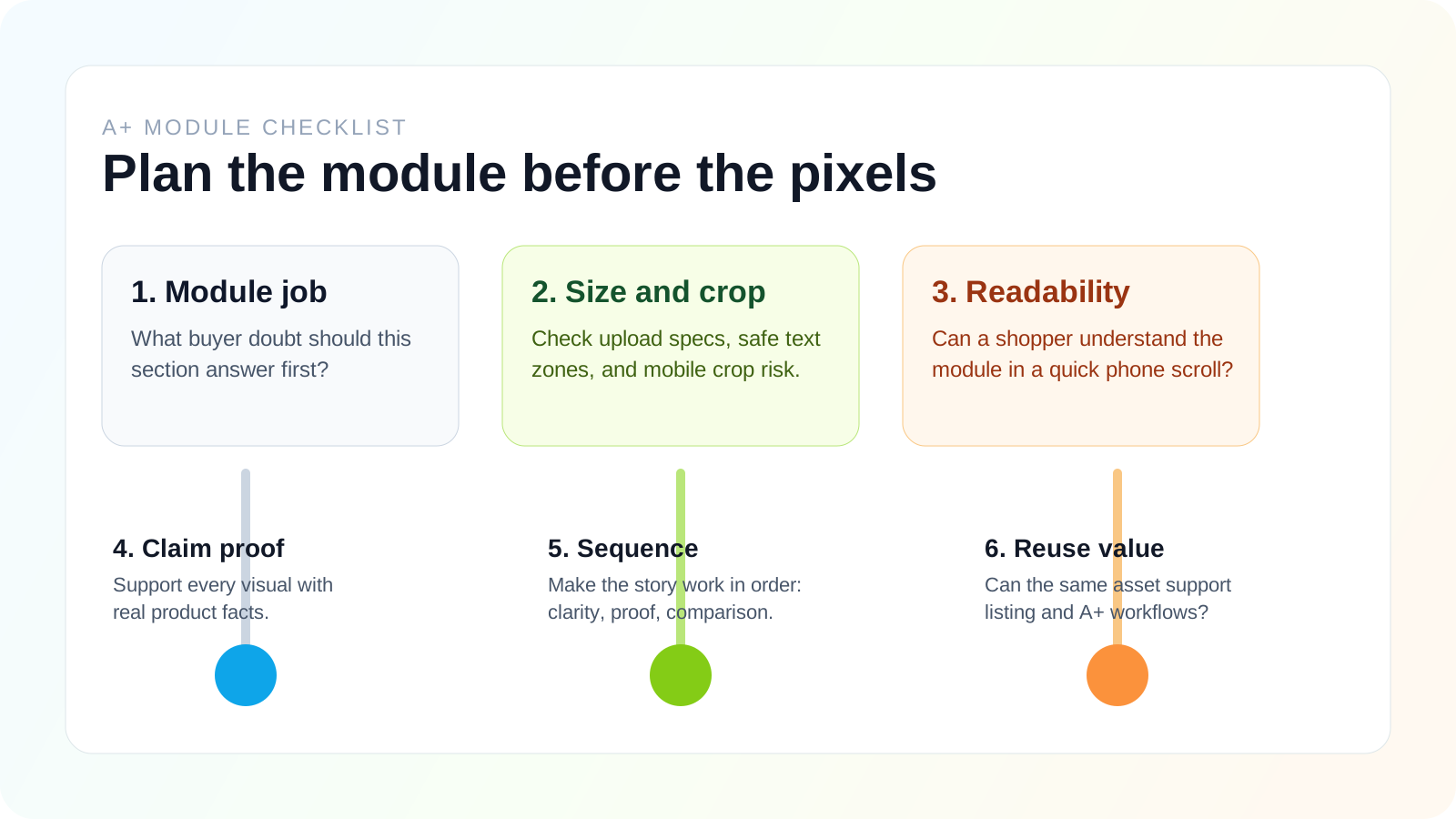
What Sellers Usually Mean When They Search for Dimensions
Most sellers are not really asking for a random pixel list. They are usually trying to solve one of these problems:
- avoid having a design rejected
- stop remaking banners after upload
- make sure text still works on mobile
- understand which modules are worth designing first
- decide whether one visual can work for both listing support and A+ content
That is why a useful dimensions page should answer both the technical question and the production question.
Common Working Sizes Sellers Usually Prepare Around
Amazon can surface exact upload requirements inside the module selector, so the final check should always happen in Seller Central. Still, sellers often work from a shortlist of common sizes when planning assets:
| Module type | Common working size | What to watch |
|---|---|---|
| Brand logo | 600 x 180 px | Keep it simple and avoid tiny taglines |
| Header with text | 970 x 600 px | Leave room for mobile crop and readable text |
| Three-image feature module | 300 x 300 px each | Make sure the order still works when stacked |
| Comparison chart product image | 150 x 300 px | Prioritize product silhouette and label clarity |
| Premium full-width image | 1464 x 600 px | Review desktop impact and mobile crop separately |
These are planning sizes, not an excuse to skip the upload-window check.
Desktop vs Mobile Is the Real Dimension Problem
A banner can be technically correct and still fail on mobile.
This usually happens when sellers:
- put too much copy into the image
- place key product details near the lower edge
- rely on tiny icons or specification labels
- design only for widescreen preview
The practical rule is simple: if a shopper cannot understand the module in a quick mobile scroll, the design is not ready.
A Mobile-First Readability Rule That Prevents Rework
Before approving any module, review it at three levels:
- Thumbnail scan: can the shopper tell what the module is about in two seconds?
- Standard phone view: is the main message still readable without zooming?
- Full page flow: does the module still make sense when stacked with the rest of the story?
This check prevents the most common waste in A+ production: technically valid assets that still communicate poorly.
Why Dimensions Are Only Step One
Image size is important, but it does not answer the bigger questions:
- What buyer hesitation does this module solve?
- What product benefit should the image explain?
- Does the copy repeat the bullets or add new clarity?
- Can the content be scanned on mobile?
- Are claims factual and review-friendly?
A+ content should not be a collection of banners. It should be a guided product story.
Planning Checklist
Use this checklist before creating assets.
1. Define the shopper question
Every module should answer a question:
- What makes this product different?
- How does it work?
- Which size should I choose?
- What is included?
- How does it compare to alternatives?
If a module does not answer a question, it may not deserve space.
2. Choose the module job
Common module jobs include:
- brand story
- feature explanation
- use-case scene
- product comparison
- technical details
- setup steps
- objection handling
This job should guide both copy and image direction.
3. Prepare image inputs
Good A+ images usually need:
- clean product photos
- lifestyle or scene context
- readable text overlays
- consistent background style
- enough spacing for mobile cropping
- accurate product proportions
If you use AI, upload the cleanest possible source image and give clear rules about what must not change.
3a. Build a safe zone before you design
When a module contains both product imagery and text, leave breathing room around the product and avoid placing important text near edges. In practice, the safest layout approach is:
- one dominant visual message
- one short headline
- one supporting phrase at most
- no tiny disclaimer text baked into the image
If the module needs more explanation than that, move the detail into adjacent body copy instead of shrinking the text.
4. Write short copy blocks
A+ copy should be concise. The visual should do much of the work.
Use copy to clarify:
- benefit
- use case
- material or construction
- compatibility
- setup
- comparison
Avoid long paragraphs that shoppers will skip.
5. Check mobile readability
Many shoppers view Amazon pages on mobile. This means:
- large text
- clear product focus
- simple composition
- fewer tiny callouts
- strong contrast
If the module only works on desktop, it is not finished.
6. Review claims
AI-generated copy can sound confident even when it is too broad.
Review for:
- unsupported superlatives
- medical or performance claims
- vague promises
- competitor claims
- inaccurate materials or specs
The best A+ content is persuasive because it is specific, not because it overclaims.
Module Planning Table
Use this simple structure:
| Module | Buyer question | Visual idea | Copy role |
|---|---|---|---|
| Hero banner | What is this product? | Product in best-use context | Positioning statement |
| Feature grid | Why is it better? | Four benefit callouts | Short benefit labels |
| Use-case scene | How will I use it? | Product in daily routine | Scenario copy |
| Comparison chart | Which option fits me? | Product line table | Decision support |
| Specs module | Will it fit? | Dimensions and compatibility | Factual details |
What a Publish-Ready A+ Module Set Usually Includes
For most sellers, the first strong version of A+ content does not need every available module. A practical starter set is:
- one hero or image-header module to frame the product
- one feature explanation block for the core benefits
- one use-case or lifestyle block for context
- one comparison or specifications block for decision support
This is enough to improve clarity without turning the page into a cluttered brochure.
How AI Helps With This Checklist
AI can speed up the planning process by turning product facts into:
- module ideas
- scene prompts
- benefit statements
- comparison labels
- review checklists
- FAQ sections
But AI needs structure. If the prompt only says "make A+ content," the output will be generic. If the prompt includes product type, shopper problem, module job, image direction, and constraints, the output improves quickly.
FAQ
Are Amazon A+ Content dimensions enough to start designing?
No. Dimensions help you avoid technical mistakes, but the page still needs a clear module strategy.
Do desktop and mobile use the same visual logic?
Not really. Desktop gives you more room for atmosphere, but mobile punishes dense layouts. A strong design survives both views.
Should sellers design at the exact minimum size only?
Usually no. It is safer to prepare cleaner high-resolution source assets and then export to the needed working size, as long as the final files remain optimized and readable.
Should AI generate A+ images before copy?
Usually no. Start with the module purpose and copy direction, then generate or edit images to support that purpose.
How many modules should sellers use?
Use only the modules that help shoppers decide. More modules are not automatically better.
Final Thoughts
The best Amazon A+ Content checklist combines technical requirements with buyer psychology.
Get the dimensions right, but do not stop there. Plan what each module needs to explain, prove, or clarify before you design.
<!-- customer-useful-upgrade-2026-04-22 -->
Practical Customer Scenario
A seller usually reaches this topic when A+ content production is stuck between product facts, visual direction, and review. They need a way to turn raw inputs into modules that shoppers can understand quickly.
This article should make that reader feel less like they are reading a feature explanation and more like they have found a working path for the next content task.
Field Checklist Before You Use This Workflow
- Gather verified product facts before prompting.
- Choose the shopper doubt each module needs to answer.
- Pair each claim with proof or visual support.
- Review AI output for accuracy, repetition, and platform risk.
Related Looma Resources
<!-- seo-direction-upgrade-2026-04-22 -->
When This Is the Wrong Workflow
This workflow is a poor fit when the team has no verified product facts, no clear buyer segment, or no review process for claims and visuals. AI can accelerate structure and drafting, but it cannot replace missing product understanding.
Publish Note for SEO
When this draft is published, keep the article focused on one search intent, one buyer stage, and one conversion bridge into Looma. The page should feel like a decision aid or task guide, not like a generic feature description.
Where This Fits in the Product Detail Page Workflow
Amazon A+ Content is not the whole listing. It is the enhanced-content layer inside the broader Amazon product detail page (PDP). Before a seller writes modules, the page also needs accurate main images, useful secondary images, lifestyle scenes, clean product photos, and product facts that shoppers can trust.
For LoomaDesign, A+ work should connect to the wider product-visual workflow: Amazon listing images, AI product image enhancement, and AI product lifestyle images. Those assets give A+ modules better raw material instead of forcing the modules to carry the whole product story alone.