
Shopify AI Media Generation for Product Photos
Shopify's public product direction keeps moving AI-assisted creation closer to the merchant workflow. Shopify Magic, Sidekick, and recent Editions updates all point to the same operational change. Product-photo production is moving closer to the place where merchants manage products, pages, and storefront presentation.
For ecommerce teams, the takeaway is practical. AI image creation is becoming part of normal store operations. That makes product media faster to produce, but it also raises the baseline for review. A generated image still needs to match the SKU, fit the theme layout, survive mobile crop, and avoid suggesting features outside the real product.
What Changed
Shopify's AI product direction places content generation, storefront editing, and merchant assistance closer to day-to-day commerce work. Product media also now spans images, video, and richer product presentation formats, which gives merchants more ways to explain a SKU inside the storefront.
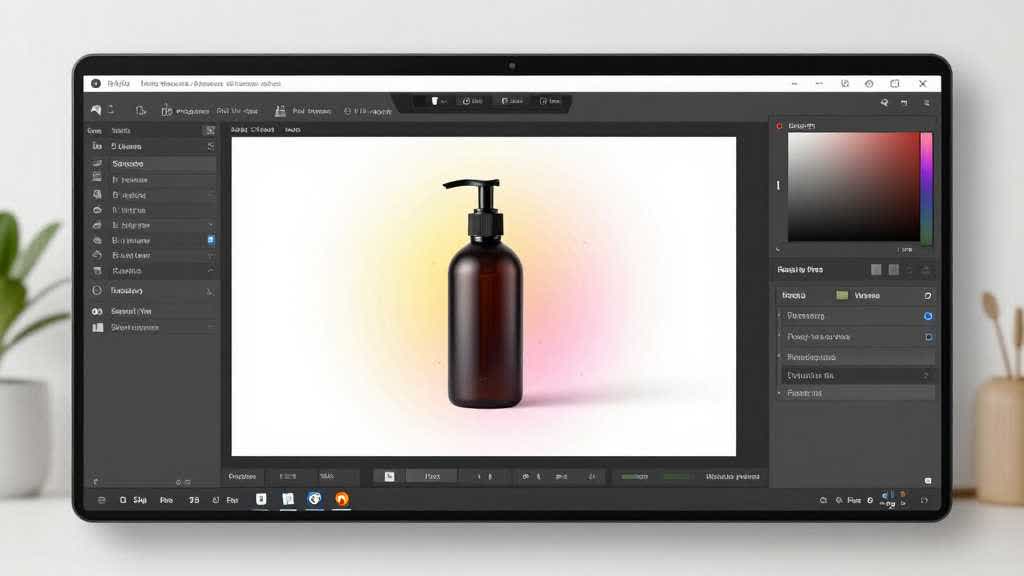
Product photo editing now reaches beyond design software and external production teams. When AI tools sit inside the commerce workflow, more merchants can create lifestyle-style assets, clean product shots, and campaign images without waiting for a full creative handoff.
Why Sellers Should Care
The quality floor for product images is rising. If smaller Shopify stores can create cleaner backgrounds and more useful scene images faster, buyers will start seeing better product media across more categories. Stores that still rely on weak supplier photos, mismatched gallery crops, or blurry images will look less credible beside competitors with more complete visual systems.
There is also a workflow shift. Product media used to move from photographer to designer to developer or store operator. AI media generation shortens that chain. A merchant can create an image closer to the product record, which means merchandising, product-page copy, and image review need to work together.
What Still Needs Human Review
AI media generation still needs product judgment. A generated background can make a product look more premium, more durable, larger, softer, or more complete than it really is. Small changes in lighting and scene context can change buyer expectations before the product ships.
The review list should be short and consistent. Product details must match the SKU. The image should fit the intended product media slot. Mobile crop should keep the product visible. File quality should remain sharp after upload. The generated scene should match the brand and avoid props or use cases that imply a claim.
What Ecommerce Teams Should Do Next
Merchants should treat AI media generation as part of a repeatable product visual workflow. Start with the source product photo, decide the target placement, generate or edit the image for that placement, and review the output before it becomes public. That discipline matters more when the tool is fast, because fast tools can spread inconsistent visuals across a store quickly.
For Shopify stores, the immediate work is product-gallery hygiene. Review the first image, secondary images, lifestyle scenes, and collection thumbnails. Check whether each asset helps a buyer understand the product. Remove or revise images that look attractive but create confusion around size, material, included items, or use case.
LoomaDesign workflow for Shopify media QA
LoomaDesign's product visual workflow is built around that review layer. Sellers can create controlled product scenes, enhance weak source images, and reuse visuals across product pages, campaigns, and marketplace assets while keeping the product image tied to a real SKU.
The same workflow pairs naturally with existing LoomaDesign guidance on AI product photography for Shopify and Amazon, AI product image generator for ecommerce, and AI product photo retouching tools. The useful output is publishable product media that a buyer can trust.
FAQ
Does Shopify support AI generated product images? Shopify documents AI media generation for merchants, including generated images and generated backgrounds. The store owner still needs to review each image for product accuracy, gallery fit, and theme display before publishing.
Should Shopify merchants replace product photography with AI media generation? AI media generation can reduce extra production work for backgrounds, lifestyle scenes, and campaign variants. It works best when the merchant starts from accurate product photos and uses generated assets to support the gallery while keeping product detail factual.
What should sellers check after generating a product image? Check SKU accuracy, color, material, included accessories, file sharpness, mobile crop, and whether the generated scene implies a claim that the product page cannot support.
Sources and Data Points
These public Shopify pages were checked during this optimization pass. Platform documentation can change, so channel-specific upload rules should be reviewed again before publishing a live marketplace image set.
Related LoomaDesign reading: AI product photography for Shopify and Amazon, AI product image generator for ecommerce, and AI product photo retouching tools.