
Product Image Generator vs Photo Editor
A product image generator creates a new visual asset from a product input or prompt. A product photo editor changes an image that already exists. Ecommerce teams often need both, but the order matters. Generate when the missing asset is a new scene or concept. Edit when the product photo exists and needs cleanup, crop, color control, background removal, retouching, or resolution repair.
The confusion comes from tool names. Many tools call themselves AI product image generators while also offering background removal, upscaling, scene creation, and editing. The better way to choose is to name the product-image problem first.
Quick Answer
Use a product image generator when the catalog lacks a usable asset, such as a lifestyle scene, product-in-use visual, seasonal campaign image, or PDP support image. Use a product photo editor when the photo already exists but has visible issues, such as bad background, weak crop, color inconsistency, dust, compression, shadows, or low resolution.
For a single SKU, the decision may be simple. For a catalog, the best workflow is usually layered. Clean the source photo, generate only the missing scene types, enhance the final files, and keep a human QA step before publishing to Amazon, Shopify, ads, or PDP modules.
The Four Ecommerce Image Workflows
Most seller problems fit into four groups. A generator, editor, enhancer, and retouching workflow each solve a different failure. Treating them as one interchangeable AI tool usually creates weak results.
A product image generator is useful when the seller has a product but no finished scene. A photo editor is useful when the seller has a photo but the image is not ready for the store. An enhancer fixes resolution and sharpness. Retouching handles sensitive detail where a fully automated edit can change product truth.
| Workflow | Use it when | Watch out for |
|---|---|---|
| Product image generator | The team needs a new scene, concept, campaign image, PDP visual, or lifestyle view | The tool may alter the product, invent accessories, or change scale |
| Product photo editor | The team needs to fix crop, background, shadow, color, dust, reflections, or unwanted objects | Over-editing can make the product look different from reality |
| Image enhancer or upscaler | Supplier images are small, compressed, soft, or blurry after upload | Upscaling cannot recover true detail if the source image is too poor |
| Retouching workflow | Detail accuracy matters, especially jewelry, beauty, apparel, glass, metal, packaging, and regulated products | Manual review is slower but often safer for high-value visuals |
This framing also answers a common seller question about productivity. AI image editors increase productivity when they remove repeated production tasks, not when they replace judgment. Batch background cleanup, crop presets, scene variants, and resolution fixes save time. Product accuracy review still needs someone who knows the SKU.
Choose by the Product Problem
A Shopify merchant with a clean product photo and a boring white background may need a generator for lifestyle scenes. A marketplace seller with a pixelated supplier image needs enhancement first. A brand with consistent photography but messy shadows needs editing. A jewelry seller with reflective surfaces may need careful retouching because small detail changes can make the product look cheaper or more expensive than it is.
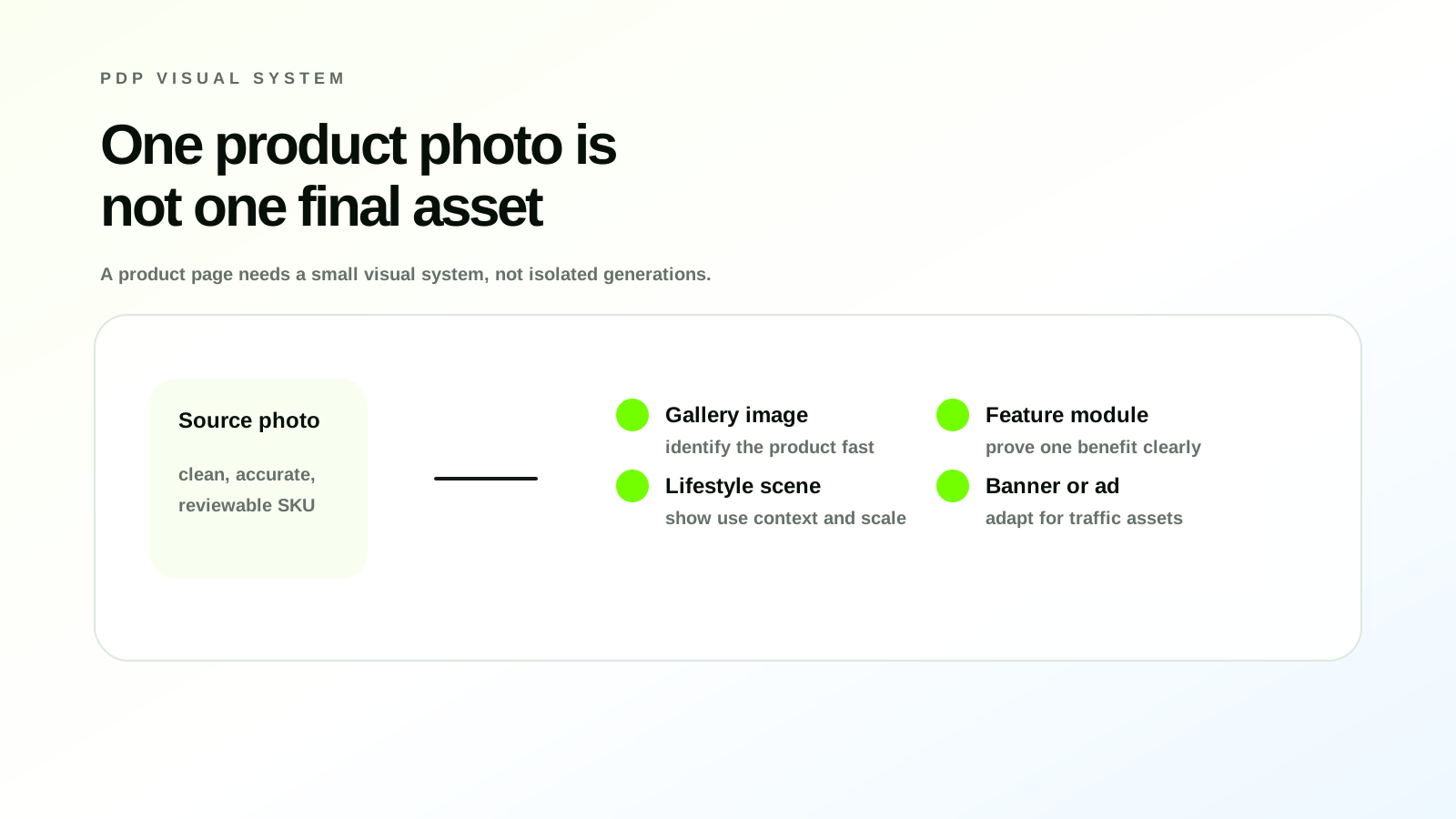
The same product can move through more than one workflow. A source photo might be cleaned with an editor, upscaled with an enhancer, used as the anchor for a generated lifestyle scene, and then reviewed before being added to a PDP or listing image set. That is normal. The mistake is asking generation to solve every problem.
| Seller situation | Best first workflow | Why |
|---|---|---|
| Supplier photo has a gray background | Photo editor | The product exists; the background and crop need control |
| Product looks soft after marketplace upload | Enhancer | The issue is resolution and compression |
| Store needs a kitchen, bedroom, desk, or outdoor use image | Product image generator | The missing asset is a new scene |
| Apparel flat lay needs a model view | Generator plus fit review | The scene is missing, but garment shape must stay accurate |
| Packaging label has glare and dust | Retouching workflow | Small edits affect perceived quality and compliance |
| Amazon image set needs six secondary visuals | Generator plus editor plus QA | The set needs story, consistency, and marketplace fit |
| Shopify gallery feels inconsistent across variants | Editor plus brand preset | The product images need a shared visual system |
The order matters because source quality affects every later step. A weak product cutout creates weak generated scenes. A wrong color profile creates wrong ad images. A crop that hides the product shape makes the PDP less useful even if the scene looks polished.
What a Product Image Generator Does Well
A product image generator earns its place when the store lacks visual variety. It can turn one clean product photo into lifestyle scenes, product-in-use images, seasonal campaigns, PDP modules, hero images, and ad tests. This is especially useful for smaller teams that cannot run a shoot for every SKU, colorway, launch, and promotion.
The best generator workflows constrain the product and vary the environment. That means the prompt should describe the room, surface, lighting, season, prop style, or product-use moment while keeping the actual SKU grounded in a real input image. Text-only generation is more fragile for ecommerce because it asks the model to invent details that a buyer may later inspect.
Strong generator use cases include:
- creating lifestyle images from a clean packshot
- testing seasonal campaign scenes before a photo shoot
- producing PDP section visuals for product benefits and use cases
- building social images that match a launch theme
- making secondary listing visuals that explain size, context, or usage
A generator becomes weaker when the task is close-up detail correction. If a handbag clasp, shoe tread, supplement label, or jewelry setting needs to be exact, the workflow needs editing, retouching, or a real reshoot before generation.
What a Product Photo Editor Does Better
A product photo editor is the better choice when the image already contains the right product but the file is not store-ready. Common edits include background removal, shadow control, crop, aspect ratio, color correction, reflection cleanup, dust removal, blemish cleanup, and export sizing.
This matters for catalog consistency. A Shopify store with 200 SKUs can look amateur if every product tile has a different crop, tone, and background. Amazon and marketplace sellers face a similar issue when secondary images look like they came from different teams. Editing creates control. Generation creates variety. Ecommerce needs a balance of both.
Editing is also safer for main product views. If the goal is to show the exact product clearly, a controlled edit beats a generated interpretation. The workflow should preserve product truth, improve clarity, and prepare the file for the target placement.
How AI Image Editors Increase Productivity
AI saves time when it removes repeated manual work. Batch background removal, automatic crop suggestions, object cleanup, smart sharpening, and reusable scene presets can reduce the number of small production tasks that slow a content team down.
Productivity drops when the team uses AI output without review. Every image then creates a second job later: customer support, returns, ad disapprovals, marketplace rejections, or redesign work after the page looks inconsistent. Faster image production only helps when the final files are easier to publish, reuse, and trust.
Use productivity as a catalog metric. A good ecommerce image workflow should make it easier to create more usable assets per SKU, maintain a consistent gallery, reuse visuals across PDPs and ads, and refresh seasonal content without rebuilding everything from scratch.
Build the Generator and Editing Workflow in LoomaDesign
LoomaDesign is strongest when a seller needs a controlled product visual system, not isolated one-off images. A team can start with a real product image, create new lifestyle or PDP assets with the AI product image generator for ecommerce, polish product files with AI product photo retouching tools, and use ecommerce product image prompts to keep scene creation more consistent.
For Amazon and Shopify work, the same source assets can support product galleries, listing images, A+ modules, PDP sections, ad creatives, and landing-page visuals. Speed helps only when the output can be reused safely. Each image should have a known purpose, a source asset, a target placement, and a QA step before it appears in front of buyers.
FAQ
Is a product image generator the same as a product photo editor? No. A generator creates a new visual asset or scene. A photo editor changes an existing image. Some tools do both, but ecommerce teams should still decide which workflow the image problem requires.
What is the best photo editing app for ecommerce? The best choice depends on the product category and workflow. A small catalog may need simple background removal, crop, and enhancement. A larger brand needs repeatable presets, batch processing, visual review, and assets that fit Shopify, Amazon, PDPs, and ads.
Should I generate product photos from text only? Text-only generation can work for concept exploration, but ecommerce publishing is safer when the tool starts from a real product image. The source photo gives the model a product anchor and gives the reviewer something to compare against.
When is retouching better than an AI editor? Use retouching when small details change buyer perception. Jewelry, cosmetics, apparel fit, glass, metal, packaging, and technical products often need a careful human check, even when AI handles the first pass.
Can one tool handle product images for Amazon and Shopify? One workflow can support both, but the final images should be reviewed by placement. Shopify product galleries, Amazon listing images, A+ Content modules, and ad creatives each have different expectations.
Sources and Data Points
- Shopify Help Center, Product media types
- Shopify Help Center, Media generation
- Shopify Help Center, Uploading images
- Amazon, A+ Content overview
Related LoomaDesign reading: Product detail page design AI, AI product photo retouching tools for ecommerce, and AI product image generator for ecommerce.