
AI Generated Product Images: Seller Checklist
Sellers are asking a blunt question now: can AI generated product images be used in ecommerce without hurting trust? The practical answer is yes for many secondary images, lifestyle scenes, ad creatives, PDP support visuals, and test assets. Risk rises when the generated image changes what the buyer believes the product includes, how large it is, what material it uses, or how it performs.
AI can remove a lot of slow production work from ecommerce photography. It can also create small lies at scale. A handle changes shape. A supplement bottle gains a larger cap. A backpack looks waterproof because the scene adds rain beads. A skincare jar looks twice as large because the model hand is off. Those errors are product-content risk, not cosmetic noise.
Quick Answer
AI generated product images are safest when the real SKU remains the anchor and the generated work changes only the setting, presentation, or supporting context. A merchant can use AI product photos for lifestyle scenes, secondary gallery images, campaign tests, social content, and PDP modules when every final image still matches the product that ships.
For marketplace main images and high-intent listing assets, review the current channel rules before upload. Amazon, Shopify, Walmart, eBay, and ad platforms treat each image slot differently. A scene that works on a Shopify collection page may be wrong for an Amazon main image, and a creative ad image may still need extra QA before it appears beside product claims.
Where AI Generated Product Images Work Best
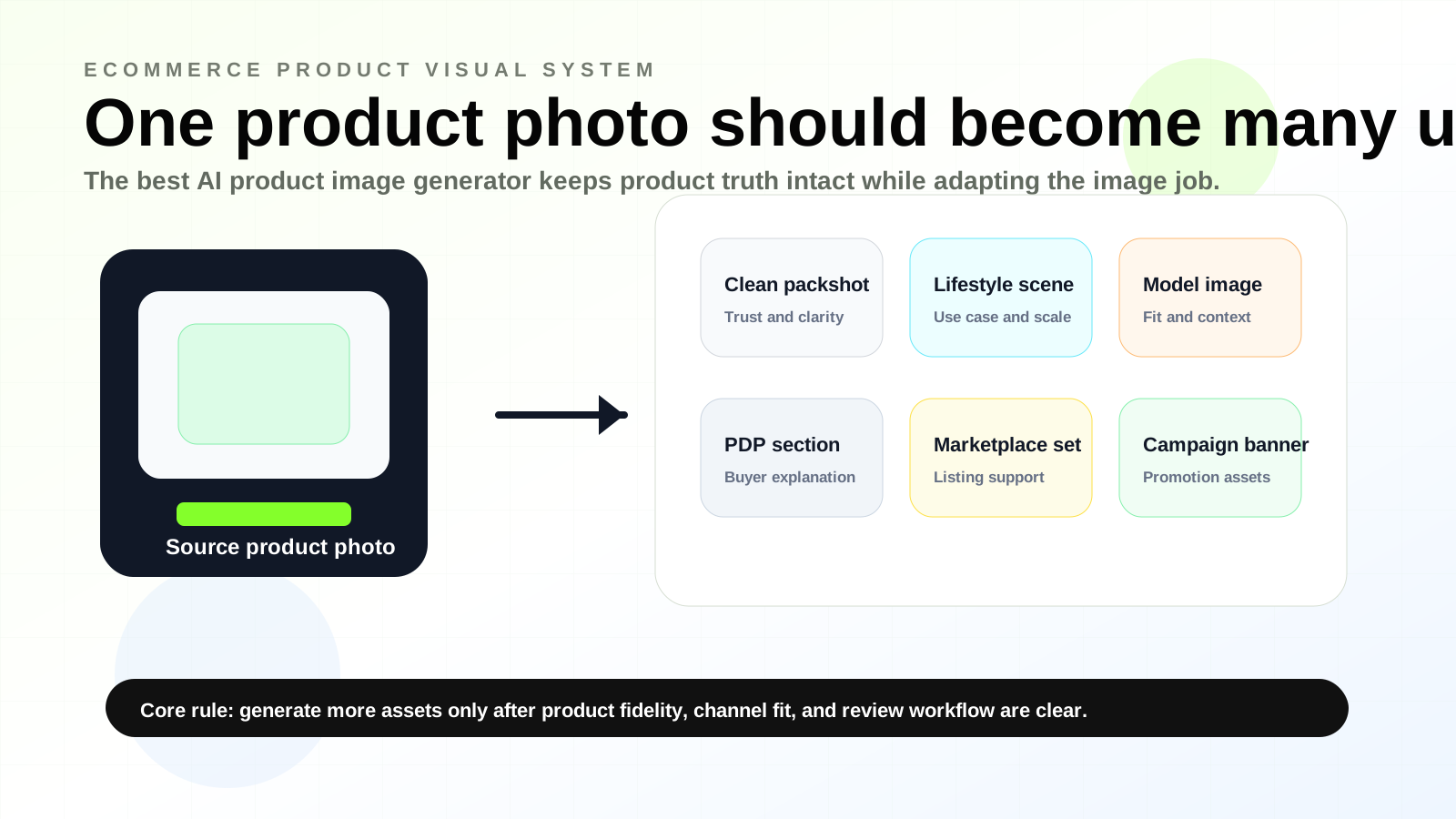
AI is useful when the product is already known and the missing piece is context. A plain supplier photo can become a kitchen counter scene, a clean studio alternate, a seasonal ad image, or a PDP section visual that explains size and use case. The product stays fixed while the environment changes around it.
AI works well for secondary ecommerce images because buyers expect a gallery to answer practical questions. They want to see use, scale, texture, color, packaging, and compatibility. AI can help create those supporting views faster, especially when the team starts from real product photos and avoids asking a model to invent the product from text.
| Ecommerce use case | AI image role | Review focus |
|---|---|---|
| Shopify gallery support image | Show the product in a real room, outfit, desk, counter, or shelf setting | Does the setting change the perceived size, color, or included accessories? |
| Amazon secondary listing image | Explain use case, comparison, bundle, or lifestyle context | Does the image comply with the marketplace slot and avoid misleading claims? |
| PDP section visual | Connect the product to benefits, feature modules, or how-it-works sections | Does the layout support the copy without adding fake features? |
| Ad creative | Test scenes and compositions before a full shoot | Does the image still match landing-page and product-page content? |
| Social content | Create faster campaign variants | Does the scene feel plausible for the product category and brand? |
The best results usually come from a controlled workflow: upload a real product image, keep the SKU isolated enough for the tool to preserve edges and proportions, generate a scene with specific instructions, and compare the final result against the original product photo before resizing or publishing it.
Where AI Product Images Become Risky
Risk rises when the generated image starts inventing product facts. This happens often with apparel fit, jewelry scale, glass reflections, food texture, packaging labels, and items with small functional parts. A generated scene can look better than a photo shoot while still being wrong in ways a buyer notices only after delivery.
The riskiest ecommerce use cases are main images, regulated categories, close-up technical views, before-and-after claims, and images that imply a bundle. A generated bottle beside three accessories may make buyers think the accessories ship in the box. A fake outdoor scene can imply weather resistance. A generated model photo can change how a garment hangs on the body.
Common failure points include:
- product shape changes around edges, handles, seams, openings, or transparent parts
- packaging text becomes unreadable, invented, or slightly off-brand
- color shifts after scene generation, especially with cream, black, metallic, and transparent products
- scale changes because hands, furniture, shelves, or props are generated inaccurately
- accessories appear in the image without being included in the SKU
- the image implies a product claim that the PDP copy and packaging cannot support
- the AI scene hides defects that buyers would normally expect to inspect
AI generated product images need review even when they look polished. Compare the generated image with the source product photo and the live product description. If the image makes a stronger promise than the copy, revise it or keep it for internal concept testing.
Publishing Checklist for AI Product Photos
Most bad AI product photos fail because nobody assigned a final reviewer. The designer checks composition, the marketer checks click appeal, and the marketplace operator checks dimensions. Product accuracy often gets missed between those jobs.
Use a short QA list before a generated image reaches an ecommerce page. Make it boring enough to run every time.
| Check | What to confirm | Why it matters |
|---|---|---|
| Product shape | Edges, openings, handles, seams, logos, labels, and included parts match the real SKU | Shape errors create returns and trust problems |
| Color and material | The generated version matches the source photo under normal ecommerce display | Color mismatch is one of the fastest ways to disappoint buyers |
| Scale | Props, hands, furniture, rooms, or comparison objects keep size realistic | Buyers use context images to estimate fit and use |
| Accessories | Nothing appears unless it ships or is clearly a prop | Extra items can create a false bundle expectation |
| Claims | The scene avoids implying waterproofing, durability, medical effect, safety, or compatibility unless supported | Image claims can create compliance and refund issues |
| Channel slot | The image fits its intended use, such as main image, gallery, PDP, A+ module, collection tile, or ad | Rules and buyer expectations vary by image slot |
| Mobile crop | The product remains clear after mobile crop and thumbnail display | Small-screen ecommerce often hides detail |
| Resolution | The final file stays sharp after compression and platform upload | Soft images make the listing look low quality |
| Brand consistency | Lighting, angle, background, and tone match the rest of the catalog | Random-looking galleries reduce perceived professionalism |
Run this checklist before image enhancement and final resizing. If a generated scene contains a product error, upscaling will only make the wrong detail sharper.
Amazon and Shopify Need Different Judgment
Amazon listings usually require stricter thinking because the marketplace controls how buyers compare products, thumbnails, and listing media. Main images, secondary images, A+ Content modules, and ad assets all have different review expectations. Amazon's A+ Content program gives brand owners richer product storytelling space, but that extra space still needs accurate product visuals and compliant claims.
Shopify gives merchants more control over presentation, theme design, and product media layout. That flexibility still requires accuracy. Shopify's product media documentation covers images, 3D models, and video, and its media-generation documentation shows AI tools moving closer to the merchant workflow. The more native those tools become, the more important it becomes to decide which generated images belong in a product gallery and which should stay in campaign or concept work.
For a Shopify store, the main practical checks are image size, theme crop, gallery order, page speed, and whether the image supports the product page copy. For Amazon, add stricter slot-by-slot review. A lifestyle image that helps a Shopify product page may need revision before it belongs in a marketplace listing image set.
A Safer Workflow for Creating AI Product Images
Start with the most accurate product photo available. Supplier photos can work if the product is clean, centered, and high enough resolution, but a weak source image limits every generated variant. If the source image is blurry, compressed, or color-shifted, fix that first with image enhancement or retouching.
Then create images by purpose. Keep Amazon image sets, Shopify galleries, A+ modules, and ad creatives in separate prompt workflows. Each channel has a different job. A PDP support image can be more explanatory. A lifestyle scene can show use. A marketplace secondary image may need more restraint. An ad image can carry more campaign emotion, as long as the landing page keeps the product expectation consistent.
A practical ecommerce workflow looks like this:
- Select a real source product photo with clear edges, true color, and visible packaging or product detail.
- Clean the source image before generating new scenes.
- Generate only one image type at a time, such as lifestyle scene, PDP module visual, or ad creative.
- Compare the result against the real product, not against the prettiest version in the batch.
- Run product, channel, crop, and claim checks before resizing.
- Enhance or export the final image for the target placement.
- Keep the source photo and final variant together so future edits can be traced.
LoomaDesign fits this workflow because it starts from ecommerce assets and keeps each output tied to a product-use job. Sellers can use the AI product image generator for ecommerce workflow for controlled variants, pair it with AI product photography for Shopify and Amazon, and use image enhancement for listing photos before final upload.
FAQ
Can you sell products with AI generated images? In many ecommerce contexts, yes, provided the images accurately represent the actual product and comply with the channel where they appear. The safer use cases are secondary visuals, lifestyle scenes, PDP modules, ads, and social content. Main images and regulated categories deserve stricter review.
Are AI product photos allowed on Amazon? The answer depends on the image slot, category, and current Amazon rules. Treat the main image, secondary images, A+ Content, and ad creative as separate placements. Review current Seller Central requirements before upload, and keep the product visually accurate even when the background or scene is generated.
How do I create AI product images without making them look fake? Use a real product photo as the anchor, write prompts around the scene, and reject outputs that alter shape, material, label, color, or scale. The best image is the one a buyer still recognizes after the product arrives.
Should AI generated product images replace a product photo shoot? They can reduce the number of scenes a team needs to shoot, especially for concept testing and secondary assets. Accurate product reference images remain the control point for product truth.
What is the difference between AI product images and AI product photography? AI product images can include generated backgrounds, scenes, and product visuals. AI product photography usually refers to using AI to create ecommerce-ready photos from product inputs. The business question is the same in both cases. Does the final image help the buyer understand the real product?
Sources and Data Points
- Shopify Help Center, Product media types
- Shopify Help Center, Media generation
- Shopify Help Center, Uploading images
- Amazon, A+ Content overview
Related LoomaDesign reading: Amazon listing image generator, AI product photography for Shopify and Amazon, and AI product image generator for ecommerce.