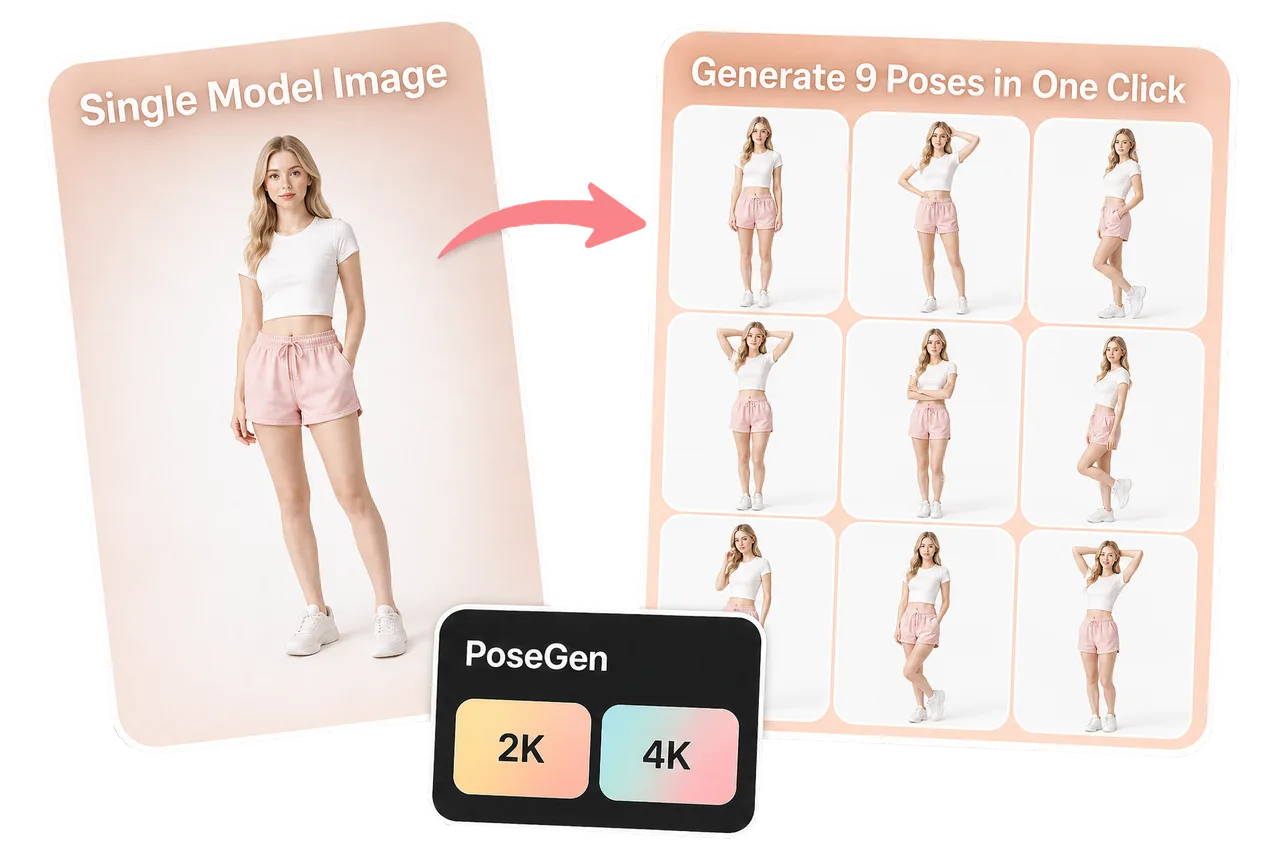
Create a 3x3 model pose grid from one source model photo.

Model Pose Variant Workflow
Model Multi-Pose Grid
LoomaDesign helps ecommerce teams create a nine-pose model grid from one model image so apparel and styling teams can test more presentation angles faster.
Quick answer
Use Model Multi-Pose Grid when you want one model image expanded into a structured 3x3 pose set for apparel listings, ad tests, and faster visual exploration.
Use cases
Where this helps ecommerce teams fastest
Test apparel presentation angles before a full shoot.
Generate faster creative directions for ads, listings, and merchandising reviews.
Workflow
A clearer path from product input to usable output
Step 1
Upload one model photo
Start with the model and outfit direction you want the pose grid to preserve.
Step 2
Choose output quality
Select the resolution that fits your testing or production needs before generation.
Step 3
Generate the 3x3 grid
Create a nine-pose grid that shows varied model poses for ecommerce review and creative testing.
Why Looma
What buyers need to understand before they try the tool
Why pose variety matters
Apparel images often fail because one pose does not show enough fit, mood, or styling direction.
- Pose grids help teams compare options faster.
- More poses make it easier to judge which angle supports the product best.
- A structured grid is easier to review than scattered one-off outputs.
Where teams can use the grid
The output is most useful for creative direction and ecommerce presentation testing.
- Listing galleries that need more model-led variety.
- Ad concept testing before final asset selection.
- Merchandising reviews for apparel and styling direction.
How it connects to try-on workflows
Model pose grids can support downstream apparel and accessory workflows.
- Use a strong model output as a reference for Virtual Try-On.
- Enhance a selected pose before using it in a campaign.
- Use the best pose direction as a guide for final production imagery.
FAQ
Questions buyers usually ask before they click in
Related resources
Continue into the Looma content cluster
Try-On SuiteSolution
Virtual Try-On for Ecommerce
Create virtual try-on visuals for clothing, shoes, jewelry, wigs, and sunglasses with LoomaDesign. Upload a model image, choose the item type, and generate product-ready visuals.
Open resource
Model WorkflowSolution
AI Fashion Model Generator
Create cleaner on-model apparel visuals with LoomaDesign. Turn flat lays and garment photos into faster ecommerce-ready model imagery.
Open resource
Enhance OutputsSolution
AI Product Image Enhancer
Sharpen soft product images and improve edge and texture clarity for ecommerce while checking labels, color, packaging, and SKU details.
Open resource