Create try-on visuals for apparel and accessories from one shared workflow.

Virtual Try-On Suite
Virtual Try-On for Ecommerce
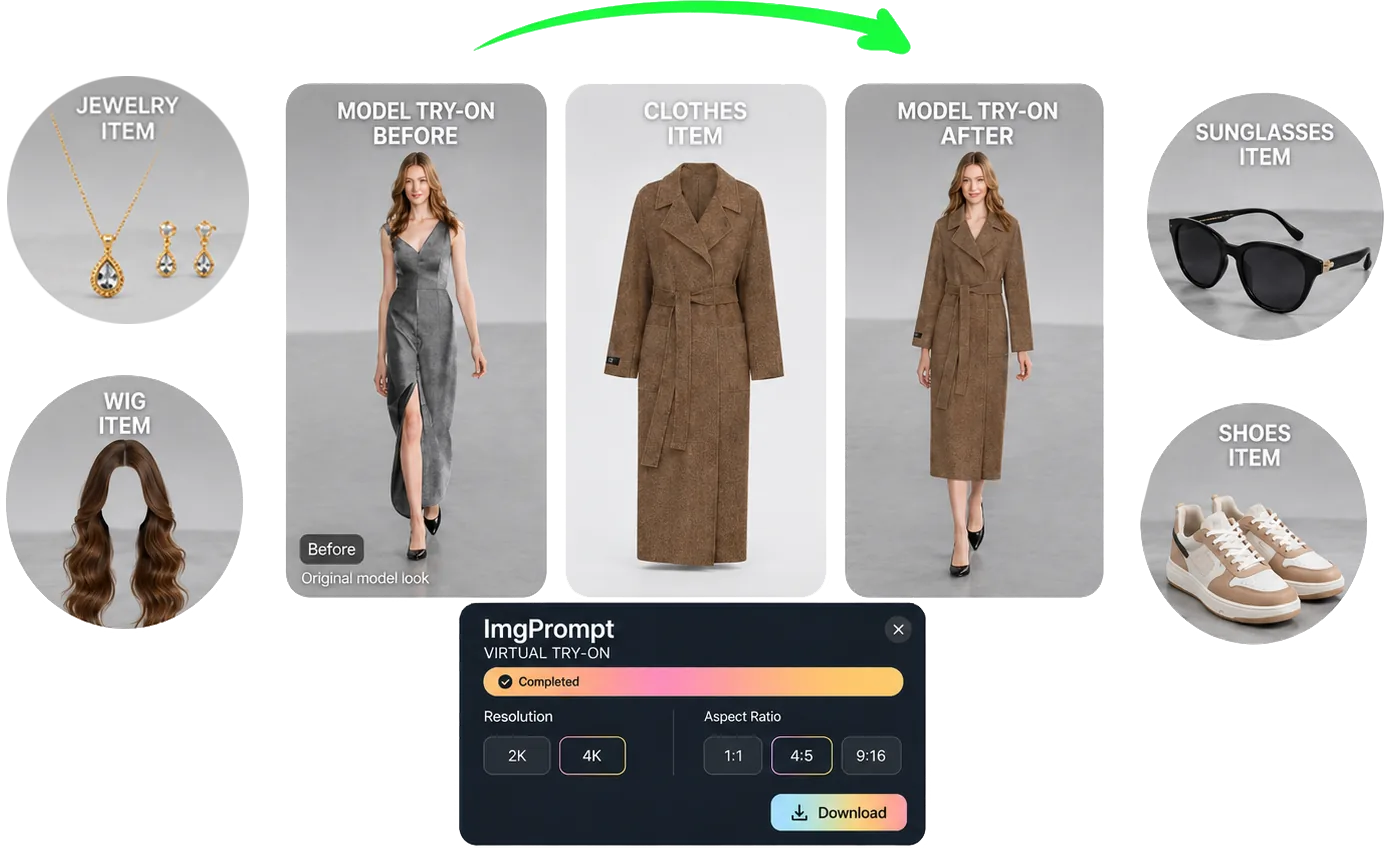
Virtual Try-On helps ecommerce teams create try-on visuals for clothing, shoes, jewelry, wigs, and sunglasses. Upload a model image, choose the item type, add a reference image, and generate product-ready visuals for listings, ads, and creative testing.
Quick answer
LoomaDesign gives ecommerce teams one virtual try-on workflow for apparel and accessories, with separate SEO paths for clothing, shoes, jewelry, wigs, and sunglasses.
Use cases
Where this helps ecommerce teams fastest
Route shoppers and SEO traffic into the right item-specific try-on page.
Generate listing, ad, and creative-test assets without rebuilding the process for every category.
Workflow
A clearer path from product input to usable output
Step 1
Upload the model image
Start with the person, pose, crop, and background you want the final image to preserve.
Step 2
Choose the try-on type
Pick clothing, shoes, jewelry, wig, or sunglasses so the workspace uses the right upload prompt and generation guidance.
Step 3
Generate the try-on visual
Create the final ecommerce image for listings, ads, or internal creative testing with the selected output settings.
Why Looma
What buyers need to understand before they try the tool
What this virtual try-on suite covers
Different try-on categories fail in different ways, so Looma keeps the workspace shared while separating the item-specific generation logic.
- Clothing try-on focuses on fit, fabric, drape, and garment structure.
- Shoe and accessory try-on focuses on contact, scale, reflection, and natural placement.
- Wig and sunglasses try-on focuses on face identity, hairline, lens perspective, and realistic wear.
How ecommerce teams use it
The goal is faster production support for commercial visuals, not one-off novelty edits.
- Create more listing and ad variants from existing product references.
- Test product presentation before booking new photography.
- Keep category-specific public pages available for future SEO and blog internal links.
FAQ
Questions buyers usually ask before they click in
Related resources
Continue into the Looma content cluster
ClothingSolution
Virtual Clothing Try-On
Generate virtual clothing try-on images for ecommerce. Apply garment references to model photos while preserving pose, fit, fabric texture, and natural drape.
Open resource
ShoesSolution
Virtual Shoe Try-On for Ecommerce
Create virtual shoe try-on visuals for ecommerce listings and ads. Apply footwear references with natural foot contact, perspective, and shadows.
Open resource
JewelrySolution
Virtual Jewelry Try-On
Generate virtual jewelry try-on images for ecommerce. Apply earrings, necklaces, bracelets, or rings with believable placement, scale, and reflections.
Open resource
WigsSolution
Virtual Wig Try-On Generator
Create virtual wig try-on and hairstyle preview images for ecommerce. Apply wig or hairstyle references while preserving face identity and natural hairlines.
Open resource