
Google Merchant Center AI Product Import Beta Raises the Bar for Product Page Image QA
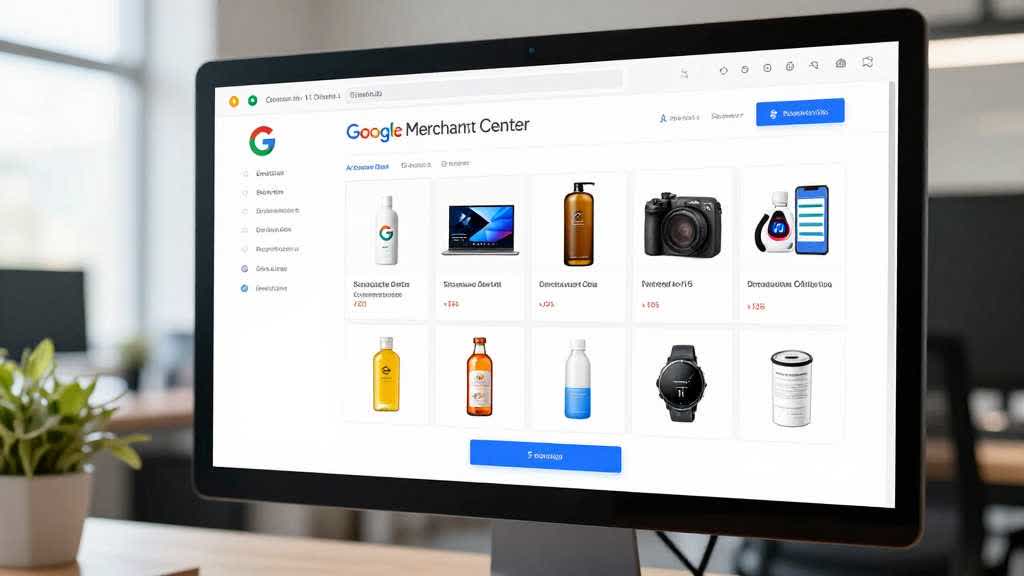
Google Merchant Center has been spotted testing a "Use AI to add products - beta" option inside the product source flow. PPC Land reported on May 6, 2026 that the feature appears to scan a merchant website once and create product listings without requiring a structured feed upfront.
This is a product data update, but it has a clear image workflow consequence. If AI systems are reading product pages to create listings, the product page has to be cleaner. Product images, titles, descriptions, variant details, availability, and structured data need to tell the same story.
For ecommerce teams, feeds still matter, but product page quality is becoming a product data source.
What Changed
PPC Land reported that Google Merchant Center introduced a beta option labeled "Use AI to add products - beta" in the Add product source screen. The report says the AI option performs a one-time scan of a website, while file and Google Sheets options are marked as automatically updating.
PPC News Feed also reported the feature on May 5, 2026, describing it as a way to create products in Merchant Center using AI without a product feed.
Google's own Merchant Center Help documentation already explains related automatic product discovery. Google says automatically added products can come from structured data on a website, and automated feeds allow merchants to gain more control over how product information appears across Google surfaces.
The new beta, as reported, appears to push that idea further into setup convenience.
Why Sellers Should Care
A one-time AI scan can only work with the product information it finds.
If the product page uses weak images, missing variant data, vague product titles, inconsistent availability, or outdated details, an AI-assisted import can inherit those problems. The merchant may save time during setup and still need to correct product data later.
For visual assets, this matters in three ways.
First, the main product image should represent the exact SKU. If the product page uses a lifestyle image as the primary visual, the imported product may not have the clearest feed-ready image.
Second, product page images should match the product title and variant information. A color variant that looks tan in one image and gray in another creates feed and shopper confusion.
Third, image URLs and product details should remain current. If the page changes but the AI scan is one-time, teams need a process for reviewing what was imported and what still needs manual maintenance.
Product Page QA Becomes Feed QA
Traditional feed work separates product data from page content. A team may upload a feed, then separately manage PDP copy, product photos, and structured data.
AI product import narrows that gap. The product page becomes a source that a system may read, interpret, and turn into product data.
That means the product page should be audited like a feed source:
- The title should describe the product clearly.
- The main image should show the exact item.
- Variant images should match the selected color or model.
- Availability on the page should match the product data.
- Price, sale price, and shipping information should be consistent.
- Product schema should match visible page content.
- Image URLs should be stable and crawlable.
- Old images should not remain attached to current SKUs.
Google's Merchant API documentation also reminds developers that product inputs include fields such as title, description, product link, image link, availability, price, condition, and GTIN data. Those fields need reliable source information, no matter how the product is added.
What This Means for Product Images
Product images now work as gallery assets and product-system inputs. They are part of how product systems understand the SKU.
An ecommerce team should keep a feed-ready image for each product. That usually means a clear main image, accurate color, correct crop, current packaging, and no misleading props.
Secondary images still matter. A product page needs detail, scale, lifestyle, and use-case visuals. But the page also needs one conservative image that can represent the SKU across search, shopping, ads, and automated systems.
AI image editing can help clean and enhance that source image. It can also create problems if it changes product truth.
Before using an enhanced product image as a feed-ready asset, review:
- product shape
- color tone
- labels and packaging
- included accessories
- material texture
- variant accuracy
- edge quality
- background cleanliness
- image URL stability
LoomaDesign workflow for product-page-to-feed image QA
LoomaDesign helps ecommerce teams create and review product visuals before they are reused across product pages, listings, ads, and content systems.
Use the AI product image enhancer when the source image is clear but needs better resolution or cleaner detail. Use the white background workflow when the product needs a conservative, feed-ready main image. Use the A+ Content Image Tool when product visuals need to support a broader PDP story.
The same principle applies across all three workflows. A product visual should stay accurate enough for a shopper and structured enough for a machine.
What Sellers Should Do Now
Audit product pages before relying on AI-assisted product import.
Start with the top 20 products by revenue or ad spend. Check the main image, title, price, availability, variant image, structured data, and product detail page copy.
Create one approved product image per SKU for feed and shopping surfaces. Then keep secondary images for persuasion, context, and conversion.
Review automatically found or imported products inside Merchant Center. Google Help explains that Merchant Center has controls for products found by Google, including product source sections and ways to hide or stop managing automatically found products.
Treat AI import as a reason to tighten feed work. The first QA pass now sits closer to the product page.
Sources and Data Points
- PPC Land, "Google Merchant Center quietly adds AI product import in beta", published May 6, 2026.
- PPC News Feed, "AI Option for Adding Products Now in Google Merchant Center", published May 5, 2026.
- Google Merchant Center Help, "Add products automatically from your online store", documentation on automatically added products, automated feeds, and "Found by Google" controls.
- Google Merchant API, "Add and manage products", product input fields including title, description, image link, availability, price, condition, and GTIN.