Create extra listing gallery images from a core product asset.

Listing Variant Workflow
Additional Image Generator
LoomaDesign helps teams create extra product image variants when the listing needs more angles, use cases, or supporting visuals without a new shoot.
Quick answer
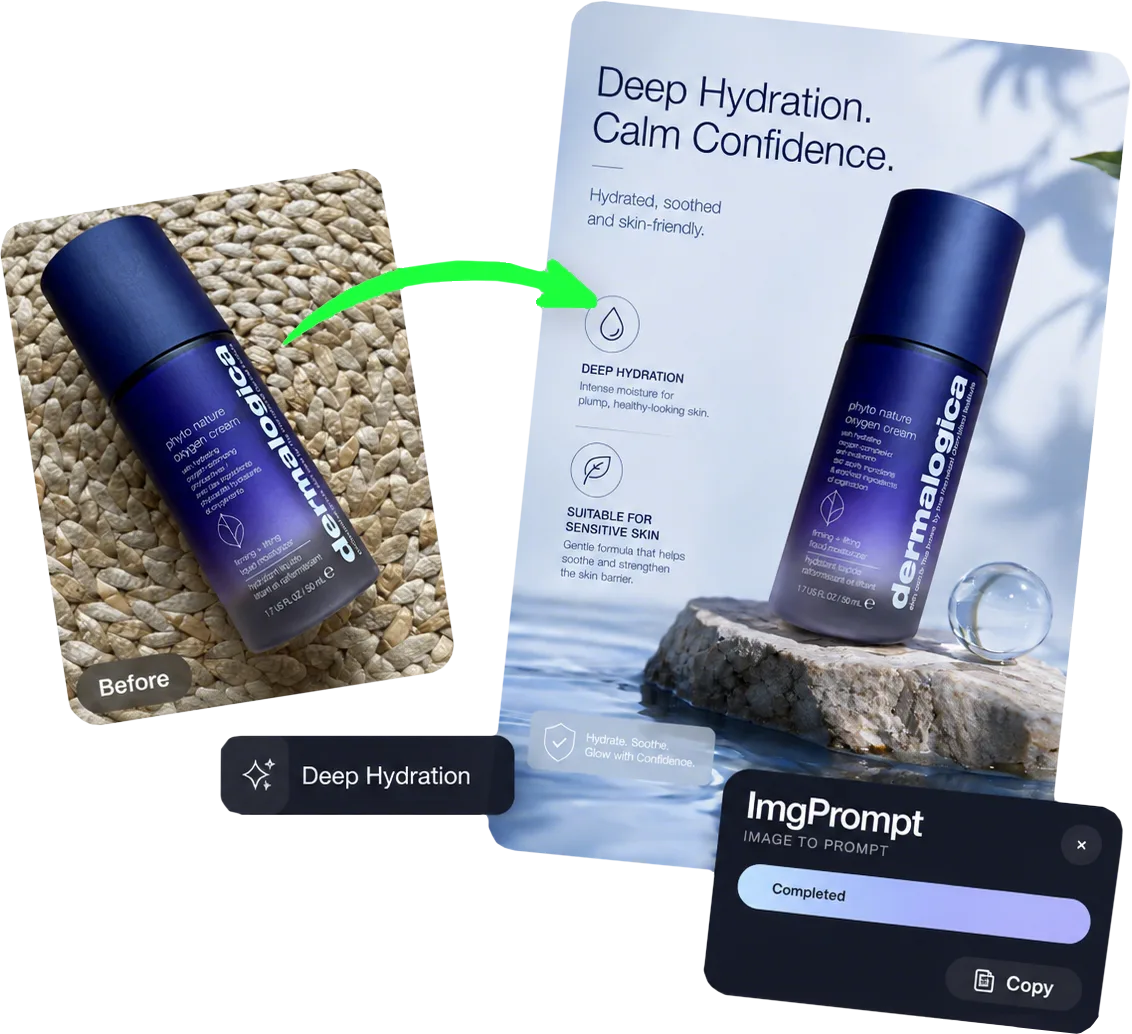
Use Additional Image when you already have a product image but need more supporting visuals for galleries, ads, product pages, or creative testing.
Use cases
Where this helps ecommerce teams fastest
Generate more campaign and ad variants without starting over.
Support product pages that need more visual proof and detail.
Workflow
A clearer path from product input to usable output
Step 1
Upload the existing product image
Start from the product asset you want to extend into additional listing or campaign visuals.
Step 2
Define the added visual angle
Describe the detail, context, scene, or support image the listing still needs.
Step 3
Generate more usable variants
Create additional product visuals for review, download, or follow-up editing.
Why Looma
What buyers need to understand before they try the tool
Why additional images improve ecommerce pages
One hero image rarely answers every buyer question.
- Additional images can show use cases, benefits, details, and scale.
- More visual proof can make product pages easier to scan and trust.
- Extra variants give growth teams more material for ad and landing-page tests.
Best-fit image types
This workflow is strongest when the output supports the listing instead of replacing the main product shot.
- Benefit-focused support images.
- Detail and feature visualizations.
- Additional scene or context variants for testing.
How to keep outputs useful
Additional images should make the product easier to evaluate, not just add decoration.
- Tie each image to a buyer question or product benefit.
- Avoid cluttered layouts that distract from the product.
- Review product accuracy before using outputs in live listings.
FAQ
Questions buyers usually ask before they click in
Related resources
Continue into the Looma content cluster
Flexible GenerationSolution
Custom Image Generator
Generate custom product images for ecommerce campaigns, ads, and landing pages with LoomaDesign. Upload product inputs and create directed product visuals faster.
Open resource
A+ WorkflowSolution
Amazon A+ Content AI
Create Amazon A+ content faster with LoomaDesign. Turn product facts, selling points, and visual direction into cleaner A+ modules and launch-ready workflows.
Open resource
Prepare InputsSolution
AI Product Photo Retouching
Clean product photos for ecommerce with LoomaDesign. Create sharper white-background images, cleaner edges, and more listing-ready product visuals.
Open resource