LoomaDesign

Model Pose Variant Workflow

Model Multi-Pose Grid

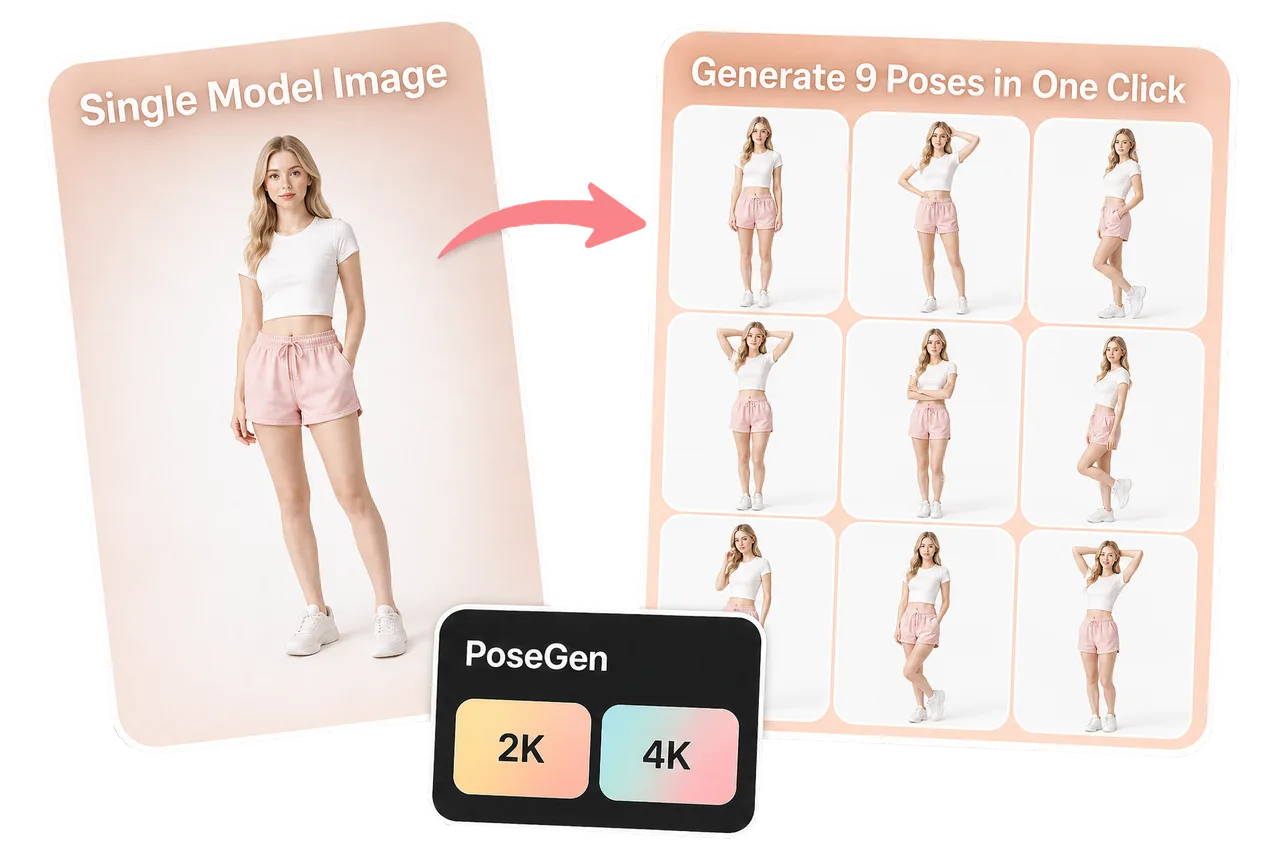
LoomaDesign helps ecommerce teams create a nine-pose model grid from one model image so apparel and styling teams can test more presentation angles faster.

Model Multi-Pose Grid

快速说明

Use Model Multi-Pose Grid when you want one model image expanded into a structured 3x3 pose set for apparel listings, ad tests, and faster visual exploration.

使用场景

这个功能最适合解决哪些电商图片问题

Create a 3x3 model pose grid from one source model photo.

Test apparel presentation angles before a full shoot.

Generate faster creative directions for ads, listings, and merchandising reviews.

工作流程

从商品输入到可用输出的清晰路径

Step 1

Upload one model photo

Start with the model and outfit direction you want the pose grid to preserve.

Step 2

Choose output quality

Select the resolution that fits your testing or production needs before generation.

Step 3

Generate the 3x3 grid

Create a nine-pose grid that shows varied model poses for ecommerce review and creative testing.

为什么选择 Looma

用户进入工具前需要理解的重点

Why pose variety matters

Apparel images often fail because one pose does not show enough fit, mood, or styling direction.

  • Pose grids help teams compare options faster.
  • More poses make it easier to judge which angle supports the product best.
  • A structured grid is easier to review than scattered one-off outputs.

Where teams can use the grid

The output is most useful for creative direction and ecommerce presentation testing.

  • Listing galleries that need more model-led variety.
  • Ad concept testing before final asset selection.
  • Merchandising reviews for apparel and styling direction.

How it connects to try-on workflows

Model pose grids can support downstream apparel and accessory workflows.

  • Use a strong model output as a reference for Virtual Try-On.
  • Enhance a selected pose before using it in a campaign.
  • Use the best pose direction as a guide for final production imagery.

常见问题

用户开始使用前常问的问题

相关资源

继续查看 Looma 内容集群