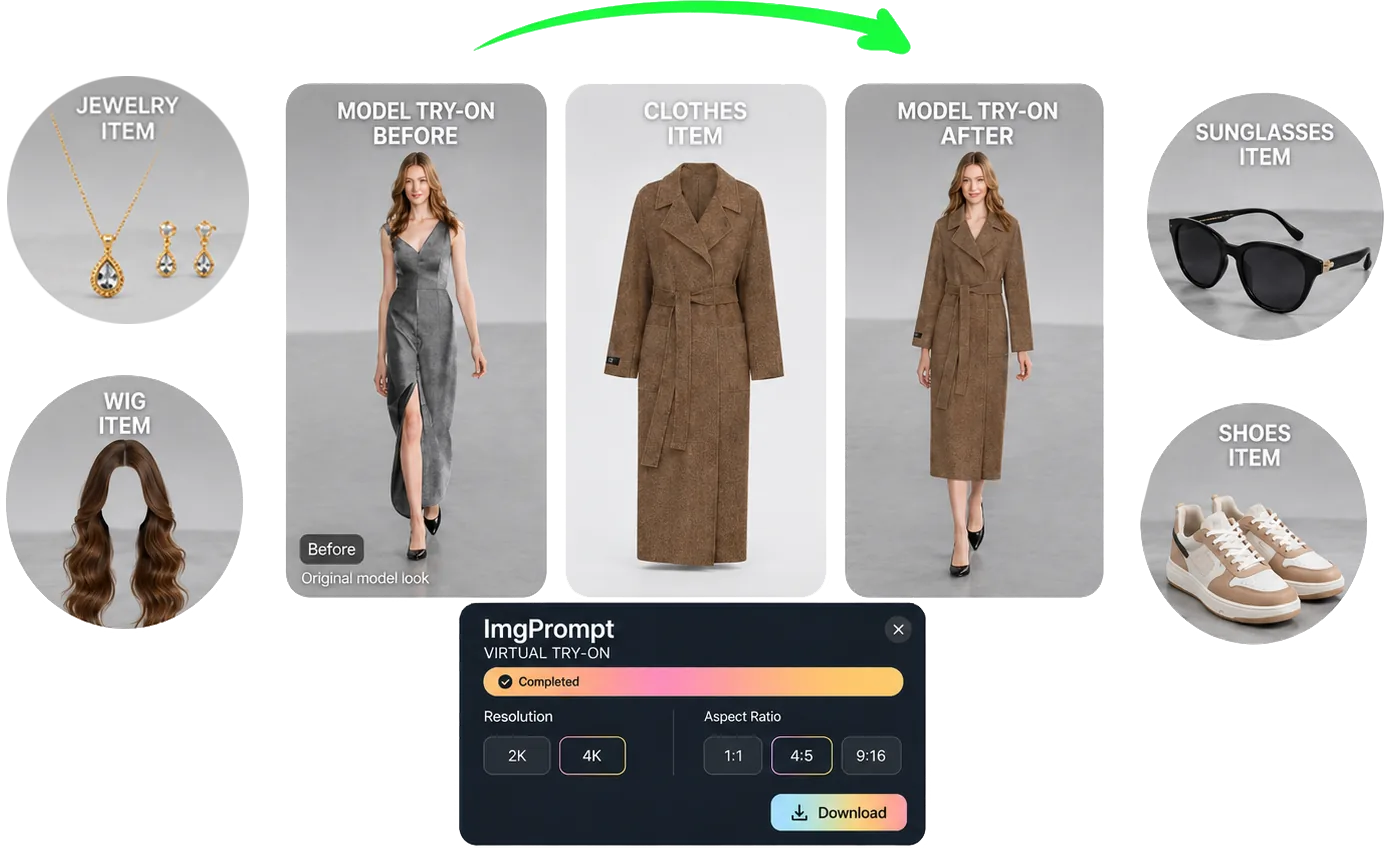
At a glance
One workflow, five item types
Choose clothing, shoes, jewelry, wigs, or sunglasses inside the same workspace while keeping each public page focused for SEO.
Virtual Try-On Suite
Virtual Try-On helps ecommerce teams create try-on visuals for clothing, shoes, jewelry, wigs, and sunglasses. Upload a model image, choose the item type, add a reference image, and generate product-ready visuals for listings, ads, and creative testing.
Quick answer
LoomaDesign gives ecommerce teams one virtual try-on workflow for apparel and accessories, with separate SEO paths for clothing, shoes, jewelry, wigs, and sunglasses.
At a glance
Choose clothing, shoes, jewelry, wigs, or sunglasses inside the same workspace while keeping each public page focused for SEO.
At a glance
Upload a model image and an item reference, then keep the target person, pose, framing, and background stable while the selected item is applied.
At a glance
Create visuals that are easier to use in listings, ads, PDP modules, and creative testing instead of loose concept art.
Use cases
Create try-on visuals for apparel and accessories from one shared workflow.
Route shoppers and SEO traffic into the right item-specific try-on page.
Generate listing, ad, and creative-test assets without rebuilding the process for every category.
Workflow
Step 1
Start with the person, pose, crop, and background you want the final image to preserve.
Step 2
Pick clothing, shoes, jewelry, wig, or sunglasses so the workspace uses the right upload prompt and generation guidance.
Step 3
Create the final ecommerce image for listings, ads, or internal creative testing with the selected output settings.
Why Looma
Different try-on categories fail in different ways, so Looma keeps the workspace shared while separating the item-specific generation logic.
The goal is faster production support for commercial visuals, not one-off novelty edits.
FAQ
Related resources
Generate virtual clothing try-on images for ecommerce. Apply garment references to model photos while preserving pose, fit, fabric texture, and natural drape.
Create virtual shoe try-on visuals for ecommerce listings and ads. Apply footwear references with natural foot contact, perspective, and shadows.
Generate virtual jewelry try-on images for ecommerce. Apply earrings, necklaces, bracelets, or rings with believable placement, scale, and reflections.
Create virtual wig try-on and hairstyle preview images for ecommerce. Apply wig or hairstyle references while preserving face identity and natural hairlines.