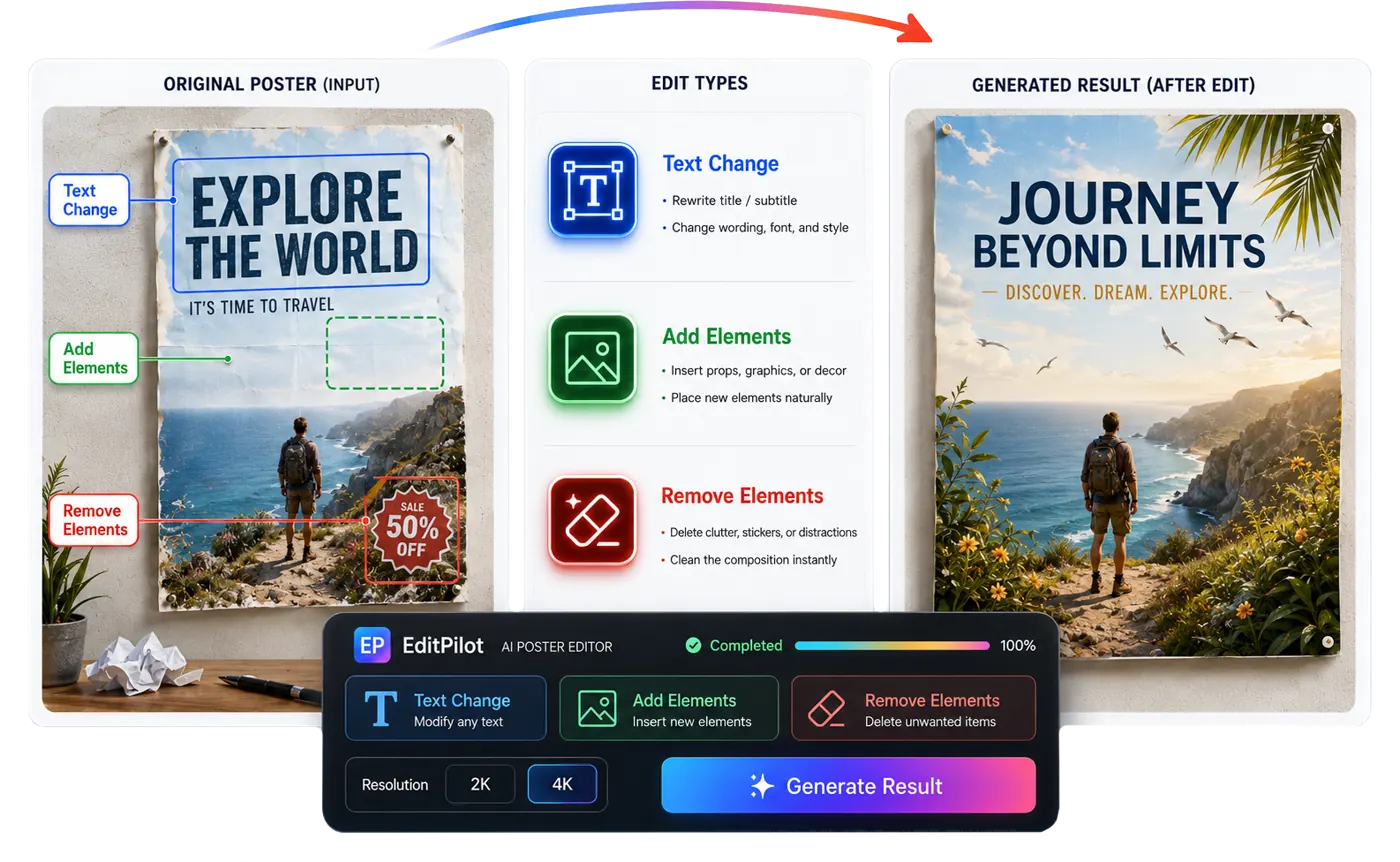
Change poster or banner text while keeping the original design style.
Targeted Image Editing Workflow
LoomaDesign helps ecommerce teams edit exact areas inside a product image, so posters, ads, listing graphics, and campaign visuals can be improved without rebuilding the whole creative.

快速说明
Use AI Product Image Editor when an ecommerce image is close but needs targeted edits, such as rewriting poster text, adding a prop, replacing an object, cleaning clutter, or refining a product detail.
使用场景
Change poster or banner text while keeping the original design style.
Add or replace product-related elements inside a selected area.
Remove distracting objects, stickers, clutter, or visual mistakes from ecommerce creatives.
工作流程
Step 1
Start with the poster, ad, listing visual, or product image you want to improve.
Step 2
Use rectangle selection, brush masks, crop, or pan and zoom controls to target the correct part of the image.
Step 3
Choose text change, add or replace element, remove element, or a custom edit, then generate a preview and apply the result.
为什么选择 Looma
Many ecommerce visuals only need one precise correction, not a completely new image.
The editor focuses on practical visual cleanup and revision tasks that happen after product creatives are drafted.
Use the editor after a product image, A+ visual, ad concept, or generated creative needs targeted QA.
常见问题
相关资源
Clean product photos for ecommerce with LoomaDesign. Create sharper white-background images, cleaner edges, and more listing-ready product visuals.
Improve ecommerce product photos with LoomaDesign. Clean, sharpen, and prepare product images before turning them into listing visuals, lifestyle scenes, or A+ content.
Generate custom product images for ecommerce campaigns, ads, and landing pages with LoomaDesign. Upload product inputs and create directed product visuals faster.