服とアクセサリーの試着制作を一つの流れで管理する。

バーチャル試着ツール
EC向けAIバーチャル試着
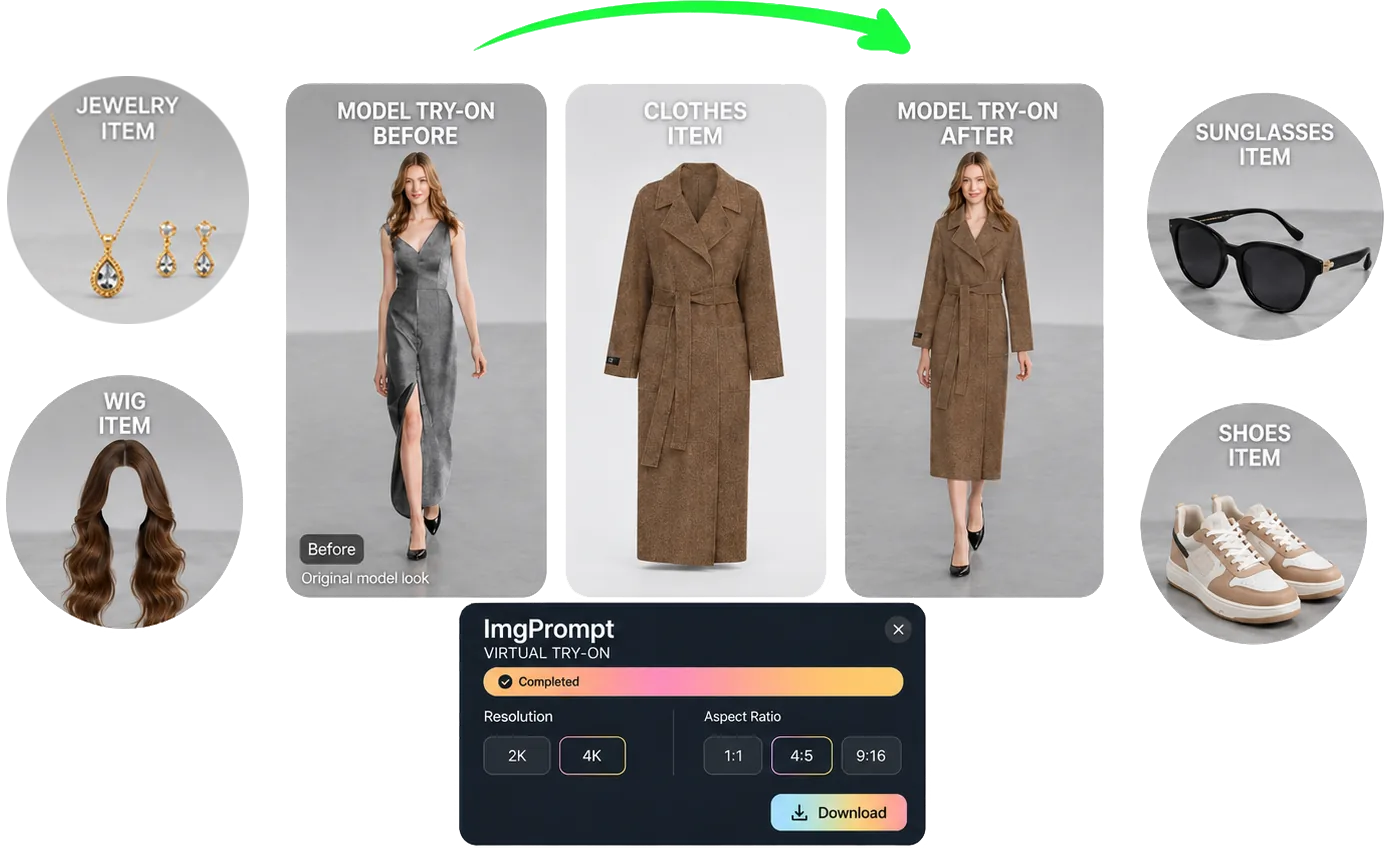
服、靴、ジュエリー、ウィッグ、サングラスの試着画像を一つの流れで作成。カテゴリ別の装着条件を確認できます。 必要な入力、制作手順、公開前の確認項目をEC実務に合わせて説明します。
要点
EC向けAIバーチャル試着は、商品ページ、広告、クリエイティブテスト向けの試着画像が必要なチーム向けです。人物写真、商品画像、正しい試着カテゴリを用意し、生成後に人物、ポーズ、商品デザイン、接触関係、現実的な比率を確認してから採用します。
用途
ECチームが最短で使える場面
カテゴリごとに人物、商品、構図の組み合わせを比較する。
カタログ更新のたびに新しい撮影を組む負担を減らす。
ワークフロー
入力から実用的な出力までの流れ
ステップ 1
信頼できる入力を用意
人物写真、商品画像、正しい試着カテゴリを整理します。元情報が明確なほど確認作業も短くなります。
ステップ 2
画像タスクを設定
LoomaDesignで試着タイプを選び、フィット、重なり、比率、光を確認する作業を進めます。
ステップ 3
比較して書き出し
人物、ポーズ、商品デザイン、接触関係、現実的な比率を確認し、商品ページ、広告、クリエイティブテスト向けの試着画像として使える案だけを残します。
Looma の強み
ツールを使う前に理解したいポイント
EC向けバーチャル試着が役立つ制作業務
画像ごとに具体的な役割があるとき、このワークフローを使いやすくなります。
- 服とアクセサリーの試着制作を一つの流れで管理する。
- カテゴリごとに人物、商品、構図の組み合わせを比較する。
- カタログ更新のたびに新しい撮影を組む負担を減らす。
生成後も守る商品情報
元画像と出力を並べ、商品ページへ載せる前に差分を確認します。
- 人物、ポーズ、商品デザイン、接触関係、現実的な比率を確認する。
- 同梱されない付属品や、資料にない機能が追加された案は使わない。
- スマートフォンのサムネイルと拡大表示の両方で確認する。
既存のEC制作へ組み込む方法
確認済みの画像を商品ページ、広告、次のデザイン作業へ割り当てます。生成した全案を公開する必要はありません。
- 商品ページ、広告、クリエイティブテスト向けの試着画像を商品ページまたは広告の担当者へ渡す。
- 不採用理由を記録し、次回の条件を具体的にする。
- 元の商品写真を残し、次の制作でもSKU照合に使う。
FAQ
利用前によくある質問
関連リソース
Looma の関連コンテンツを見る
関連機能ソリューション
AI服装バーチャル試着
服装画像を人物へ自然に適用。襟、袖、裾、しわ、体との重なりを確認し、EC向けの着用イメージを作成します。
リソースを開く
関連機能ソリューション
AIシューズバーチャル試着
靴画像を人物の足元へ適用し、左右、ソール、接地、遠近感、サイズ感を調整。自然な着用画像を作成します。
リソースを開く
関連機能ソリューション
AIジュエリーバーチャル試着
ネックレス、ピアス、指輪、ブレスレットを人物へ適用。装着位置、比率、金属色、肌との接触を調整します。
リソースを開く
関連機能ソリューション
AIウィッグバーチャル試着
ウィッグを人物写真へ適用し、生え際、長さ、カール、ボリューム、顔への重なりを調整。スタイルを比較できます。
リソースを開く